Ordering a service
Where in the portal: Deploy (
/deploy/vm). Where in the admin you control what appears here: Services (plans, prices) and System › Admin › License & updates (modules).
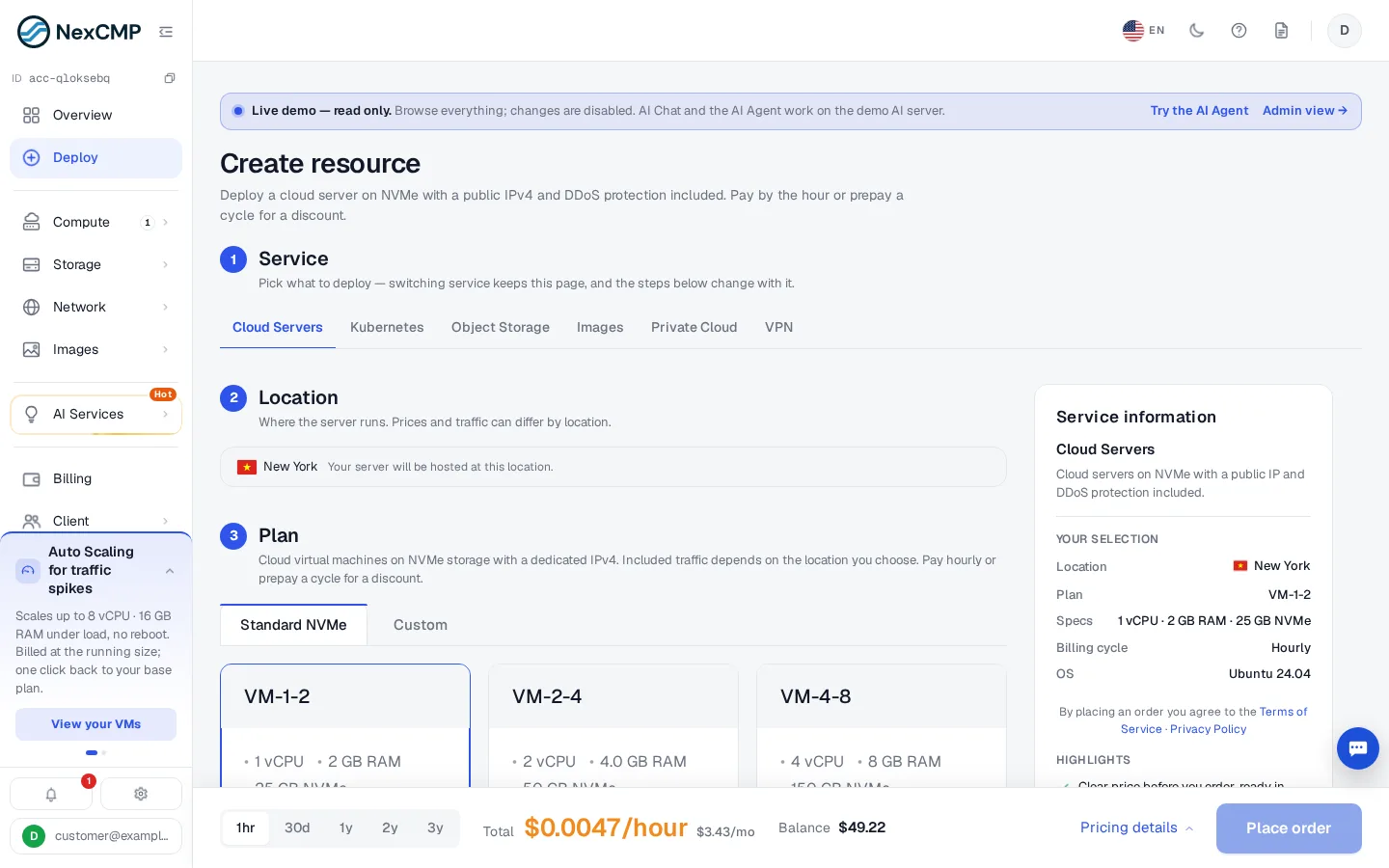
The order page is one scrolling form with numbered steps. Picking another service at step 1 keeps the page and changes the steps below.
Steps
- Service — Cloud Servers, and the other services you enabled (Kubernetes, Object Storage, Images, Private Cloud, VPN …).
- Location — the zone. Prices and included traffic can differ by location.
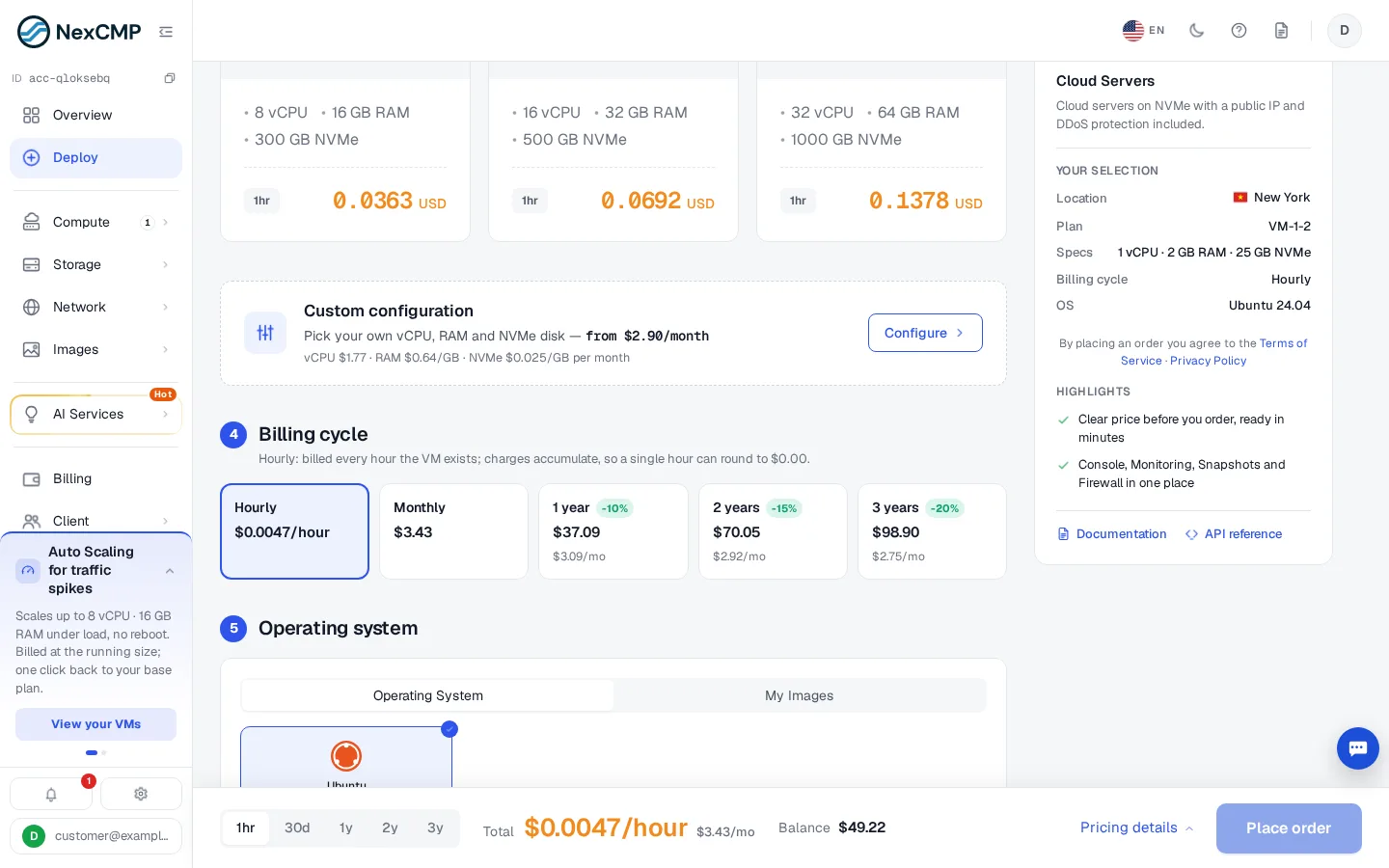
- Plan — a fixed plan (vCPU, RAM, NVMe disk, hourly price) or Custom (the customer picks vCPU, RAM and disk; priced per resource). Plans come from Plans.
- Billing cycle — Hourly or prepaid monthly/yearly cycles with a discount (for example 1 year −10%, 2 years −15%, 3 years −20%).
- Operating system — a list of templates, My Images (the customer's own uploads), and the version.
- Hostname & quantity — a name (or Randomize) and how many servers.
Placing the order
The summary shows the price. The order is charged to the wallet before provisioning, after the quota check and minimum balance rules. A VM usually reaches Running in about a minute; the customer sees deploy steps in the VM's Activity tab and receives the "VM ready" e-mail with the initial password (visible once for 10 minutes).
What can stop an order
| Message / cause | Fix |
|---|---|
| Not enough balance | Top up — Sign-up, wallet and top-up |
| Quota exceeded | Raise the quota — Quotas |
| E-mail not verified | Customer verifies the e-mail |
| No plan for the chosen location | Make a plan available in that zone — Plans |
| License not valid | Customers cannot create new services — License |