Ceph S3
Open Source Ceph S3 billing and customer portal
NexCMP turns the Ceph RADOS Gateway you run into S3 object storage you can sell. Customers create S3 accounts, keys and buckets in a portal on your domain, and are billed pay-as-you-go by the hour from a prepaid wallet.
The Object Storage module is part of NexCMP and costs nothing extra. It is switched off until you turn it on. You run your own Ceph cluster with the RADOS Gateway; NexCMP does not manage the cluster.NexCMP Source: full source code for $499, one-time. Use, modify and self-host for your own business. You may sell the services you operate; you may not resell or redistribute the source code or builds. Source license terms


What NexCMP adds to Ceph
Ceph stores the data. NexCMP is the layer in front of it that your customers see: it creates and deletes S3 users on your RADOS Gateway through the RGW Admin Ops API, hands out access keys, reads usage, and charges for it.
NexCMP does not run or change your Ceph cluster. You operate Ceph and its RADOS Gateway; NexCMP only needs the gateway's Admin Ops API and the S3 endpoint your customers use.
The same wallet, invoices, payment gateways, vouchers, quotas, resellers and support tickets that sell virtual machines sell object storage too.
How your customers manage object storage
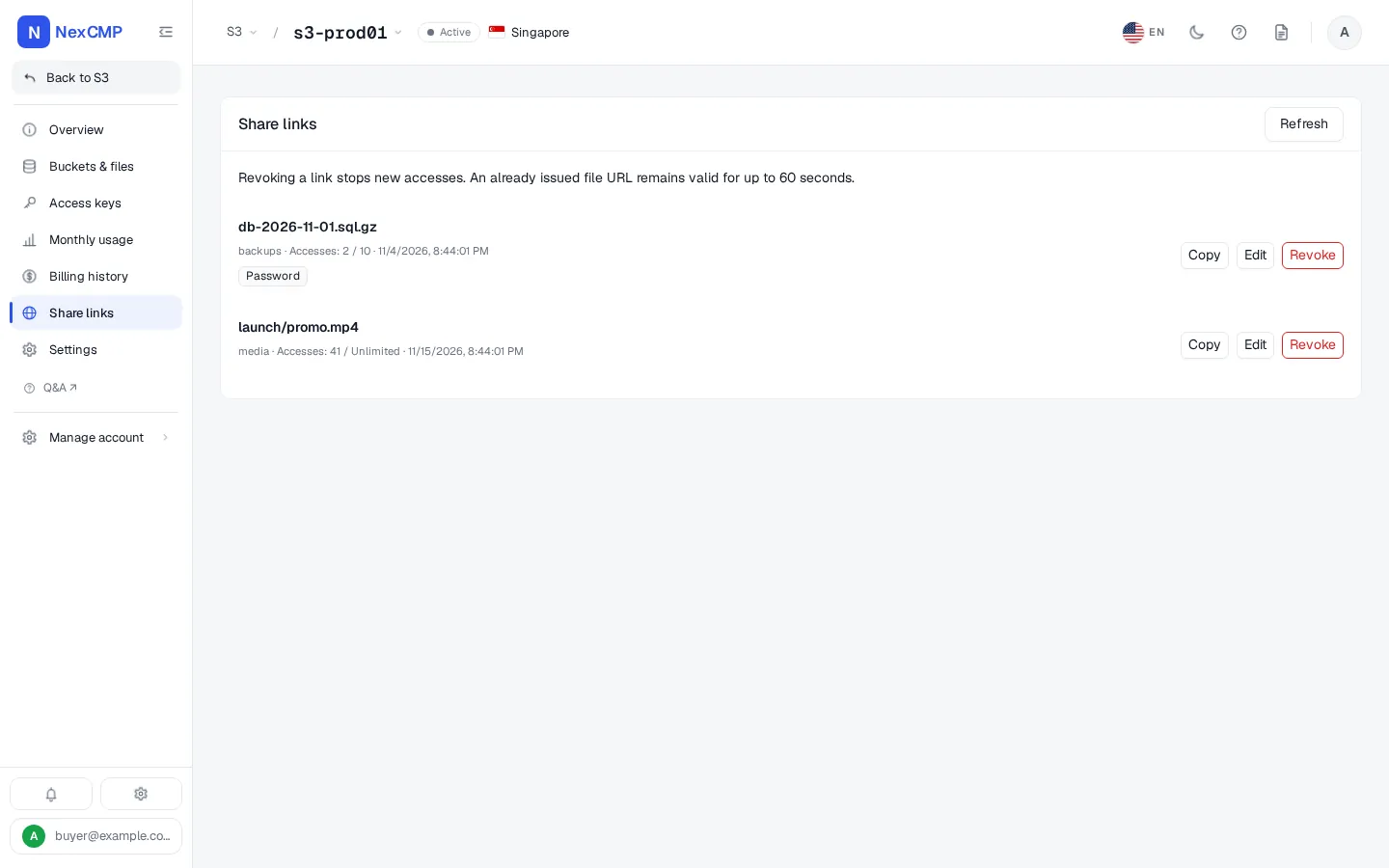
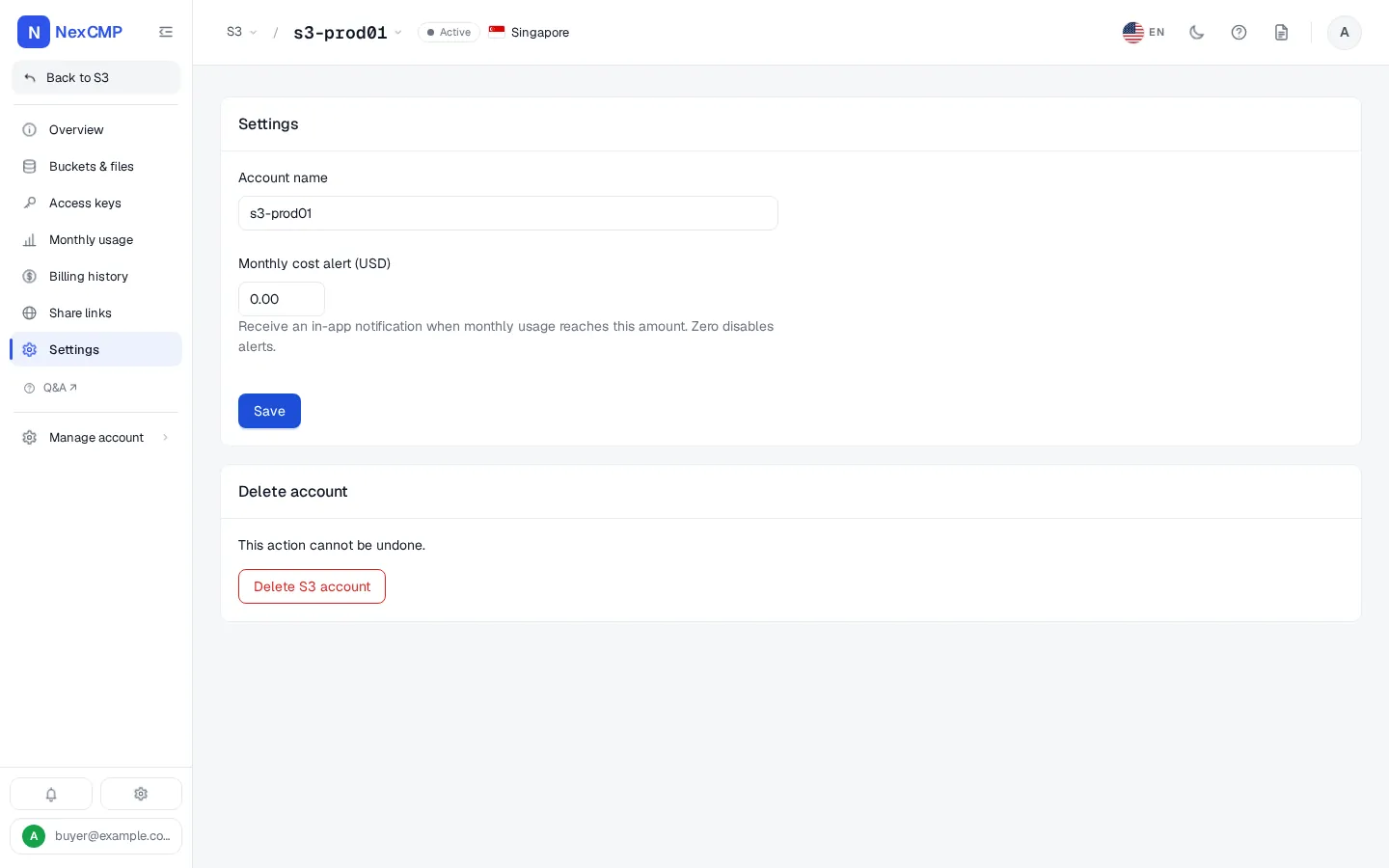
Every screen is a tab of the service page in the customer portal, shown with sample data. Pick a tab, use the arrows or the left and right keys, or open the full-screen viewer.
Overview
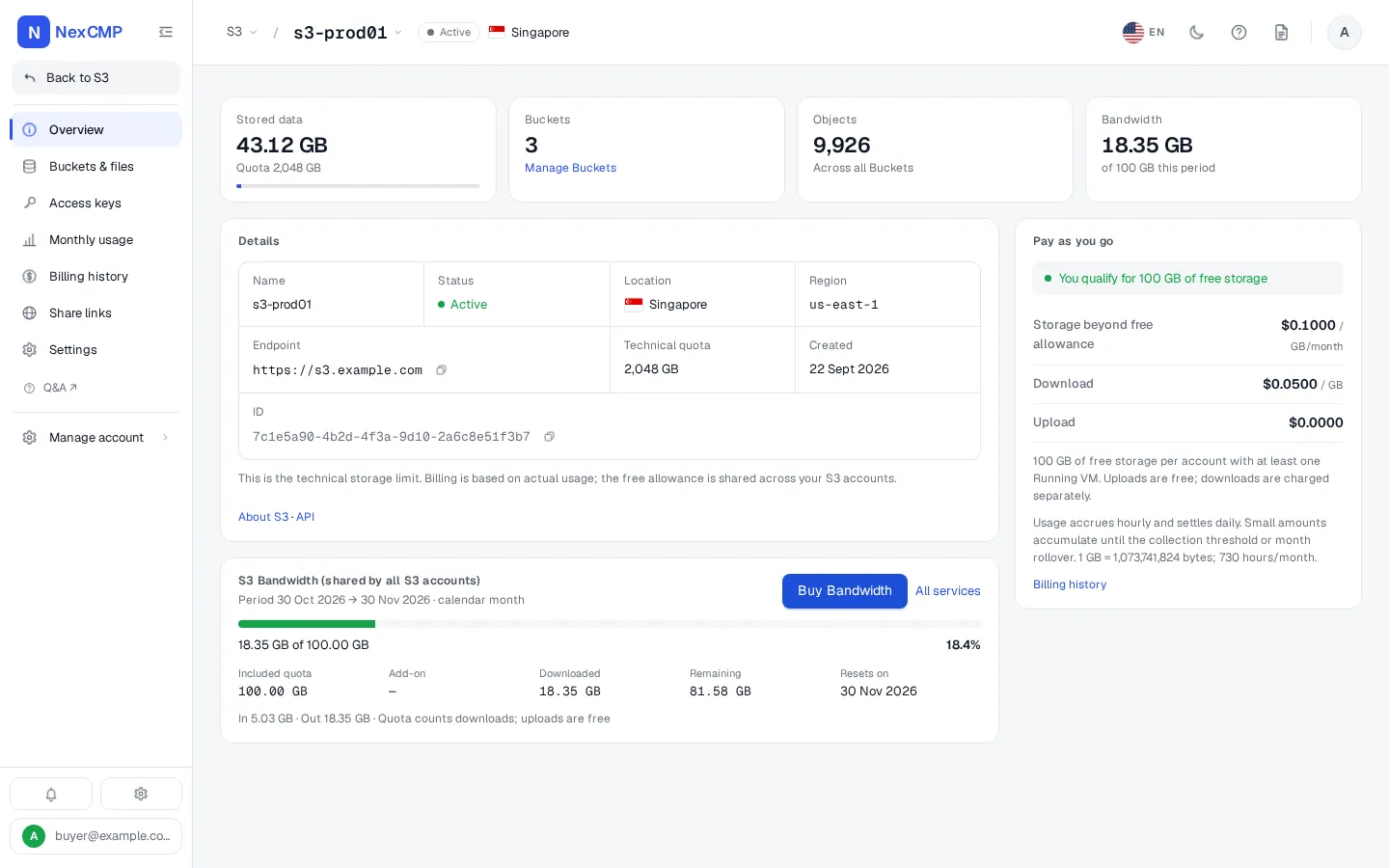
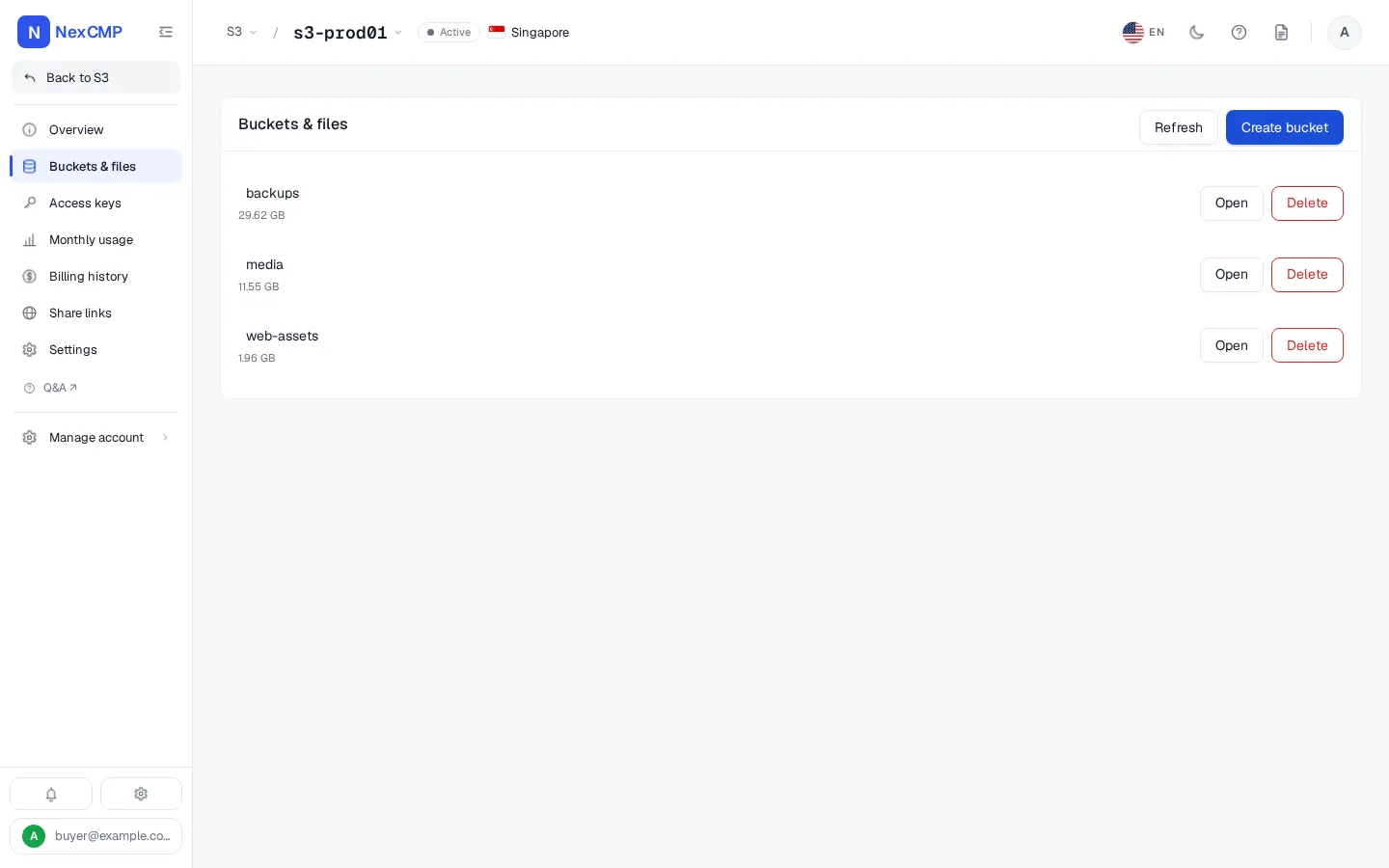
Buckets & files
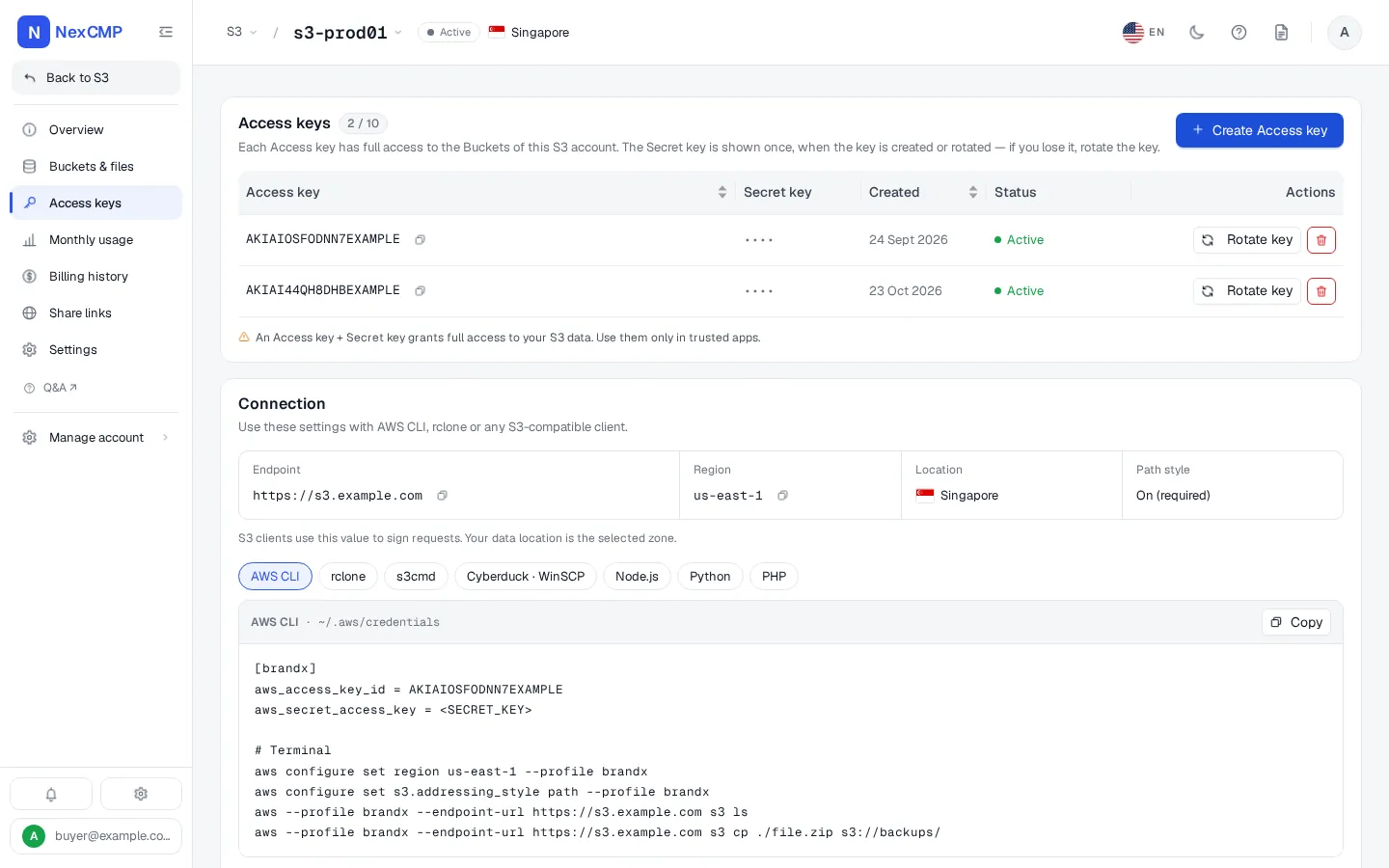
Access keys
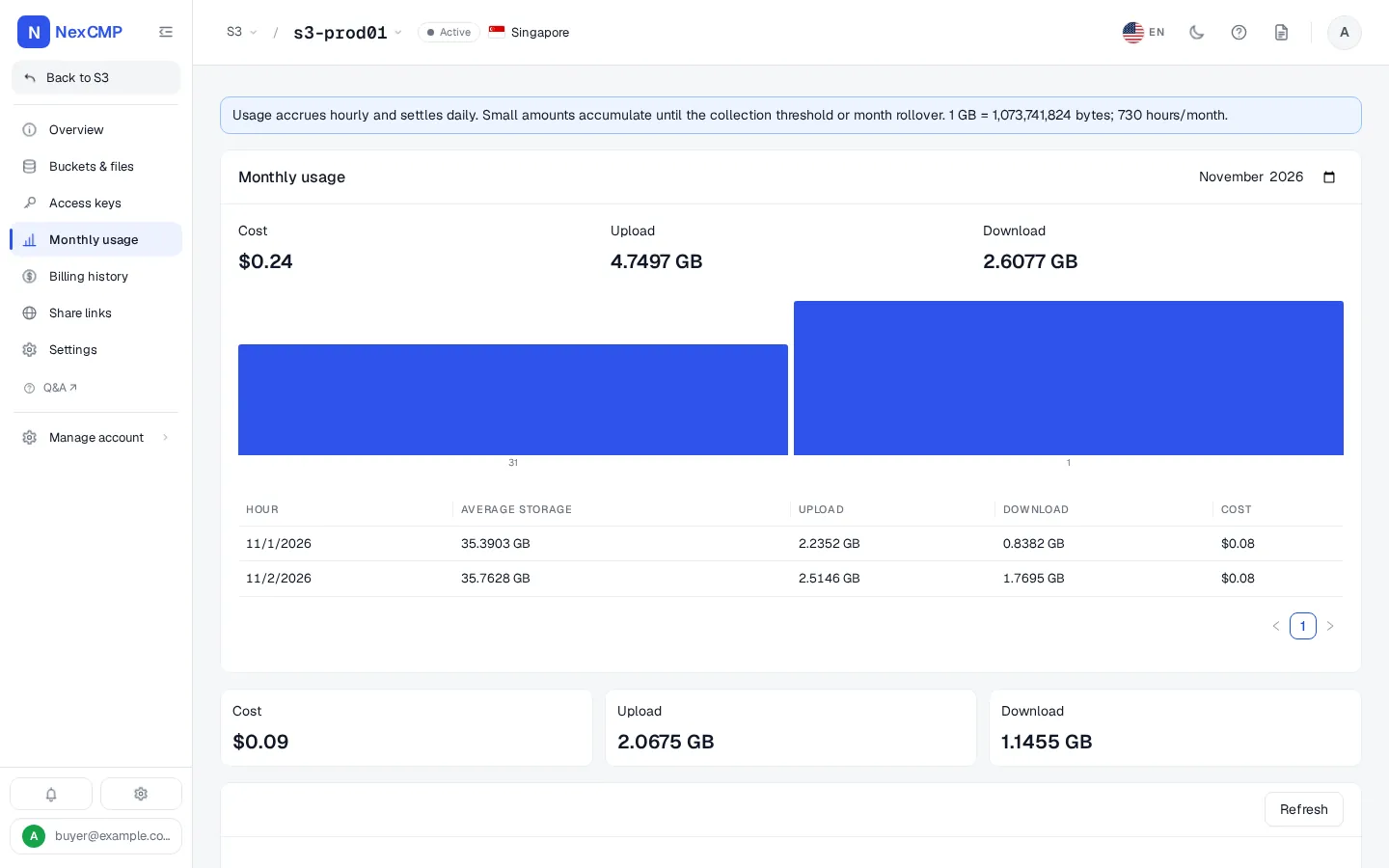
Monthly usage
Share links
Settings
What your customers can do
Each item is something a customer does in the portal or through the API with a scoped key.
S3 accounts
Create an S3 account in a zone you sell, see its state, and delete it when it is no longer needed. The number of accounts per customer is limited by a value you set.
Access keys
Create, list, rotate and delete access keys. The secret key is shown once, when the key is created or rotated; a lost secret is replaced by rotating the key.
Buckets
Create and delete buckets, and empty and remove a bucket in one step after confirming its name.
Browse and manage objects
Upload, download and preview files, create folders, copy and move objects, delete files and folders, and work with object versions.
Bucket settings
Turn versioning on or off, and read and change the bucket ACL, CORS rules, lifecycle rules and bucket policy.
Usage statistics
Hourly storage and bandwidth usage with its cost, a daily summary for any month, and an optional monthly cost alert.
Share links
Create a link to one object with an expiry date, a view limit, a password, a referrer allow-list and a choice between preview only and download. Revoke or edit a link at any time.
Pay as you go
Storage and downloads are charged to the wallet by usage.
What you can do as the operator
Each item is in the NexCMP admin console.
Attach a Ceph backend to a zone
Add a backend with the RGW Admin Ops endpoint, the S3 endpoint customers use, the signing region and an RGW admin key pair. The keys are stored encrypted and are never shown again.
Test the connection before selling
Run a connection check that calls the Admin Ops API. NexCMP refuses to open sales until a check has succeeded.
Zones
Give a zone the Object Storage service so it appears in the backend form and in the customer's list of locations. Each zone has its own backend.
Pay-as-you-go pricing
Set the storage price, the download price, the debt limit, the amount at which usage is collected into one invoice, the wallet balance needed to open an account, the accounts per customer and the default quota.
See and control accounts
List every customer's S3 accounts and suspend or resume one.
Module switch
Switch the Object Storage module on or off under License & updates. Turning it off hides it from the admin menu and stops new sales; existing accounts keep running and billing.
Billing and money
Enable payment channels, issue top-up codes, set quotas for new accounts and read the wallet ledger, invoices and reports.
Audit
Backend changes ask for a reason and are written to the audit log.
How S3 is billed
S3 is pay-as-you-go. NexCMP measures each account every hour from the RADOS Gateway and charges storage over a free allowance, priced per GB per month and charged by the hour, plus download traffic per GB. Uploads are free.
Every account shares a free allowance of storage while its owner has at least one running virtual machine. Download traffic also counts toward the customer's monthly Bandwidth quota; beyond the quota the normal download price applies. Usage is collected into one invoice once it passes the threshold you set, and an account whose unpaid usage passes your debt limit is locked until the customer pays.
Prices are entered in VND and shown in the customer's currency at the exchange rate in effect.
- Storage: price per GB per month over the free allowance, charged hourly.
- Download: price per GB.
- Upload: always free.
- Debt limit, billing threshold and minimum wallet balance to open an account: set by you.
How it works
From a Ceph RADOS Gateway to the first customer bucket.
Prepare the RADOS Gateway
Create an RGW user for NexCMP with the Admin Ops capabilities, turn on the RGW usage log, and publish the gateway over HTTPS on port 443 with a valid certificate. The endpoint must resolve to a public address.
Give a zone the S3 service and switch the module on
In the admin console tick Object Storage (S3) on a master zone, and switch the Object Storage module on under License & updates.
Add the backend and test it
Under Infrastructure > Cloud provider > Ceph S3 (RGW) add the backend with its endpoints, region and admin keys, then run Check. A successful check marks the backend as verified.
Set the pricing and open sales
Set the pay-as-you-go prices, then switch Enable sales on for the backend.
Customers create accounts and buckets
A customer creates an S3 account, gets an access key and uses any S3 client against your endpoint. Usage appears after the next hourly billing run.
What you need on the Ceph side
You run the Ceph cluster. NexCMP needs a RADOS Gateway and nothing else from it. The full list, with the exact steps, is in the docs at https://nexcmp.com/docs/infrastructure/s3/.
- A Ceph cluster with at least one RGW daemon and the Admin Ops API enabled.
- An RGW user for NexCMP with the Admin Ops capabilities. Do not use a user that owns customer data.
- The S3 endpoint customers use and the Admin Ops endpoint, each written as https://host with no path, on port 443, resolving to a public address, with a valid certificate.
- RGW usage logging turned on, so usage and traffic can be read for billing.
- A master zone in NexCMP with the Object Storage (S3) service, and capacity in Ceph for the quotas you sell.
- The Object Storage module switched on in NexCMP.
Free Ceph S3 billing: what you get
NexCMP Free is $0 for the first year: the full signed build with every module, including Object Storage, bug fixes and updates for 1 year, and unlimited reseller domains. After the first year it renews at $99 per year, and the software keeps running if you do not renew. There is no per-account, per-bucket or per-terabyte fee from NexCMP.
NexCMP Free is for network operators with their own ASN and a subnet registered in their own name; applications are reviewed. NexCMP Source is a $499 one-time purchase with the full source code, all apps built for you and 30 working days with an expert engineer.
Ceph S3 billing: frequently asked
Does NexCMP manage my Ceph cluster?
What do I need to sell S3 with NexCMP?
Is the Object Storage module free?
Is the module on by default?
How is S3 billed?
Do customers see my Ceph cluster?
What happens to a secret key if the customer loses it?
Can customers share files with people who have no account?
Can I check the connection before customers can buy?
Sources
NexCMP documentation for the Object Storage module.
Get NexCMP free
Free, with Ceph S3 and every other module included. Install it on your server today, or look at the customer portal screens first.

Last updated: