API keys and scopes
Where in the portal: API keys (
/api-keys). Where in the admin: Customers › Customers › API keys (/customers/apikeys).
What it does
An API key lets a script, CI job, the cmp CLI or an AI assistant (MCP) call the REST API on behalf of one customer, with only the permissions (scopes) that were granted. Customer keys start with vk_. They can read and manage services but can never touch money or the account itself.
Requirements
| Item | Requirement |
|---|---|
| Customer | A signed-in portal session (a key cannot create or edit other keys, and an administrator impersonating a customer cannot either). |
| Switch | API keys are on by default. If they are switched off, calls answer 401 api_keys_disabled. |
| Dependencies | The scopes of a product appear only when that product is enabled on the site. |
Create a key (customer)
Sign in to the portal and open API keys.
Click Create key.
Fill in the form:
Field Rule Key name Required, up to 60 characters ("deploy server", "backup script"). What this key may do Tick the scopes you need — at least one. A read-only key should get no write scope. Be careful with scopes that cost money or delete data. Expiry Never, 30 days, 90 days or 1 year (the API accepts 1 to 3650 days). Only allow calls from these IPs One IP or CIDR range per line, up to 20 (IPv4 or IPv6). Empty means any IP. Pin your server's IP whenever you can. Confirm the form. The key is shown once in a window "Key created — shown ONCE". Copy it and click I saved the key. Only a SHA-256 hash is stored, so even an administrator cannot read it again; if you lose it, revoke it and create a new one.
The portal also shows a ready
curlcommand to test the key.
A key looks like vk_ followed by a long random string. The list shows only the first characters (for example vk_a1b2c3d4), the scopes, expiry, last use, request count and status (Active, Expired, Revoked).
Edit, revoke, audit
- Edit changes the name, scopes, allowed IPs and expiry. It is not allowed during an impersonated session.
- Revoke stops the key at once and cannot be undone. The row is kept so its usage log stays available.
- Key usage log shows write commands and every error of the last 60 days: time, request, key, result and source IP.
- An account can hold at most 10 active keys by default.
- Keys created through the CLI or MCP login appear under Connected apps & devices and can be revoked there.
Scopes
Scope names have the form area:action. Which ones are offered depends on the products you have enabled.
| Scope | Allows |
|---|---|
catalog:read | Read plans and the catalog. |
vm:read | Read VMs, metrics and VM invoices. |
vm:write | Power actions, minor changes, firewall, quick snapshots. |
vm:create | Create VMs (costs money). |
vm:plan | Change plan or resize (costs money). |
vm:destroy | Delete VMs. |
vm:restore | Restore a VM from a snapshot (overwrites the disk). |
vm:console | Open VNC console tickets. |
sshkey:read, sshkey:write | Read, add and remove SSH keys. |
volume:read, volume:write, volume:create, volume:destroy | Data volumes (create and enlarge cost money; destroy loses data). |
backup:read, backup:write, backup:restore | Backups (restore overwrites the disk). |
billing:read | Wallet, invoices, payment history — read only. |
bandwidth:buy | Buy a bandwidth add-on (costs money). |
account:read, account:write | Profile, overview, activity, notifications; account:write only marks notifications as read. |
apikey:read | List the account's keys and the usage log (cannot create, edit or revoke). |
apikey:self | Implicit on every key: inspect the calling key (GET /v1/apikeys/self). |
ticket:read, ticket:write | Support tickets. |
aff:read, transfer:read | Affiliate programme and service transfers — read only. |
k8s:read, k8s:write, k8s:create, k8s:scale, k8s:destroy, k8s:kubeconfig | Kubernetes (create and scale cost money; kubeconfig is cluster-admin). |
vpc:read, vpc:write, vpc:create, vpc:destroy | Private Cloud. |
image:read, image:write | OS and ISO images (storage is billed hourly). |
s3:read, s3:write, s3:create, s3:destroy, s3:keys | Object Storage (the S3 secret is shown once). |
vpn:read, vpn:detail, vpn:write, vpn:create, vpn:destroy | VPN and IPv6 proxy (connection details include proxy passwords). |
dedicated:read, dedicated:write, dedicated:console, dedicated:create, dedicated:destroy | Dedicated servers (create orders from the wallet; destroy reinstalls the OS). |
shield:read, shield:write, shield:agent | DDoS Shield, only when that module is enabled. |
A call outside the key's scopes answers 403 scope_required; a path that no key may call answers 403 endpoint_not_public.
What a key can never do
No scope opens: topping up or withdrawing money, changing cards or auto top-up, changing the password, e-mail or 2FA, deleting the account, creating, editing or revoking other keys. These always need a signed-in browser. Even a leaked key cannot touch the customer's money or account.
Rules you can rely on
| Rule | Detail |
|---|---|
| Site-bound | A key works only on the site (domain) where it was created. |
| Rate limits | Per key and per account: 120 and 300 requests per minute by default. |
| Idempotency | Operations that cost money or cannot be repeated need an Idempotency-Key header. |
| Quotas | A key is subject to the same quotas as the customer. |
| Locked account | A locked customer's keys stop working (403 account_blocked). |
| Audit | Revocation by an administrator is written to the admin audit log. |
Administrator view
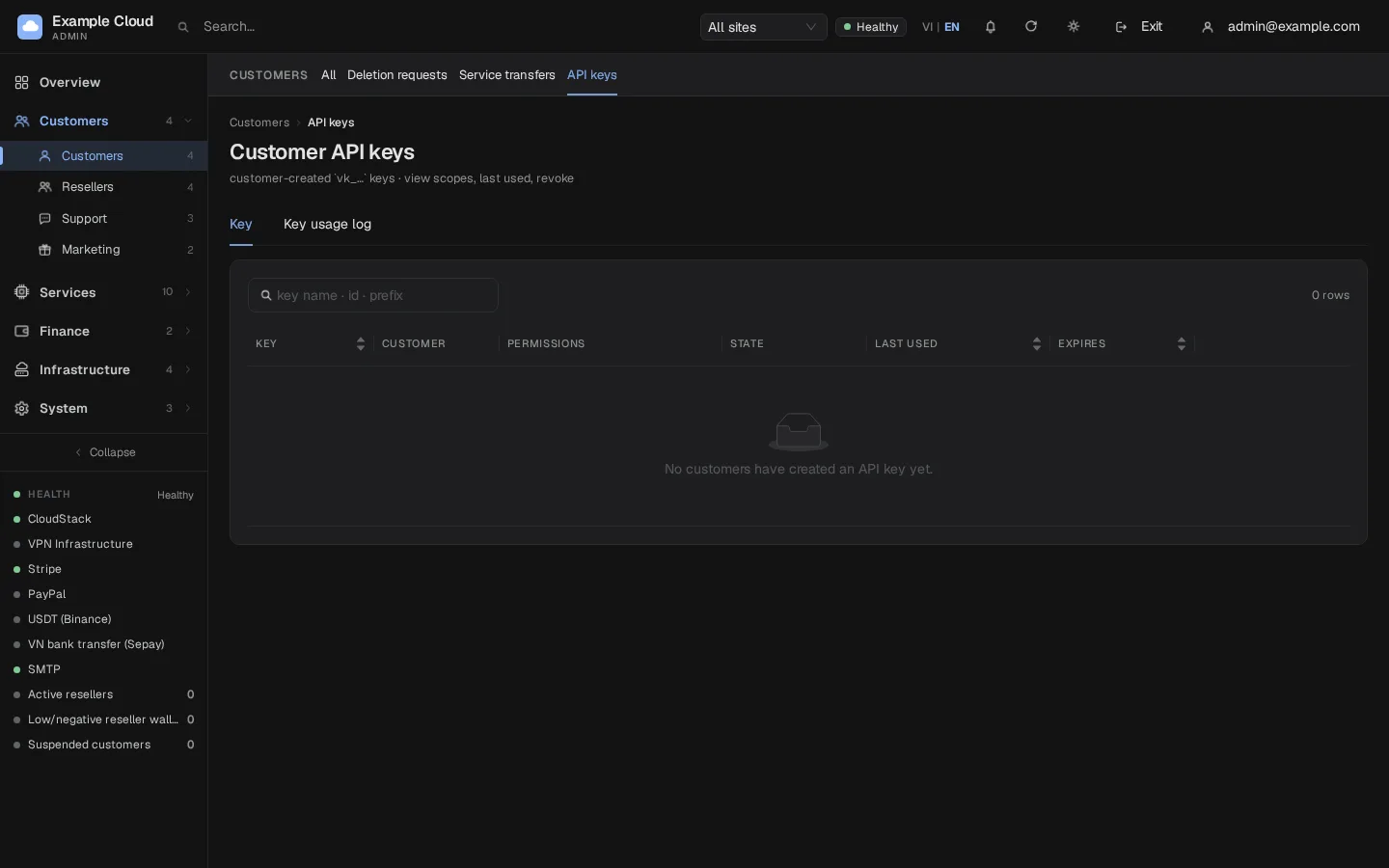
- Open Customers › API keys (
/customers/apikeys). The table shows key name and first characters, owner, scopes, status, last use (time, request count, IP), expiry. - Filter by site if you have resellers. Search by name, ID or key start.
- Click Revoke to stop an active key, or Log for its usage.
- Administrators see and revoke keys but cannot read or create them for customers.
Verify
- Create a key with scope
vm:readonly. curl -s https://cloud.example.com/v1/vm -H "Authorization: Bearer vk_XXXX"returns the VM list.curl -s -X POST .../v1/vm/<id>/start -H "Authorization: Bearer vk_XXXX"answers 403scope_required.- Revoke the key; the first call now answers 401
key_revoked.
Limits & notes
- The key is never shown again. Treat it like a password and store it in a secret manager or CI secret.
- Prefer one key per script, minimal scopes, a short expiry and an IP allow list; rotate by creating a new key and revoking the old one.
- Keys from device login (CLI, MCP) default to 90 days.
- Deleted or transferred resources are unaffected by revoking a key.
Troubleshooting
| Symptom | Cause | Fix |
|---|---|---|
Error too_many_keys (422) | The limit of active keys (10 by default) is reached | Revoke an old key. |
Error invalid_argument: no scope chosen | No scope ticked | Tick at least one scope. |
Error invalid_argument on allowed IPs | An entry is not an IP or range, wrong prefix length, or more than 20 entries | One IP or CIDR per line, for example 203.0.113.0/24. |
| Create is refused during impersonation | impersonate_forbidden | Ask the customer to create the key. |
401 key_expired | Expiry date passed | Create a new key. |
401 key_ip_denied | Caller IP not in the allow list | Add the IP or clear the list. |
401 api_keys_disabled | Feature switched off | Ask your administrator (api_keys_enabled setting). |