Bandwidth quotas and add-ons
Where in the admin: Services › Bandwidth: Summary (
/bandwidth), Add-on (/bandwidth/addons) and Quotas, pricing & policy (/bandwidth/policy). The module switch is in System › Admin › License & updates.
What it does
Bandwidth gives every metered service a monthly traffic quota. NexCMP measures usage, warns the customer at 80% and 100%, and, when the quota is exceeded, acts according to your overage policy. Customers can buy add-ons of extra terabytes from their wallet; you can also grant add-ons for free.
| Service | Quota |
|---|---|
| Virtual Machines | Per VM per month (default 2048 GB, that is 2 TB) |
| Kubernetes | The VM quota multiplied by the number of workers |
| Object Storage | Download traffic per customer per month (default 100 GB); beyond it the normal pay-as-you-go price applies |
| VPN | Keeps the quota of its plan; upgrade bandwidth on the VPN page |
| Private Cloud | Unmetered |
Requirements
| Item | Requirement |
|---|---|
| Module | Bandwidth is on by default. Turn it off under License & updates to hide it. |
| Measurement source | With the default source, CloudStack VM statistics. Keep VM statistics collection enabled in CloudStack; the default retention of 720 minutes is enough. |
| Proxmox VE | VMs on Proxmox VE are not metered. |
| Exchange rate | The add-on price is entered in VND. See Currency and exchange rates. |
| Depends on | CloudStack for VM and Kubernetes traffic, S3 for storage downloads. |
Prepare the infrastructure
Not required beyond CloudStack being connected. NexCMP reads listVirtualMachinesUsageHistory for all VMs of the account in one call, every 5 minutes, in windows of at most two hours. Each sample covers one minute and is added up. Samples are taken three minutes in the past so they have time to arrive. A gap longer than CloudStack's retention (about 12 hours) is skipped and recorded.
What the numbers mean
Usage is counted on each VM's network interface, so it includes traffic between VMs, not only traffic to the Internet. It can be a little higher than an edge router would count.
Connect in NexCMP
Open Services › Bandwidth › Quotas, pricing & policy.
Set the values and click Save; a reason is asked and recorded. The worker applies the change within about 30 seconds.
Field Default Meaning Enable Bandwidth (customer menu and buying add-ons) on The switch for the module's sales side. VM, GB/month (Kubernetes = this value × workers) 2048 Quota per VM per period. S3, GB download/month per customer 100 Beyond it normal S3 pay-as-you-go applies. Quota direction (VM, Kubernetes) In + out Or Outbound only. +1 TB price (VND) 100,000 Converted to cents at the quote rate. Max per purchase (TB) 50 Overage policy suspend notify, throttle or suspend (below). Enforce actual suspend from migration date + 24 hours Before this date nothing is suspended; customers are only warned. Throttle rate limit (Mbps) Only used by throttle. 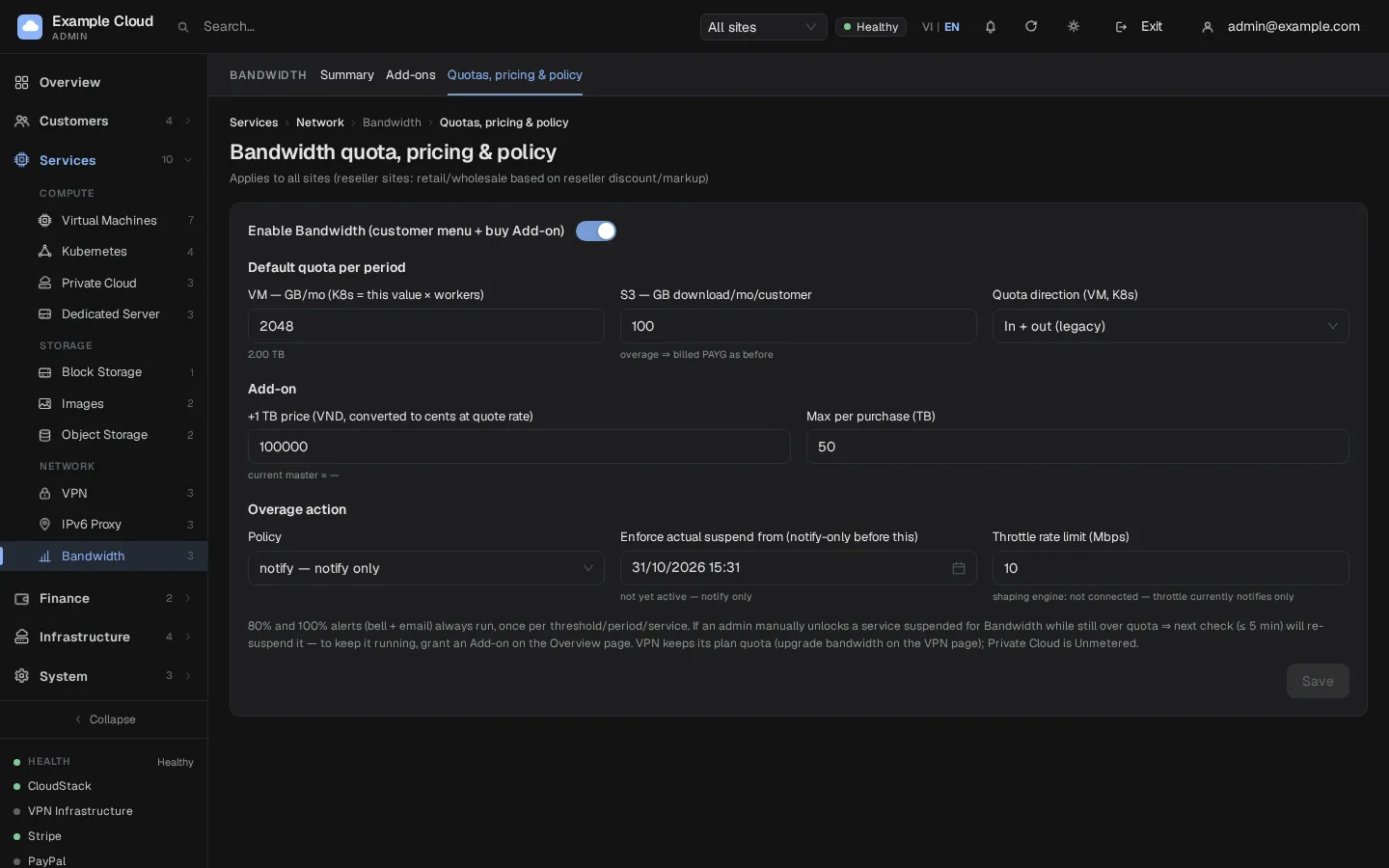
Overage policies
| Policy | What happens when a service passes 100% |
|---|---|
| notify | The customer is notified. Nothing else. |
| throttle | Like notify for now: the speed limiter is not connected in this release. |
| suspend (default) | The VM, cluster or S3 account is suspended until the customer buys an add-on or the next period starts. Only effective from the suspend-from date. |
The 80% and 100% alerts (bell and e-mail) always run, once per threshold, period and service. If you unlock a service that was suspended for bandwidth while it is still over quota, the next check (within 5 minutes) suspends it again. To keep it running, grant an add-on.
Watch usage and grant add-ons
Open Services › Bandwidth › Summary. It lists every service with its usage in the current period, quota including add-ons, remaining quota, and the 80% and 100% marks. KPI tiles show the number of services, add-ons sold in the last 30 days and the collector state (running, cursor). The Daily table shows the current period day by day.
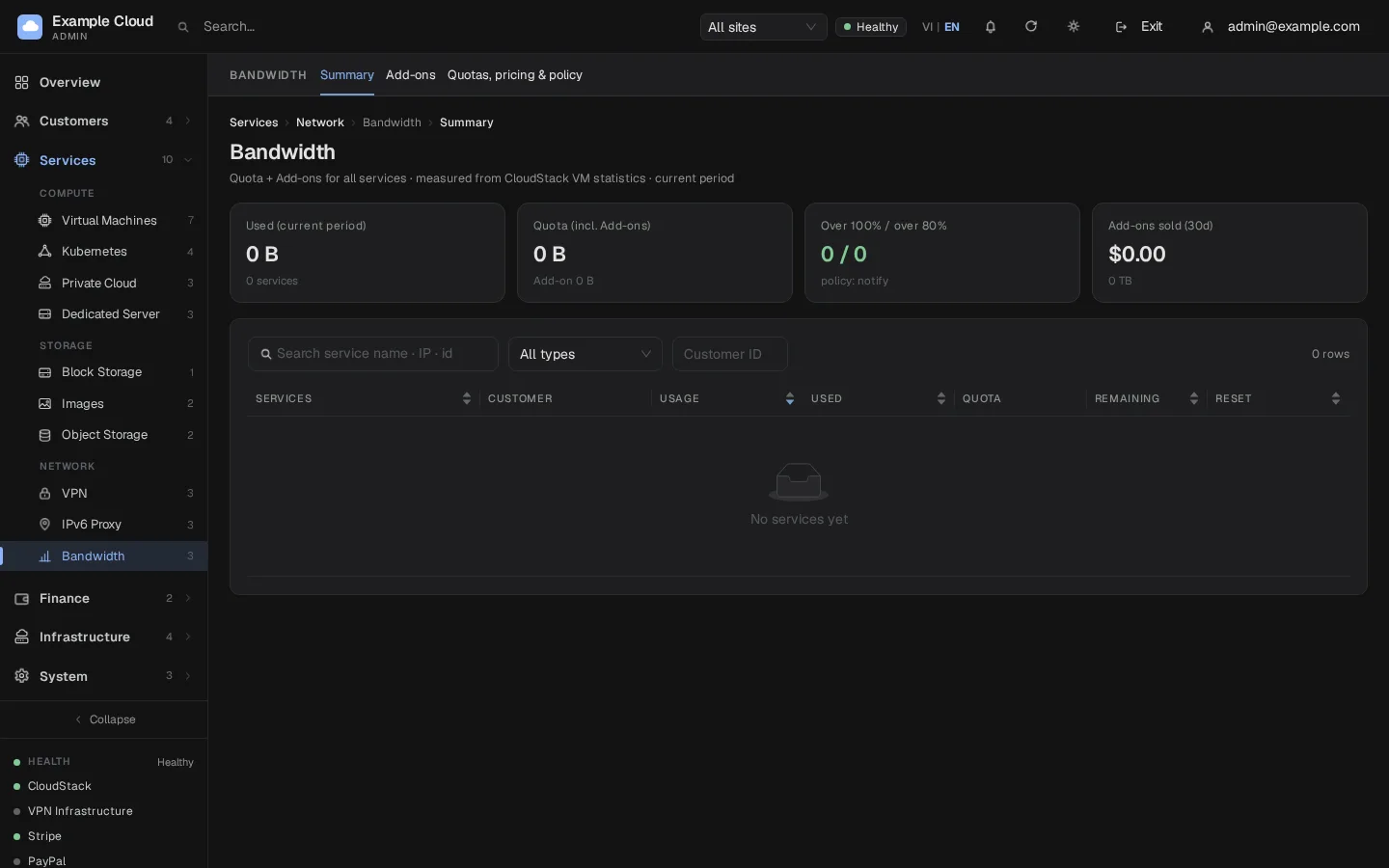
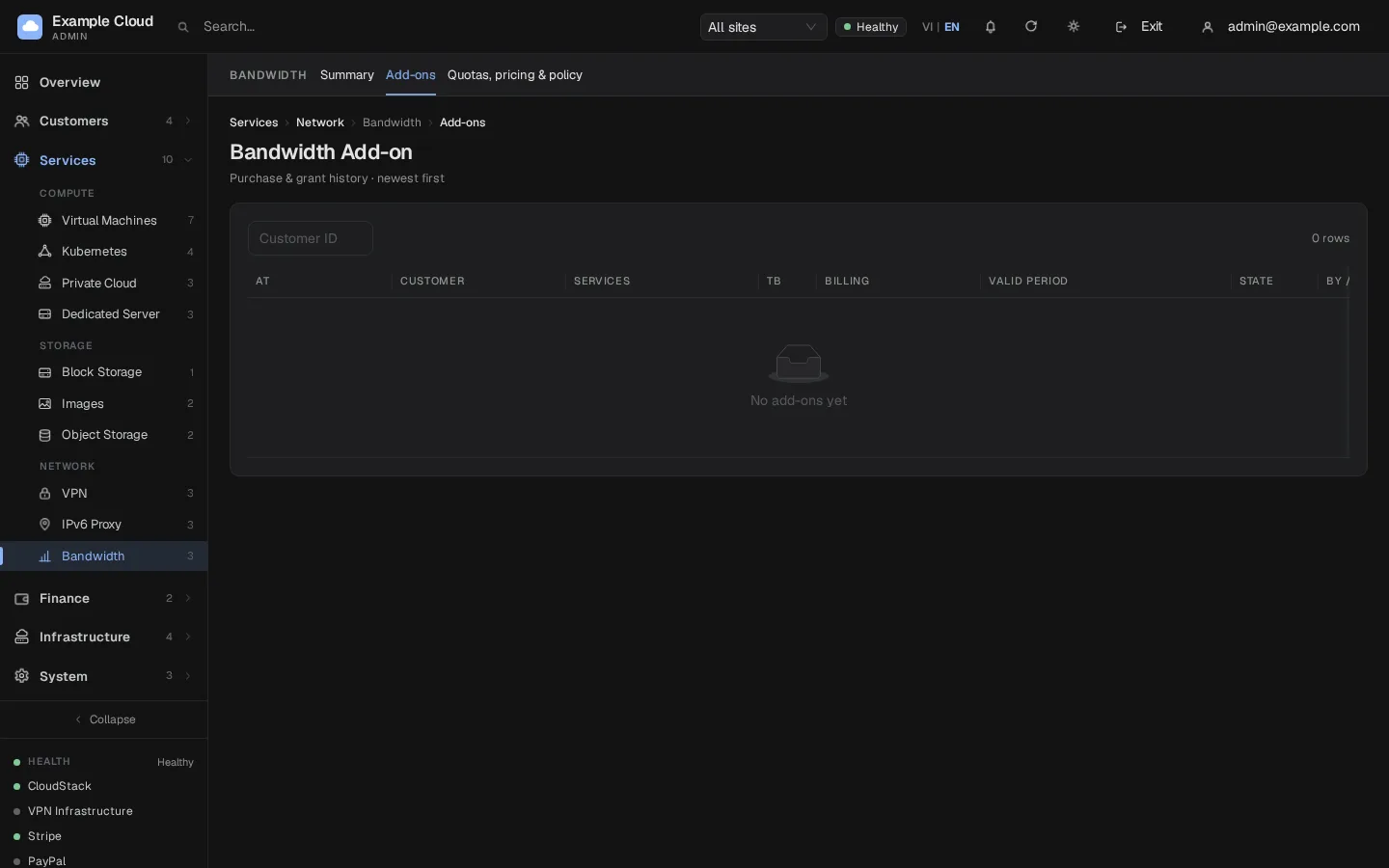
To give a customer room, use Grant on a service (an add-on of whole terabytes at no charge). Open Add-on for the history of purchases and grants, newest first, with a type filter.
What customers see
The customer portal gets a Bandwidth menu with usage, remaining quota and a buy +1 TB action paid from the wallet (up to your per-purchase maximum). Add-ons are valid for the current period.
Verify
- The collector on Summary is running and its cursor moves forward every few minutes.
- A VM with traffic shows usage after about 10 to 15 minutes.
- To see the alerts, lower the VM quota to a few GB on a test installation and generate some traffic. Do not do this on production: the quota applies to every VM.
Limits and notes
- Usage counts per period (a month). Add-ons and quotas apply to the current period.
- "Enforce actual suspend from" protects you from suspending customers the moment the module is first enabled.
- The throttle policy only notifies in this release.
- Changing the quota applies to every site, including reseller sites. Resellers' retail and wholesale add-on prices follow their discount or markup.
- Bandwidth for Dedicated servers is a separate matter; see Dedicated servers.
Troubleshooting
| Symptom | Cause | Fix |
|---|---|---|
| Usage stays at zero for a running VM | The worker is stopped, CloudStack is disconnected, or VM statistics are disabled | Check sudo nexcmp status and Test connection in CloudStack; enable CloudStack VM statistics. |
| Usage has holes | CloudStack retention was exceeded, or the worker was down for more than about 12 hours | Not recoverable; the gap is recorded. |
| Usage is a little higher than expected | Traffic between VMs and other interface traffic is included | Expected; explain this to customers. |
| A suspended service comes back suspended after you unlock it | It is still over quota | Grant an add-on or raise the quota. |
| Nothing is suspended although the policy is suspend | The suspend-from date is in the future | Set it to now (the page shows "ACTIVE" when in effect). |
| "bw_over_policy must be notify, throttle or suspend" | Invalid policy sent through the API | Use one of the three values. |
| Proxmox VMs show no usage | They are not metered | Expected. |
| Customers cannot buy add-ons | Bandwidth is switched off, or the wallet is empty | Check the switch and the wallet. |