Dedicated servers (bare metal)
Where in the admin: Infrastructure › Bare Metal (Servers
/infra/baremetal, IP Pools, Stock / iDRAC import, Operations, Templates, Customer ISOs, Safety). Plans and subscriptions: Services › Dedicated Server (/dedicated). Turn the module on under System › Admin › License & updates (/license).
What it does
NexCMP manages physical servers directly through their iDRAC, over the Redfish API. Customers rent a whole server: they power it on and off, open a browser console, mount an ISO or have an operating system installed from a template, and see hardware and metrics. They never see the iDRAC address, user name or password.
Use it to resell dedicated servers from your own racks.
Requirements
| Item | Requirement |
|---|---|
| Hardware | Dell servers with iDRAC 9 and the Redfish API. |
| Management network | You provide it. The panel server must reach every iDRAC on HTTPS 443 (and the iDRAC VNC port, default 5901, for the console), and every iDRAC must reach the ISO web server below. The iDRAC address must be an IPv4 address in a private range (RFC 1918, a prefix of /16 or smaller) that you list in the setting dedicated_bmc_cidrs. DNS names and IPv6 are refused. NexCMP does not create this network and cannot test it for you. |
| iDRAC account | One account with Administrator privilege on each iDRAC. NexCMP uses it to read the server and to send the few commands it allows itself (power, virtual media, one-time boot, console). It never creates iDRAC accounts for your customers. |
| Tools on the panel server | xorriso and genisoimage (build the install ISO of each server) and novnc (the browser console page). Install them with sudo apt-get install -y xorriso genisoimage novnc, or let the installer do it: run it with --baremetal, or give it the ISO server options; an update also installs them when the Bare Metal module is already on. If one is missing, Safety lists it in a red notice, live ops refuses to turn on (error tools_missing), and the console and OS install answer that a tool is missing instead of failing later. |
| ISO web server | A plain HTTP server on the management network that serves the NexCMP ISO folder to the iDRACs. Its address is a private IPv4 address and an optional port, for example http://10.20.0.2:8080, without a path, stored in dedicated_iso_base_url. It must support byte ranges. The folder is written by the panel's worker, so the web server normally runs on the panel server itself, listening on an address that server has on the management network. NexCMP ships a ready nginx site and a one-step command for it (see below). |
| ISO folders | A folder for ISO files and, inside it, pub (what the iDRACs read) and server (customer ISOs). The one-step command uses /srv/nexcmp-iso; without it the defaults follow the install (settings dedicated_iso_lib_dir, dedicated_iso_pub_dir, dedicated_iso_server_dir). The NexCMP worker must be able to write to them. It runs with a read-only file system except /var/lib/nexcmp, so a folder elsewhere needs a systemd drop-in (the one-step command installs it). |
| Callback address | dedicated_callback_base, an https://<your-domain> that the installing server can reach and that points to your panel. |
| Storage | Free disk for the ISO library and for customer-supplied ISOs. |
| Depends on | The module Bare Metal, a zone, and the IP pools of the servers. |
Sample values are not a configuration
A fresh install carries sample values in dedicated_bmc_cidrs, dedicated_iso_base_url and dedicated_callback_base (a private sample network and https://example.com). They are not your network. While any of them is still a sample value, the Bare Metal pages show a red Management network not configured notice, importing an iDRAC fails the allow-list check, and the live ops switch refuses to turn on (error config_placeholder). Set the three values under Infrastructure › Bare Metal › Safety › Management network connection (see below).
Prepare the infrastructure
Put every iDRAC on a management network that customers cannot reach, and give each one a fixed private IPv4 address. Check the Redfish API from the panel server:
bashcurl -sk -u 'nexcmp-admin:XXXX' https://10.20.0.11/redfish/v1/Systems | headCreate an administrator account on the iDRAC for NexCMP (iDRAC web UI, or
racadm). Use a strong, unique password. Never reuse the iDRAC's built-in account.Publish the ISO folder to the iDRACs - one command. On the panel server, as root, with the address that server has on the management network and the iDRAC network:
bashsudo nexcmp dedicated-setup-iso --listen 10.20.0.2:8080 --allow 10.20.0.0/24--listenmust be an address of this server (private IPv4, port 8080 if omitted).--allowlists the iDRAC network(s) (private CIDRs, /16 or smaller, up to 8, comma separated); only they can download, and the command also uses them asdedicated_bmc_cidrswhen that setting is still the sample value.--dir /pathpicks another ISO folder (default/srv/nexcmp-iso). The command:- creates the folder with
pubandserverinside, owned by the NexCMP service user; - creates the group
nexcmp-isoand puts the nginx user in it, so nginx can read an ISO while an iDRAC has it mounted and nobody else can; - installs the nginx site
nexcmp-iso(kept only ifnginx -taccepts it, nginx is installed if missing) and a systemd drop-innexcmp-vmd.service.d/iso.conf(ReadWritePathsfor the folder,SupplementaryGroups=nexcmp-iso); - writes the ISO settings (
dedicated_iso_base_url, the three folders, the group) and restarts the NexCMP worker.
It can be run again with other values, and
sudo nexcmp dedicated-setup-iso --removetakes the nginx site and the drop-in away again (ISO files stay). It can also run at install time: add--iso-listen,--iso-allow(and--iso-dir) to the install command. The command does not create the management network and does not contact any iDRAC; if the values are wrong, the address is not on this server or the port is taken, it stops with a message before changing anything, and an nginx site thatnginx -trefuses is not kept.- creates the folder with
What the ISO web server serves. The nginx site answers
GET(andHEAD, with byte ranges) for/pub/<name>.isoand nothing else: no directory listing, no other path under the folder (the library andserver/are not reachable), no other method, and only from the--allownetworks (anyone else gets 403). NexCMP exposes each ISO an iDRAC has to read as a file or a short-lived link inpub; nginx follows a link only when the link and its target have the same owner (the service user), so a link to a system file is refused. Check it from another host on the management network:bashcurl -I http://10.20.0.2:8080/ # 403 or 404, never a listing curl -I http://10.20.0.2:8080/pub/ # 403 or 404A test file in
pubshould answer aRangerequest with 206.Doing it by hand instead: the nginx site and the drop-in are shipped as templates in the release package (
share/dedicated/nginx-iso.confandshare/dedicated/vmd-iso.confunder/opt/nexcmp/releases/<version>/). Copy them, replace the__...__markers (listen address, folder, allow lines, group) and keep the rules above.Have the OS images ready. Place self-installing ISOs in the library folder (see Templates below). Customers can also add ISOs from a link; those are downloaded to the server, never given to the iDRAC as a URL.
Connect in NexCMP
1. Turn the module on
On System › Admin › License & updates, switch Bare Metal on. The Bare Metal category appears under Infrastructure. See Modules.
2. Set the management network connection
Open Infrastructure › Bare Metal › Safety. The card Management network connection holds the three values that decide whether anything can work:
| Field | Setting | What to enter |
|---|---|---|
| iDRAC network (CIDR) | dedicated_bmc_cidrs | The private network(s) of your iDRACs, for example 10.20.0.0/24. Private CIDRs only, /16 or smaller, up to 8, comma separated. Only iDRACs in these ranges can be imported. |
| ISO server for the iDRACs | dedicated_iso_base_url | http://<private IPv4>[:port], no path: the address of the ISO web server from the previous section, for example http://10.20.0.2:8080. The one-step command fills it for you. |
| Panel callback address | dedicated_callback_base | https://<your-domain>, no path: the address the server being installed calls to report completion. It must be reachable from that server's network. example.com, localhost and similar are refused. |
The form checks the format as you type and the server checks it again on save; a wrong value is refused with the reason and the stored value stays as it was. A field that still holds the shipped sample value carries a red Not configured label, and every Bare Metal page shows the red notice Management network not configured until all three are real. Changes are written to the audit log with your reason. Saving the sample value again does not count as configuring it unless you typed it yourself.
3. Check the safety gate (leave it closed for now)
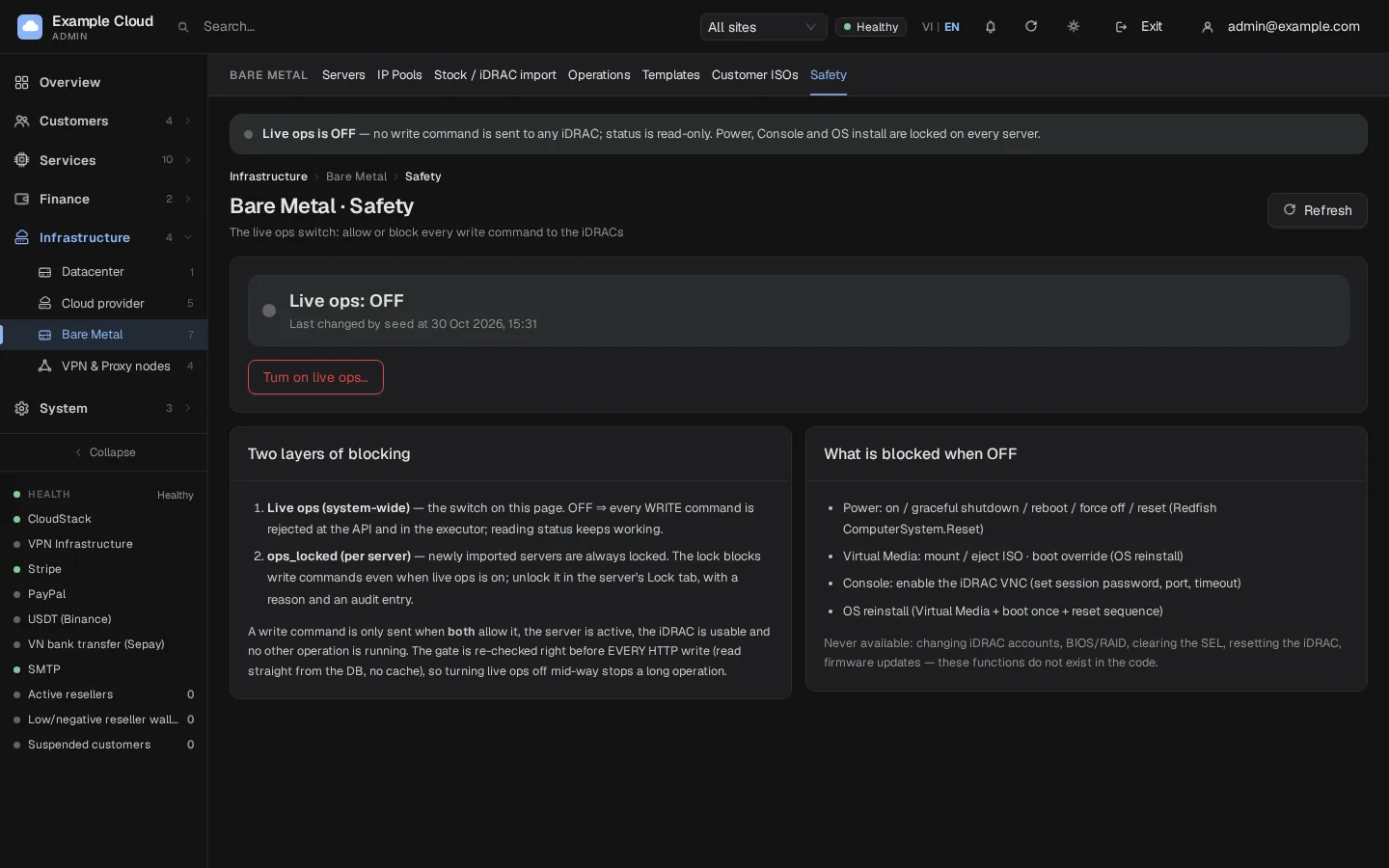
Open Infrastructure › Bare Metal › Safety. Live ops is the system-wide switch for every write command to an iDRAC (power, virtual media, console and OS install). It starts off, and it cannot be turned on while the management network connection above still holds sample values (the switch answers config_placeholder and names the fields). Writes are refused at the API and again inside the worker, while reading status keeps working. A second lock, ops_locked, protects each server: newly imported servers are always locked, even when live ops is on.
4. Import servers
Open Infrastructure › Bare Metal › Stock / iDRAC import.
Under Add one server enter the iDRAC address, account and password, then click Test connection. The test only sends read commands and saves nothing.
Field Example value iDRAC address (URL or host) 10.20.0.11Account nexcmp-adminPassword XXXXLabel rack1-01(empty: generated)Assign an IP from a pool optional; choose the server's service IP pool Include in the sales list off until you are ready 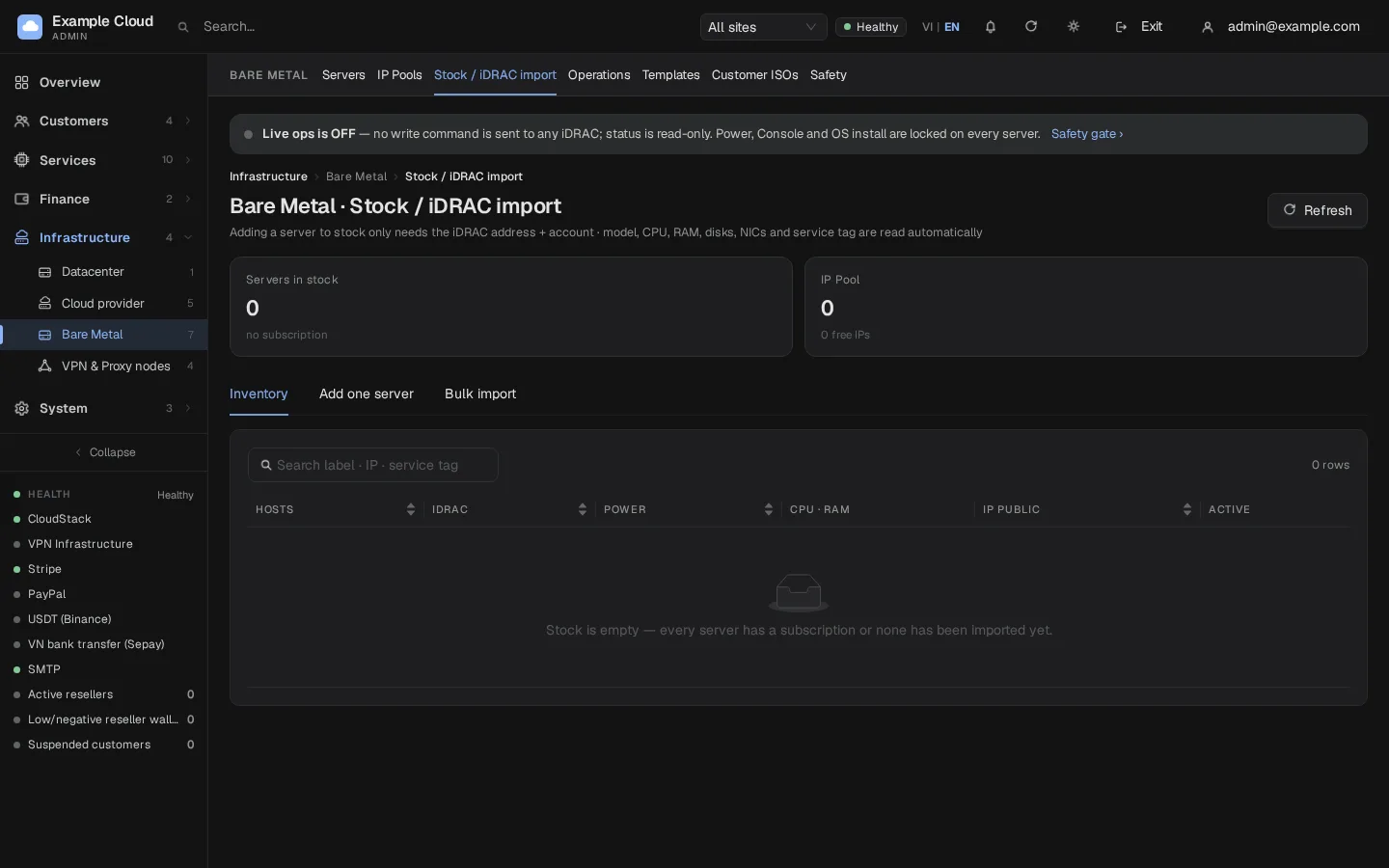
Click Save to stock. NexCMP reads the model, CPU, RAM, disks, NICs and service tag from the iDRAC. The server enters stock locked.
For many servers use Bulk import: one server per line, fields separated by comma, semicolon or Tab. Preview checks the allow-list, duplicates of the iDRAC address or service tag, and reads the hardware (up to four servers at a time).
5. Customer ISOs and the ISO web address
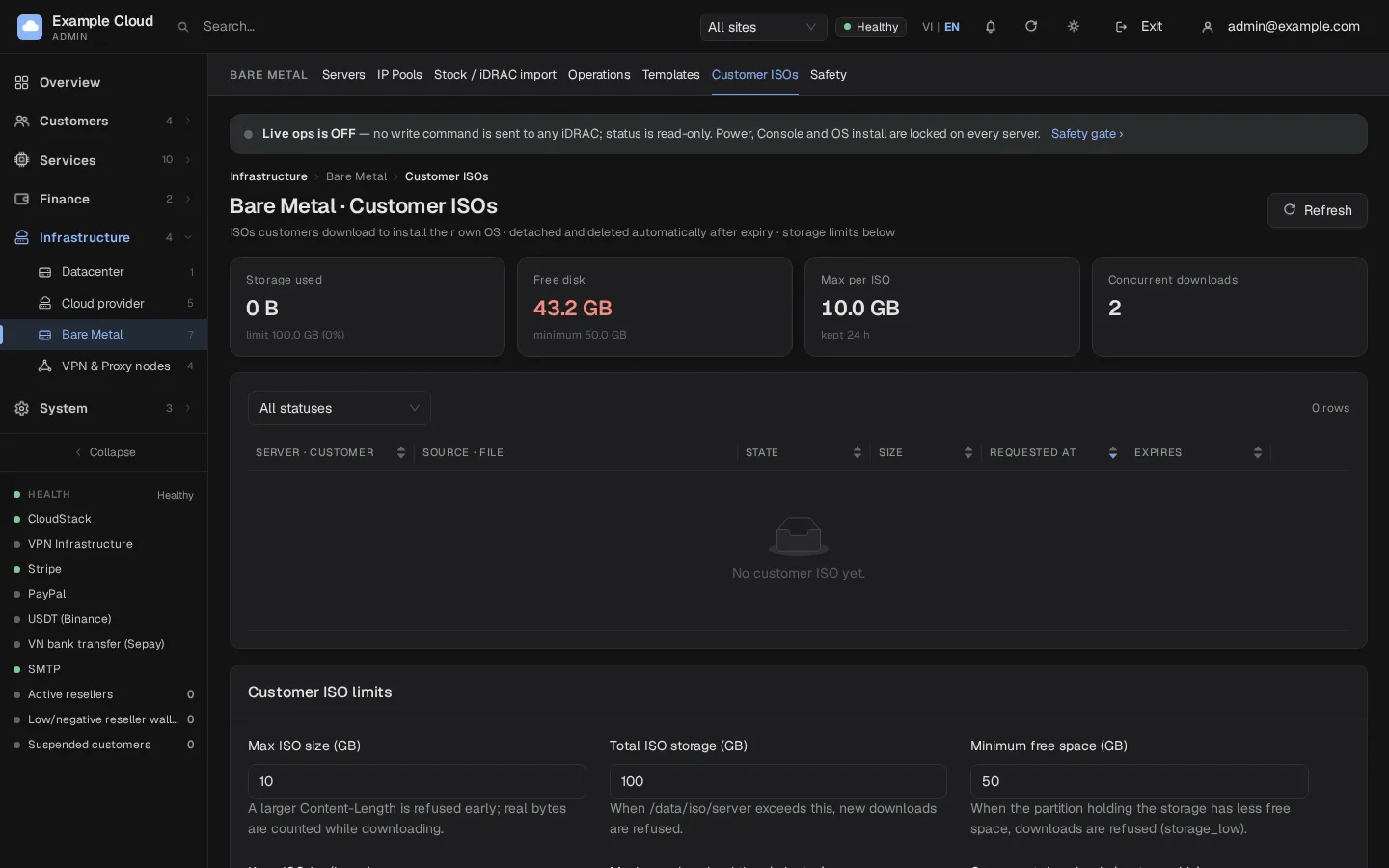
Open Infrastructure › Bare Metal › Customer ISOs.
- HTTP address serving ISOs to iDRAC is
dedicated_iso_base_url, the same value as in the Safety card (editable in either place). Enter the management-network address of your ISO web server. - Customer ISO limits set the size of one ISO, the total ISO storage, the minimum free space, how long ISOs are kept (hours), the maximum download time and the number of concurrent downloads.
6. OS templates
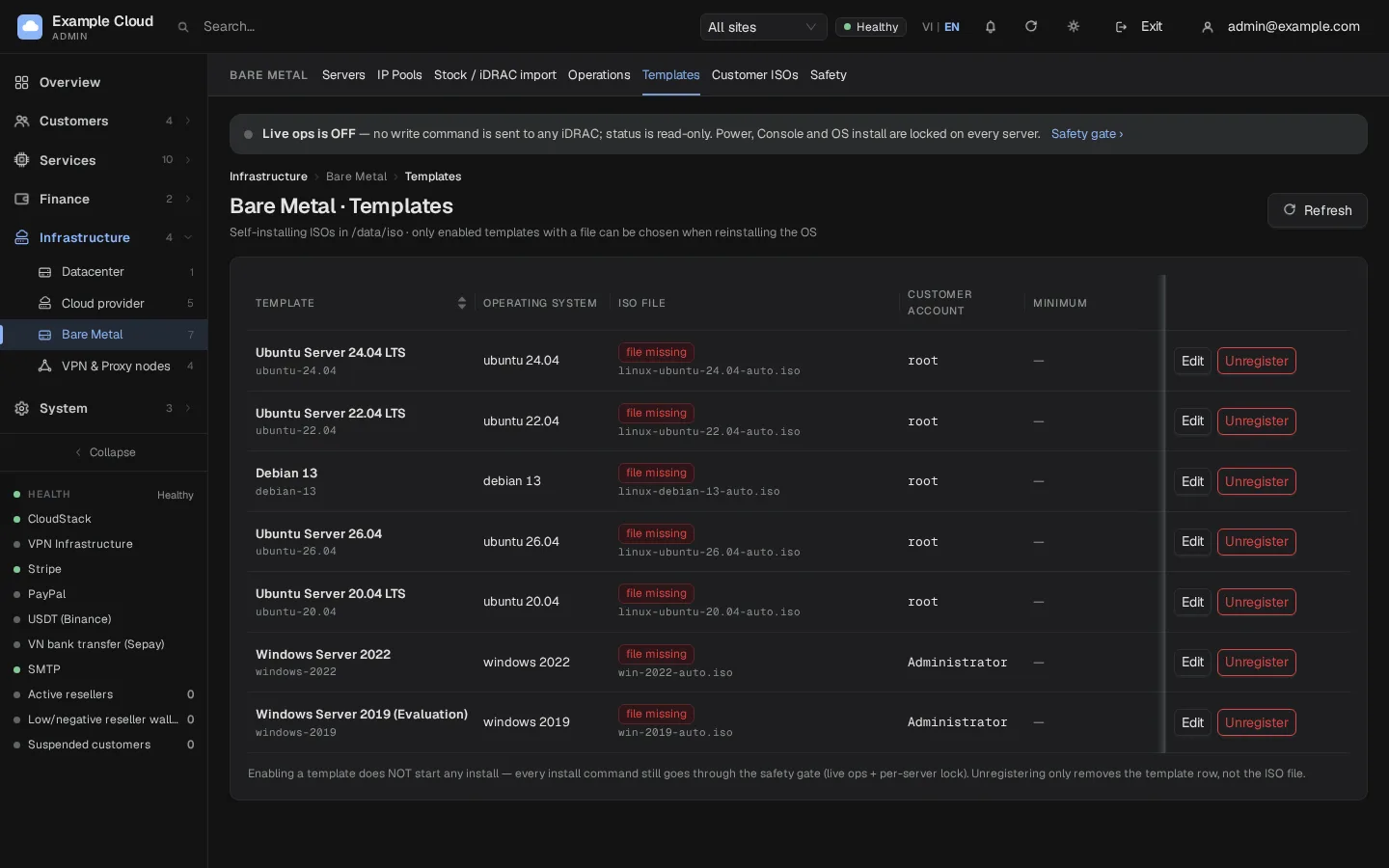
Open Infrastructure › Bare Metal › Templates. It lists self-installing ISOs found in the library folder. Click Register on a file to fill in OS family, version and account (pre-filled from the file name), then switch the template Enable. Enabling a template starts nothing: every install still passes the safety gate. Unregister only removes the template row, never the file.
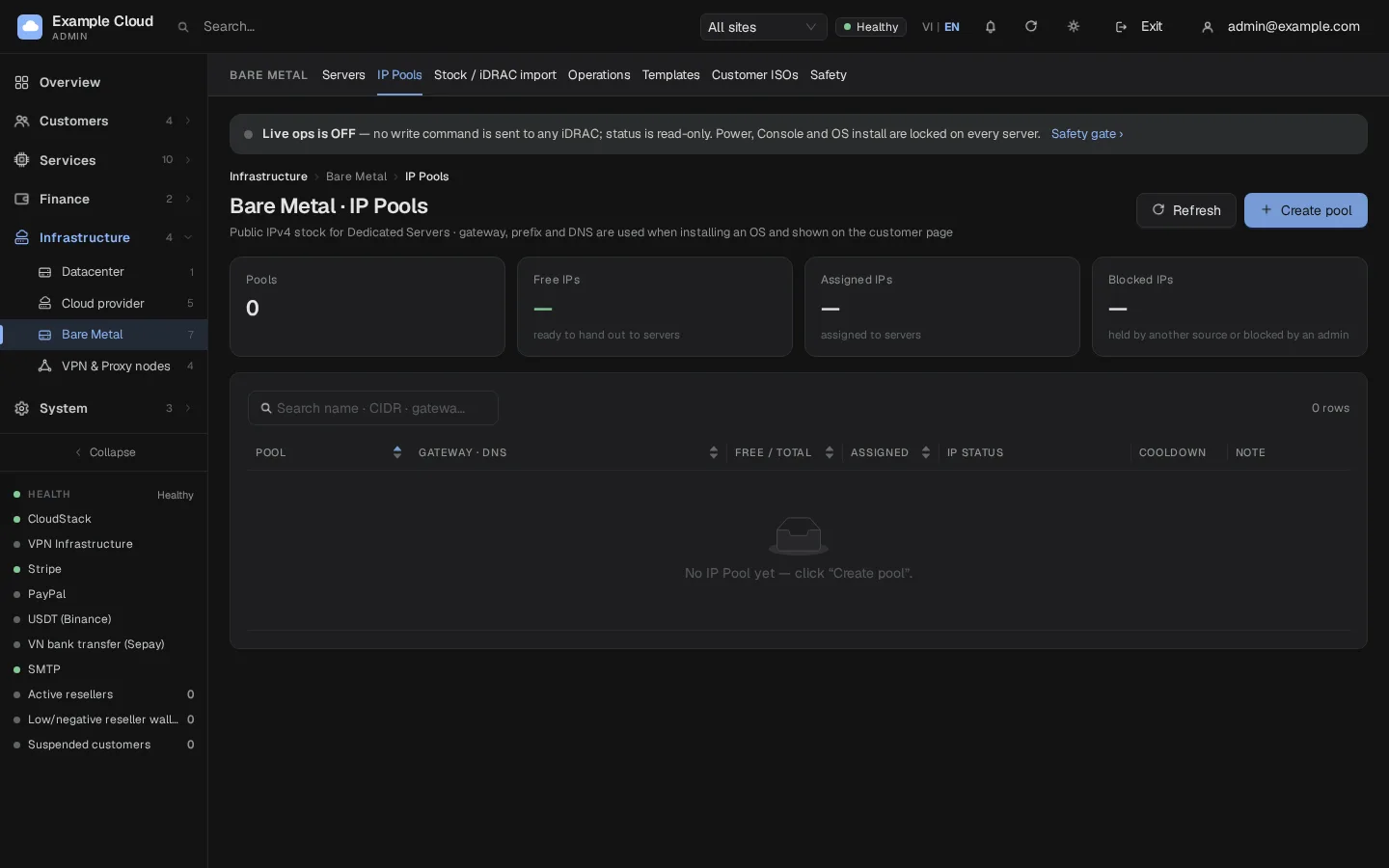
7. IP pools
Open Infrastructure › Bare Metal › IP Pools and add the IPv4 ranges that servers receive as service addresses. Each server gets one address; Assign an IP from a pool on import takes the next free one. Free addresses are counted per pool.
8. Plans and sale
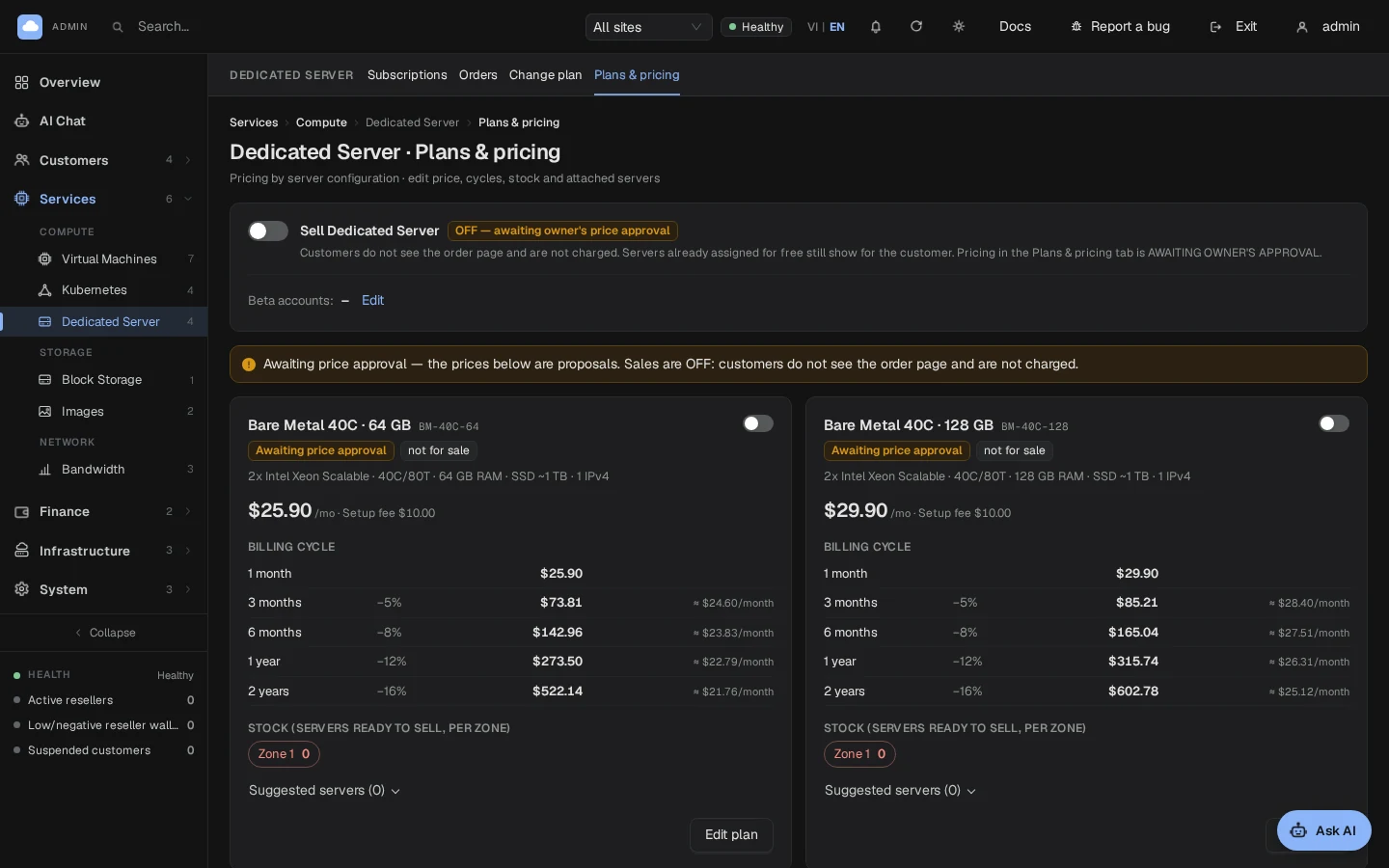
- Open Services › Dedicated Server › Plans & pricing. Edit the four sample plans (named
BM-40C-<RAM>in 1.6.1) or create your own: price, cycles and the set-up fee. On a new install prices are entered in US dollars, to the cent, and the wallet is charged exactly that: no exchange rate is needed. An install that already had plans priced in Vietnamese dong keeps dong and still needs an exchange rate in its settings (without one, orders are refused withdedicated_fx_unavailable). The sample plans start with a price of 0 and disabled: a plan on sale needs a price above 0. Check each plan against the hardware you actually import; a sample plan name does not detect or change a server's hardware. - Open the server (Infrastructure › Bare Metal › the server › Sales), attach the plan and turn Sellable on.
- Turn live ops on (Safety page, with the typed confirmation) and unlock the servers you want to operate (the server's Lock tab, with a reason that goes into the audit log).
- On Services › Dedicated Server, turn on sales. This takes two steps: read the consequences, then type
ENABLE SALES. Until then customers see no order page and are not charged.
What customers can do on their server page
The server page of a customer has sixteen tabs in seven groups (Overview, Control, Network, Hardware, Billing, Activity, Settings). The Billing group holds:
- Plan & renewal: pay 1 to 24 months ahead in one step; the new date is counted from the current renewal date and the wallet is charged once. Auto-renew can be switched on or off.
- Billing cycle: choose another cycle (for example quarterly); it applies from the next renewal, and nothing is charged or refunded now.
- Change plan: a customer can ask for another plan. Nothing is charged by the request. You approve or reject it under Services › Dedicated Server › Plan changes, after you have upgraded the hardware or moved the server. An approved upgrade charges the difference for the rest of the period the customer has already paid; a downgrade refunds nothing and applies from the next period.
- Invoices: every invoice of that server (order, renewals, upgrades).
On Plan changes, sort requests by ID, date, state, plans or server; sorting covers the whole result on the server. The action column stays visible when you scroll horizontally on a narrow screen.
At the top of the Overview four live tiles show CPU, RAM, Disk and Network, with a small chart for the last 24 hours. CPU, RAM and Disk are usage percentages from the last iDRAC poll (Disk is I/O activity, not free space); Network is the current inbound and outbound speed plus the month total, taken from the traffic counter. A tile shows — and a short reason when the server is off, the iDRAC cannot be reached, or the machine does not report that value; it never shows a made-up 0. These readings come from Dell iDRAC, and without a traffic counter the Network tile stays at —. The tiles refresh every minute while the page is open, and a click opens the Hardware or Bandwidth tab.
On the Overview the Access card shows the user name and the password of the operating system you installed, hidden by default with Show and Copy buttons. It is available after every install, not only once, and a new owner of the server never sees an earlier owner's password. If the OS password is changed inside the server, the card still shows the one set at install time. The Bandwidth tab only appears when a traffic counter feeds it (see Limits). There is no Subnet tab: bringing your own IP prefix to a rented server is not part of NexCMP.
What customers can and cannot do
| Customers can | Never possible |
|---|---|
| See inventory, health, power state and metrics | See the iDRAC address, user name or password |
| Power on, graceful shutdown, restart, force off, reset | Change iDRAC accounts or iDRAC network settings |
| Open a browser console (one session at a time) | Change BIOS or RAID, clear logs, update firmware, reset the iDRAC |
| Mount an ISO or an own ISO link, set boot once, reinstall the OS from an enabled template | Run raw Redfish calls (the functions do not exist in NexCMP) |
NexCMP does not create iDRAC accounts for customers: they use the controls of the portal only, and the iDRAC address and login are never shown to them.
Verify
- On Safety, the Management network connection card shows no red label and the Bare Metal pages show no red notice. From a host on the management network,
curl -I http://<iso-address>/does not list files. - Test connection on the import form returns the model, CPU, RAM and service tag.
- The server appears in Servers with its hardware. With live ops off, a power action is refused with "Server control is temporarily disabled system-wide".
- After turning live ops on and unlocking one test server, power the server off and on from Operations or the server page, and open the console.
- Place a test order with a test plan: the server is assigned, the OS installs, and the install ends with the server reporting back to the panel.
Limits and notes
- Every physical server has at most one live subscription.
- A write command is sent only when both live ops is on and the server's lock is open. The check is repeated inside the worker immediately before each command.
- The Installing state waits for the new OS to answer on its port (SSH 22, Windows 3389, Proxmox 8006) before the order completes; an install has a time limit (
dedicated_install_timeout_min, default 150 minutes). - Bandwidth for dedicated servers is counted from a traffic-counter agent that is not part of the standard installation. Without it nothing is recorded, the portal hides the Bandwidth tab and the API reports
capabilities.bandwidthasfalse. - Admin actions on a rental (lock, unlock, cancel with or without a refund) are the same unified actions as for every other service, with refunds returned to the balance they were paid from.
- Servers are not resold across resellers: Dedicated is sold from the main site only.
Troubleshooting
| Symptom | Cause | Fix |
|---|---|---|
| Test fails with an address error | The address is not an IPv4 literal in dedicated_bmc_cidrs (private, /16 or smaller) or the port is not allowed | Use the iDRAC's IPv4 address and add its network under Safety › Management network connection (dedicated_bmc_cidrs). DNS names and IPv6 are refused. |
Red notice "Management network not configured", or the live ops switch answers config_placeholder | One of dedicated_bmc_cidrs, dedicated_iso_base_url, dedicated_callback_base still holds the shipped sample value | Enter the real values under Safety › Management network connection. |
| A field is refused when saving | Wrong format (CIDR not private or wider than /16, ISO address not http://<private IPv4>[:port], callback not https://<domain>), or a sample address such as example.com | Read the message under the field; the stored value is unchanged. |
nexcmp dedicated-setup-iso stops before changing anything | --listen is not an address of this server, the port is already used, or a value is not valid | Use the address this server has on the management network, another port, or correct the value named in the message. |
| "The iDRAC TLS certificate differs from the pinned one - polling and write actions have stopped" | The iDRAC certificate was replaced (new certificate, replaced iDRAC) | Open the server, tab Access, compare the two fingerprints and, if the change is intended, click Repin certificate. |
| "Server control is temporarily disabled system-wide" | Live ops is off | Turn it on in Safety. |
| "This server is locked for operations" | The per-server lock is closed | Open the lock in the server's Lock tab with a reason. |
| "Another operation is still running on this server" | A previous operation is not finished | Wait; check Operations. |
| "Another console session is already open on this server" | One console at a time | Close the other session. |
| "The server's controller is temporarily unavailable" | The iDRAC does not answer | Check the management network and the iDRAC. |
| An ISO mount fails with a 403 or 404 from the iDRAC | The web server cannot read the file or the base address is wrong | Check the ISO web server's permissions and the HTTP address serving ISOs to iDRAC. |
| "This plan is out of stock in the selected location" | No sellable server with that plan in the zone | Attach the plan to a server and turn Sellable on. |
| "No IPv4 address is available to assign right now" | The IP pool is empty | Add addresses to the pool. |
| "Automatic OS installation is not available right now" | Install prerequisites missing | Check that a template is enabled and the ISO folders are writable; customers can still install through ISO and console. |
| Installation stalls | The installing server cannot reach the callback address | Check dedicated_callback_base and that the server's network can reach your panel over HTTPS. |