AI Models
Open Source AI API reseller and LLM billing platform
NexCMP AI Models is an add-on for the self-hosted NexCMP panel that lets you sell access to AI models on your own domain. You connect model sources you are authorized to use, set a price for each model, and your customers call them with one API key, are metered per token and pay from a prepaid wallet.
AI Models is part of NexCMP and costs nothing extra. It is switched off until you turn it on. NexCMP does not supply models, API keys, tokens or provider accounts: you bring sources you are authorized to use.NexCMP Source: full source code for $499, one-time. Use, modify and self-host for your own business. You may sell the services you operate; you may not resell or redistribute the source code or builds. Source license terms
What is the NexCMP AI Models add-on?
NexCMP already bills virtual machines from a prepaid wallet. AI Models adds a gateway to the same panel, so the wallet, customers, resellers and support tickets that sell servers can sell AI API access too.
It is a billing and control layer, not a model supplier. You add the providers you have the right to use, choose which models to offer and what each one costs, and your customers call one endpoint on your domain with their own keys. Customers see your domain and your prices, never the provider that served a request.
Looking for AI Chat and AI Agent? That is a different product: an assistant inside the customer portal and an agent that works on a customer's server. It does not sell model access, and the two modules do not depend on each other.
How your customers use AI Models
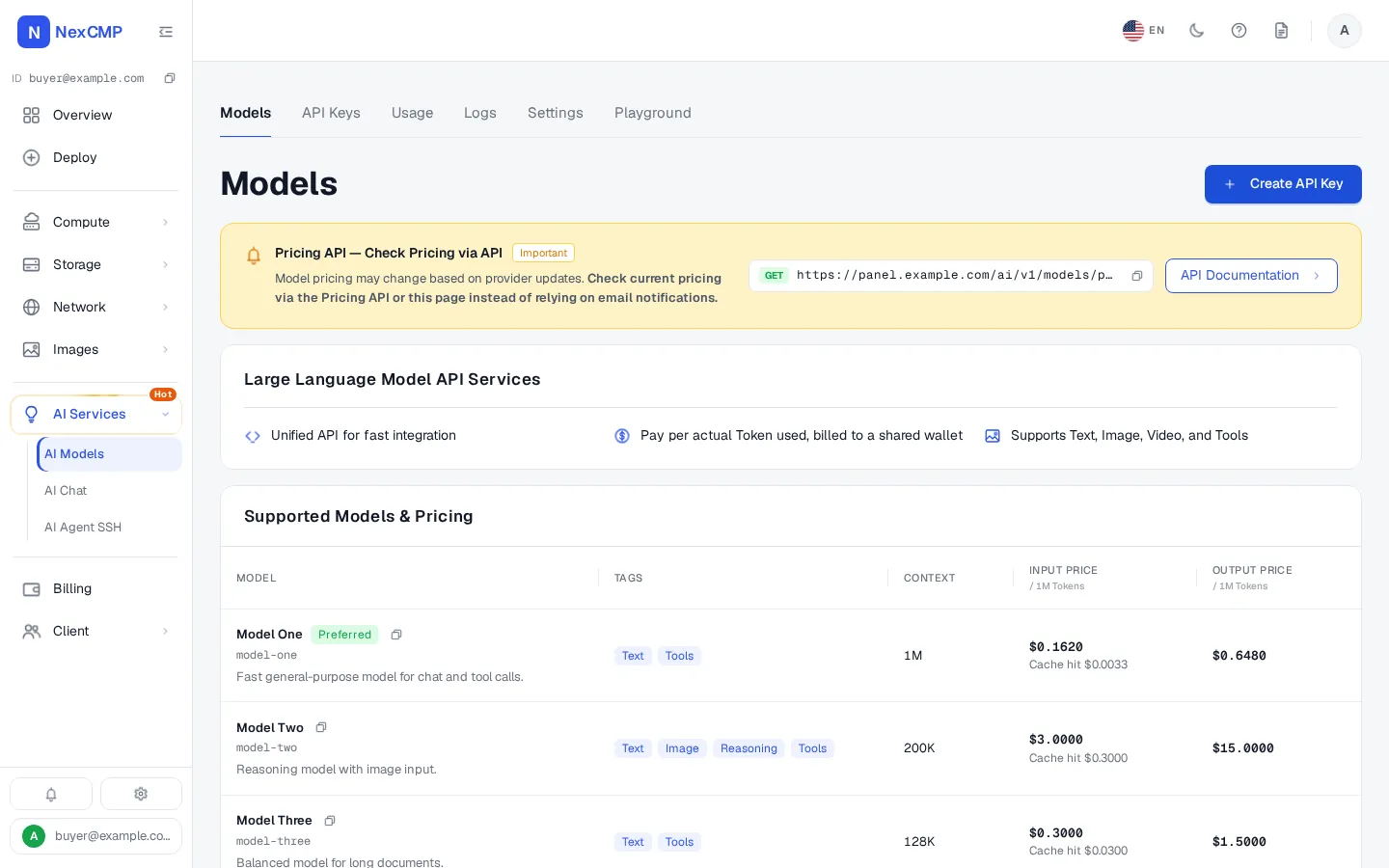
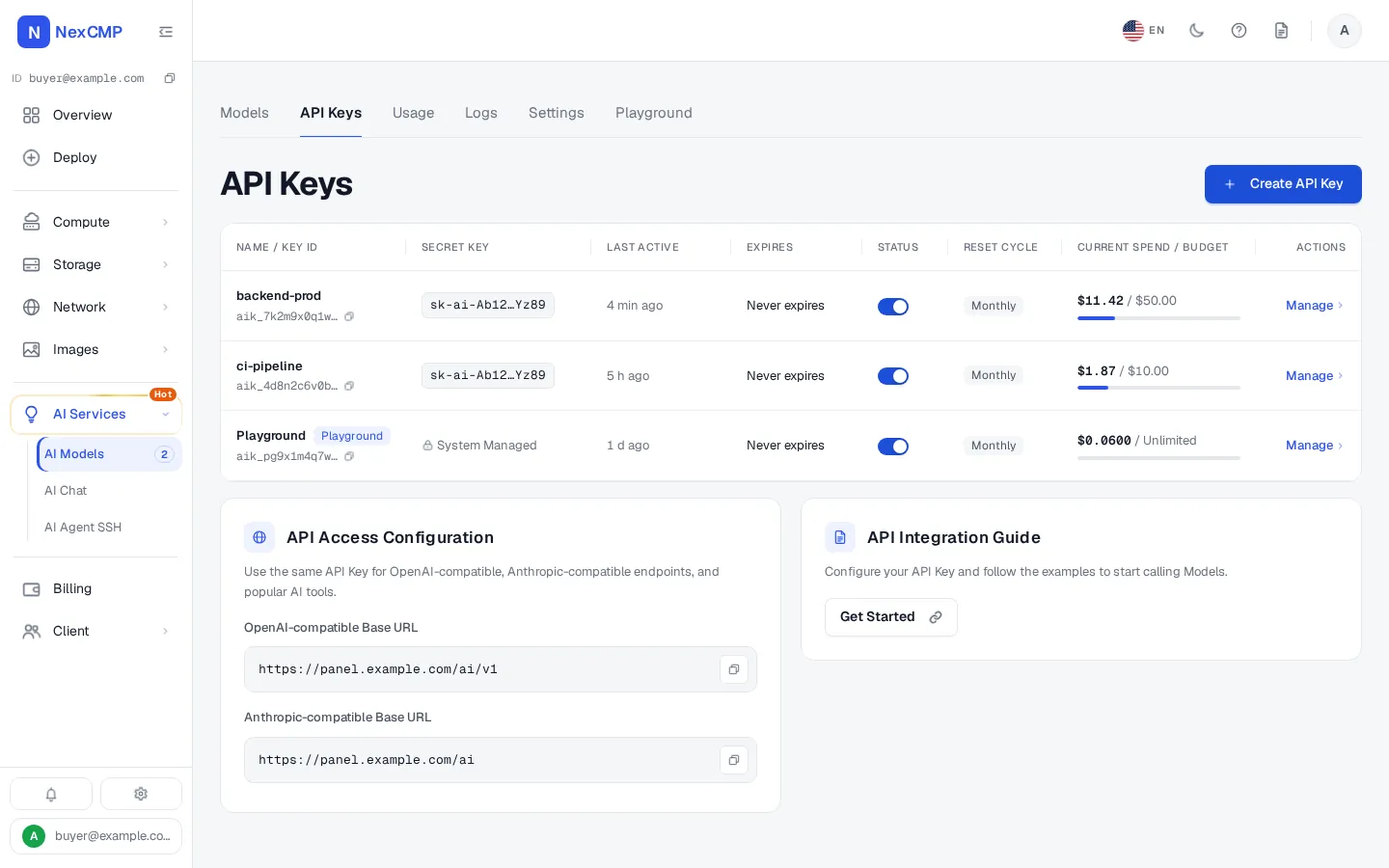
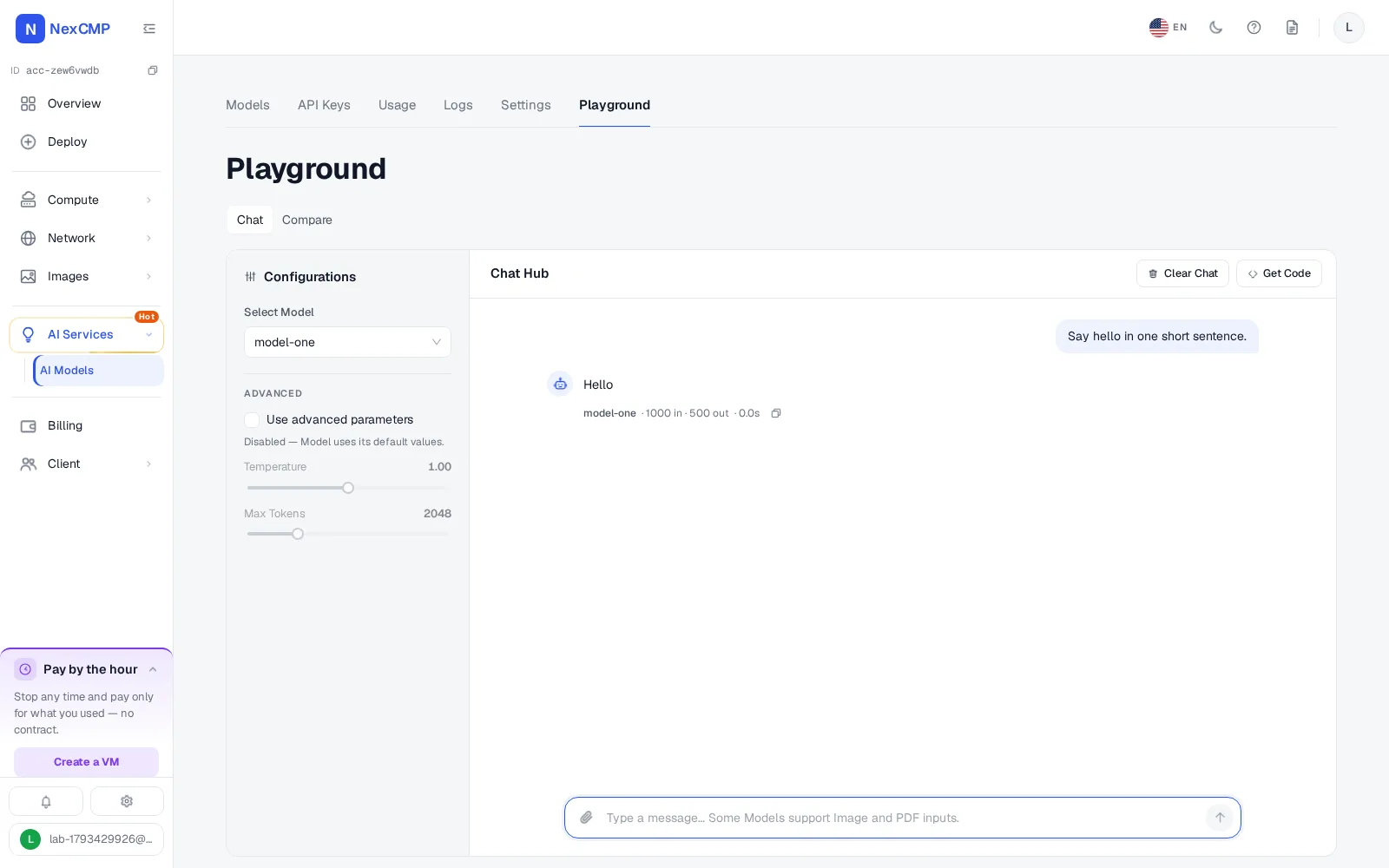
Every screen is a tab of the service page in the customer portal, shown with sample data. Pick a tab, use the arrows or the left and right keys, or open the full-screen viewer.
Models
API Keys
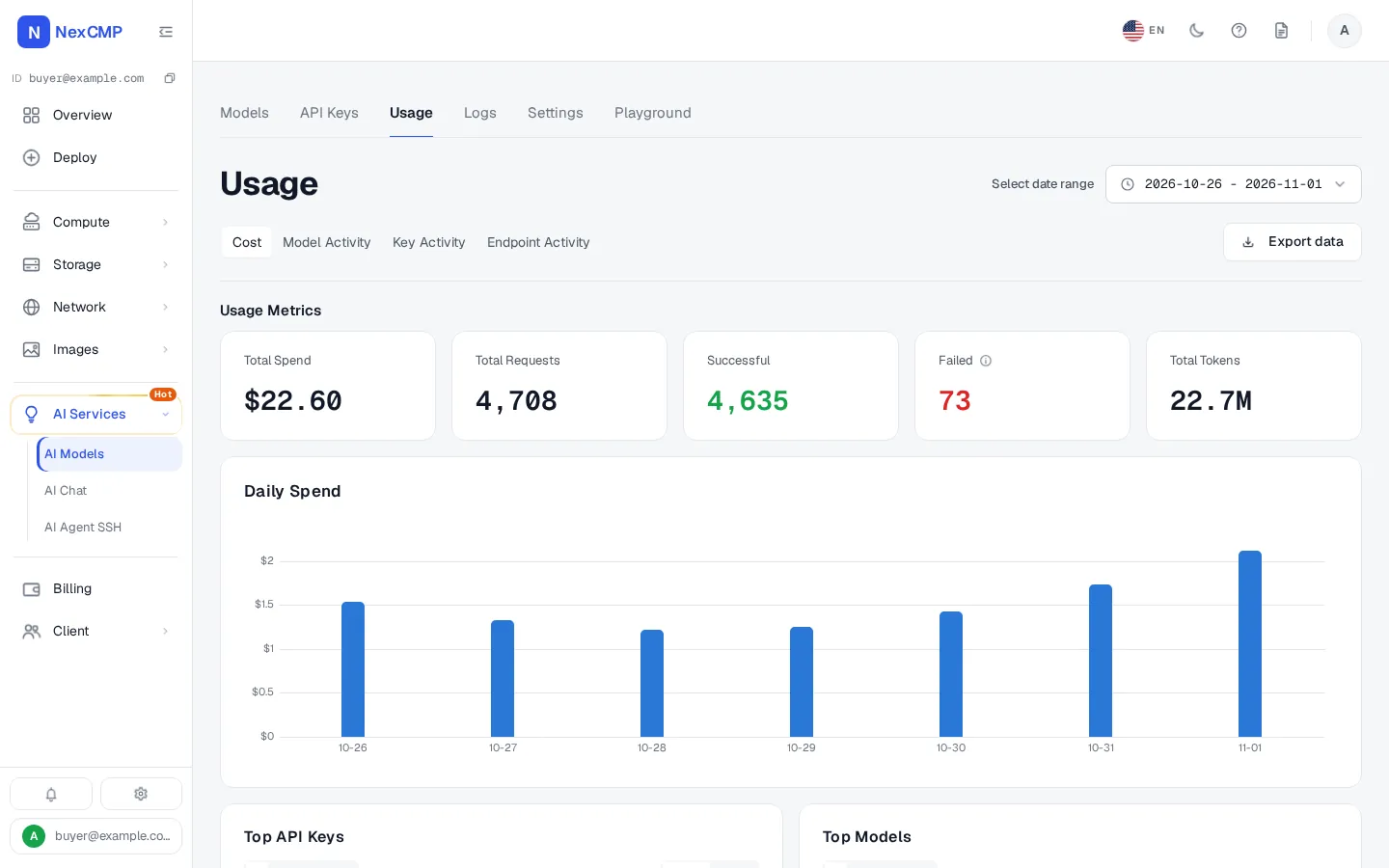
Usage
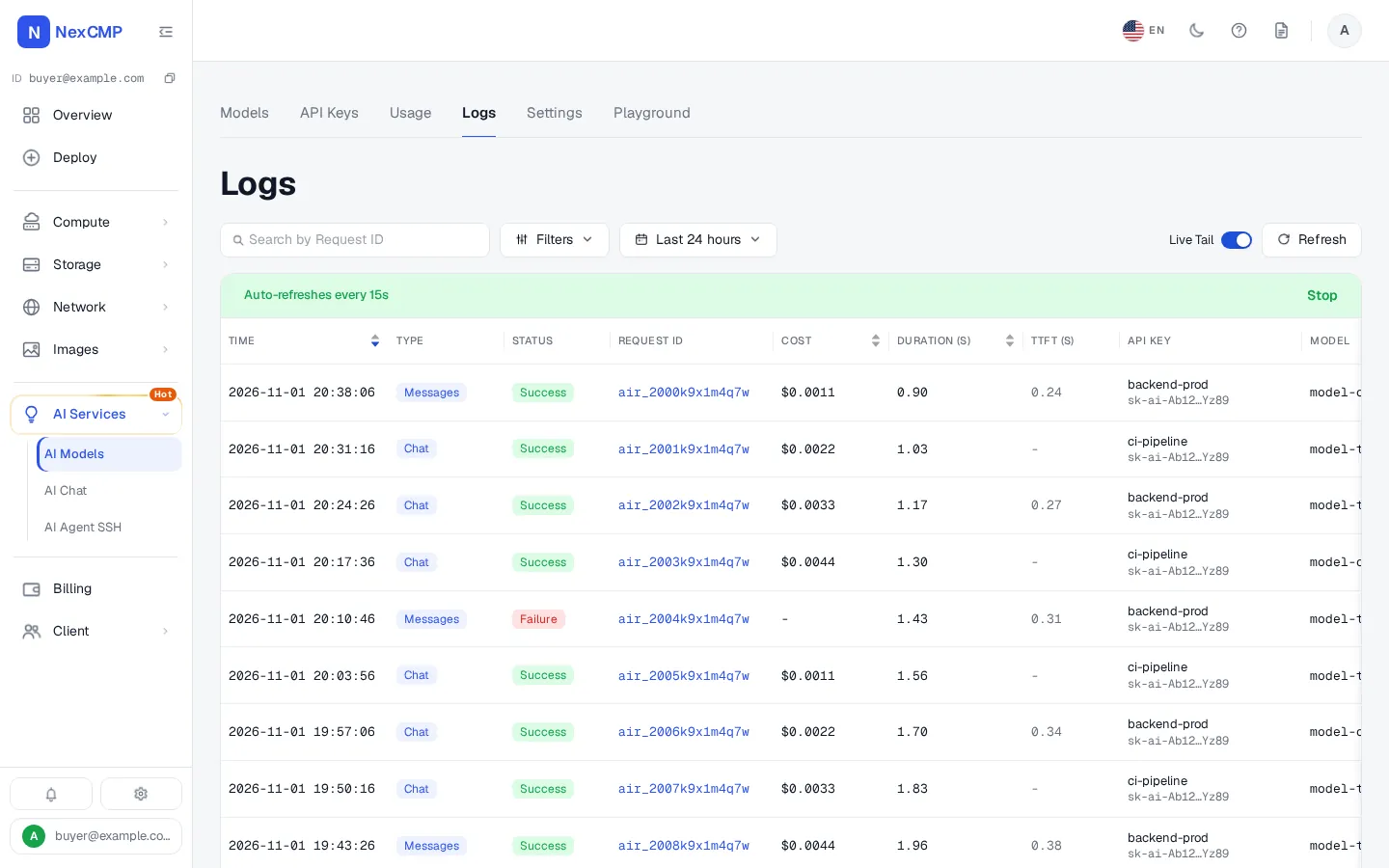
Logs
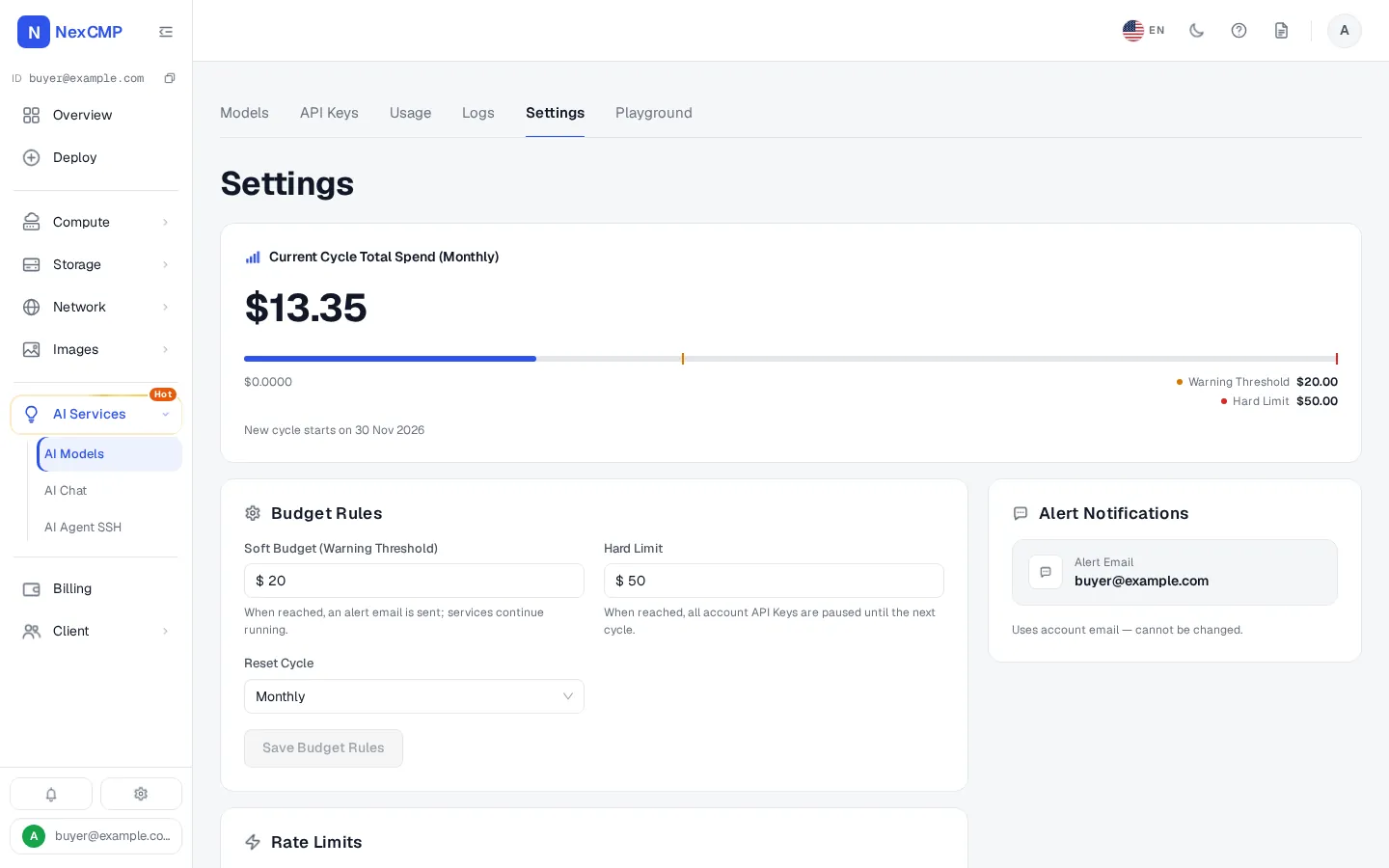
Settings
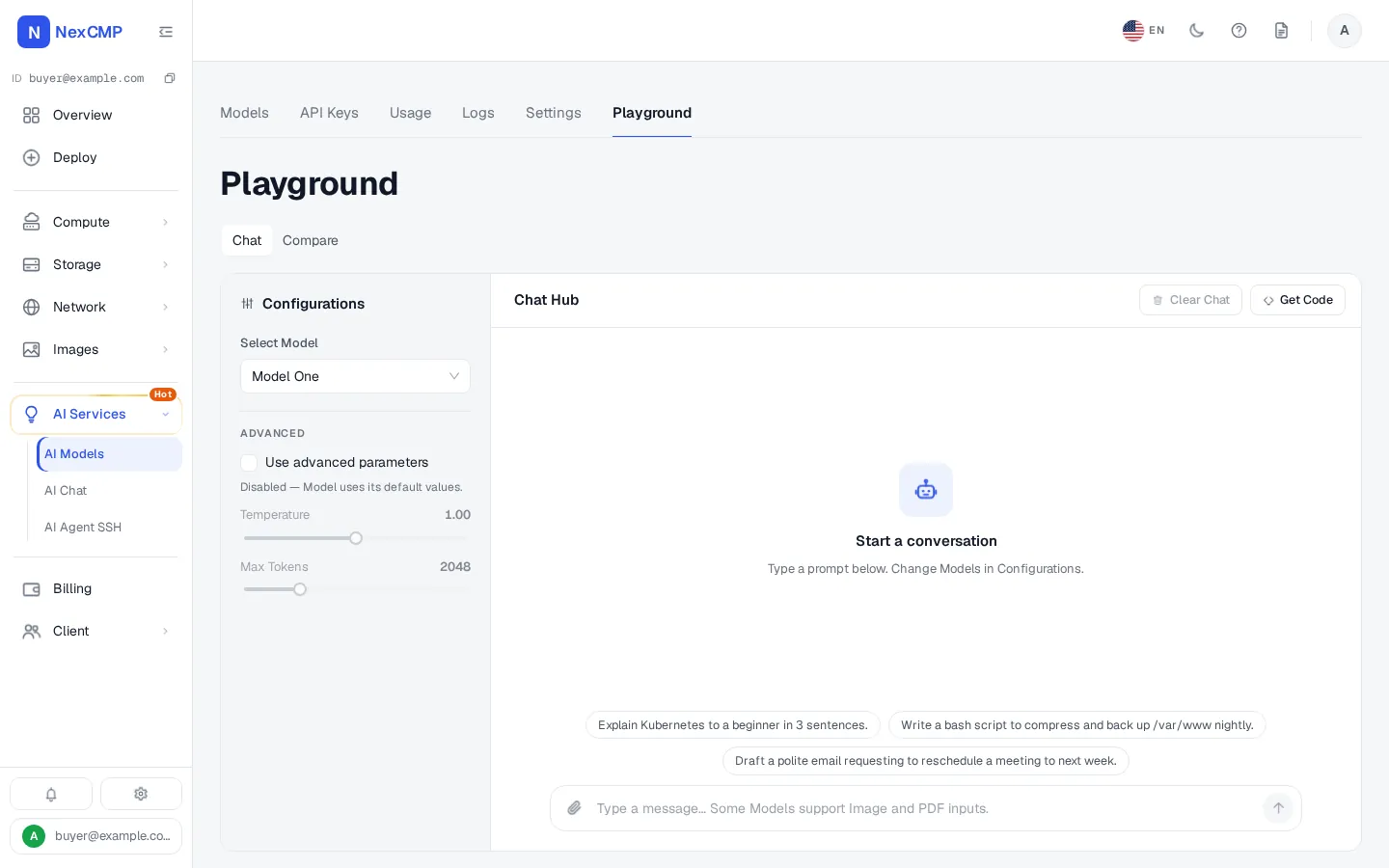
Playground
From your customer to your provider
Customers call your domain. NexCMP checks the key, the limits and the wallet, then sends the request to a provider you added.
What you need to sell AI API access
NexCMP covers the software side. The rest is yours.
- Model sources you are authorized to use and to resell: one or more providers with an OpenAI-compatible or an Anthropic-compatible API.
- A NexCMP panel with the AI Models module switched on.
- A selling price for each model you offer, set by you.
- Support for your customers and an acceptable-use policy of your own.
- A panel that can reach your providers over HTTPS.
One key, many models
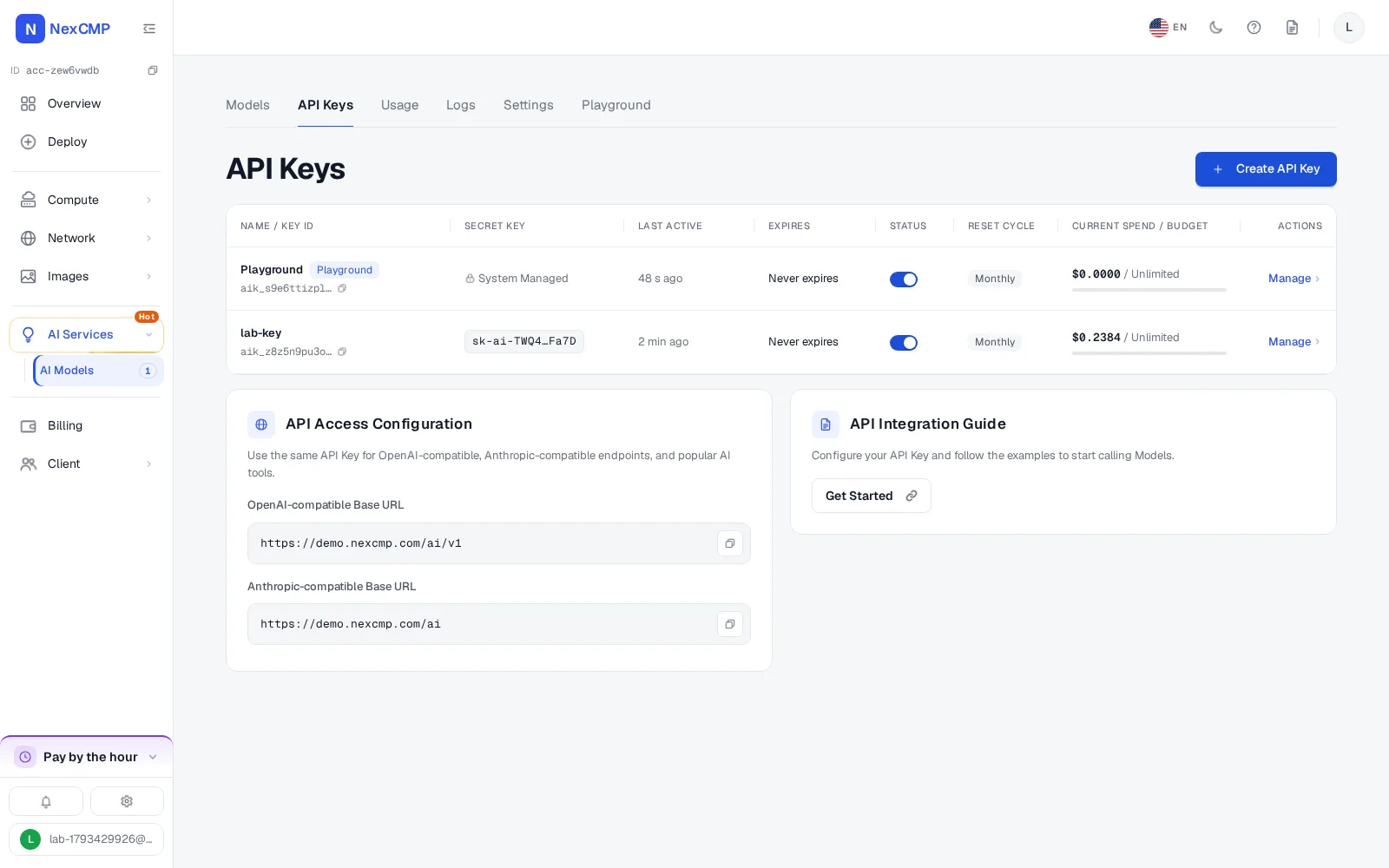
A customer's client points at your domain and uses a key from your panel. One key can call every model it is allowed to use. The gateway runs on the panel's own domain and streams replies in both formats.
- Anthropic-compatible clients can also use /ai/v1/messages/count_tokens.
- Token usage is taken from the provider's reply. If a reply has none, NexCMP estimates it and marks the record as estimated.
- The gateway does not translate between the two formats. A model served by an OpenAI-compatible provider is reached through the OpenAI-compatible endpoint, and one served by an Anthropic-compatible provider through the Anthropic-compatible endpoint. A provider of type Both serves either.
- Tools that run on the provider's side and are charged per call, such as web search, are rejected because they cannot be metered. Only a short list of safe request parameters is passed on.
POST https://your-domain/ai/v1/chat/completions   OpenAI-compatible
POST https://your-domain/ai/v1/messages            Anthropic-compatible
GET  https://your-domain/ai/v1/models              model list
GET  https://your-domain/ai/v1/models/pricing      public price list, no key
Bring your own model sources
Nothing comes preloaded: no provider, no model, no default address and no price list.
Add a provider
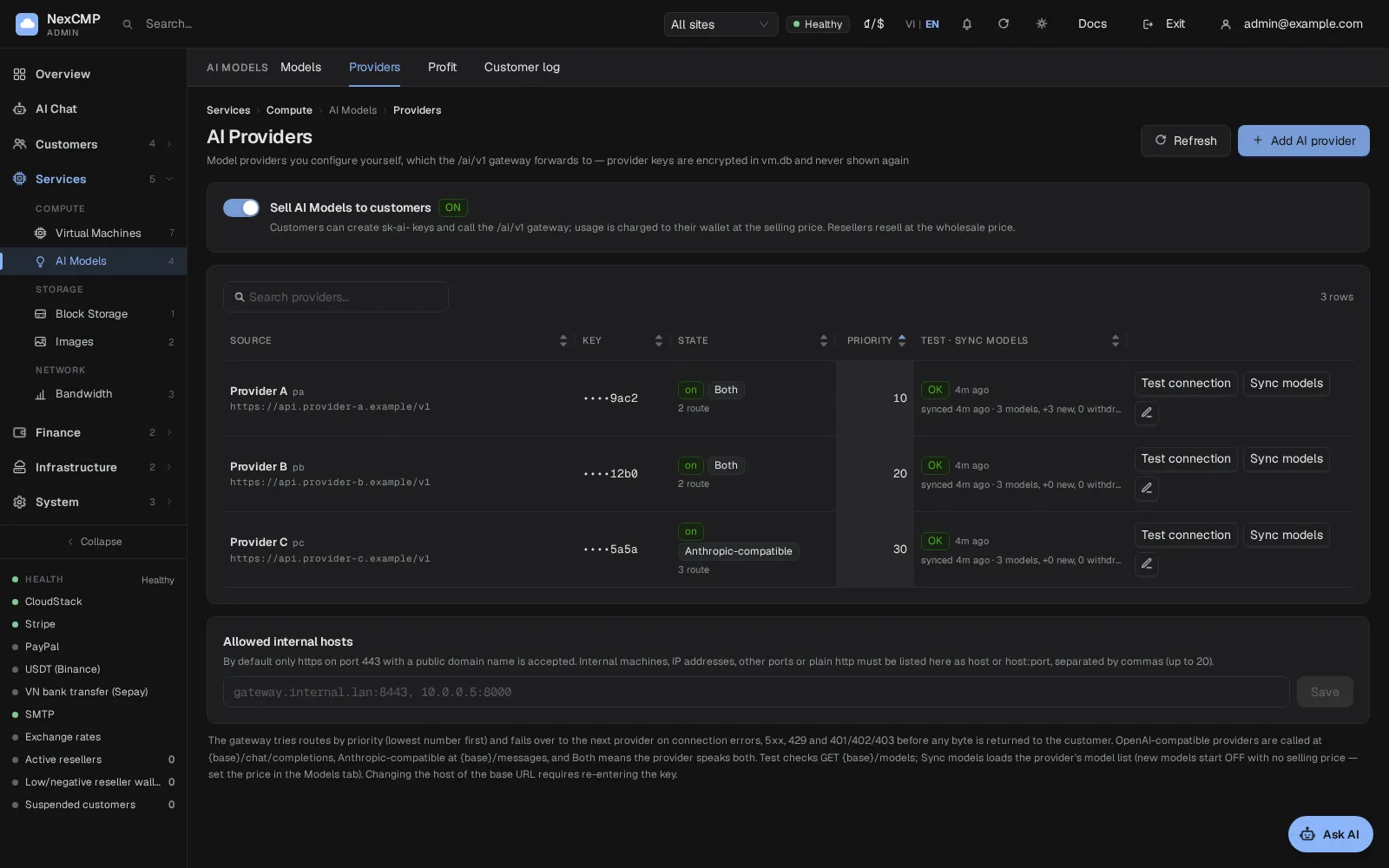
Give it a name, a type (OpenAI-compatible, Anthropic-compatible or Both), the base URL, its API key, a priority and an on or off switch. The key is stored encrypted and only its last four characters are shown afterwards.
Test the connection
A test reads the provider's model list and reports success, or why it failed: authorization, a blocked address, billing or an unreachable host.
Sync the model list
NexCMP reads the provider's list and adds new models switched off with no price. A model the provider withdraws is flagged. While the module is on, the list syncs by itself every 6 hours by default.
Addresses are checked
A provider address must be HTTPS on port 443 and a public domain. Internal hosts, other ports and plain HTTP are accepted only if you list them under Allowed internal hosts.
Prices are yours
NexCMP reads no price from a provider. Every selling price is one you set.
Per-model pricing
You decide what each model costs your customers.
Three prices per model
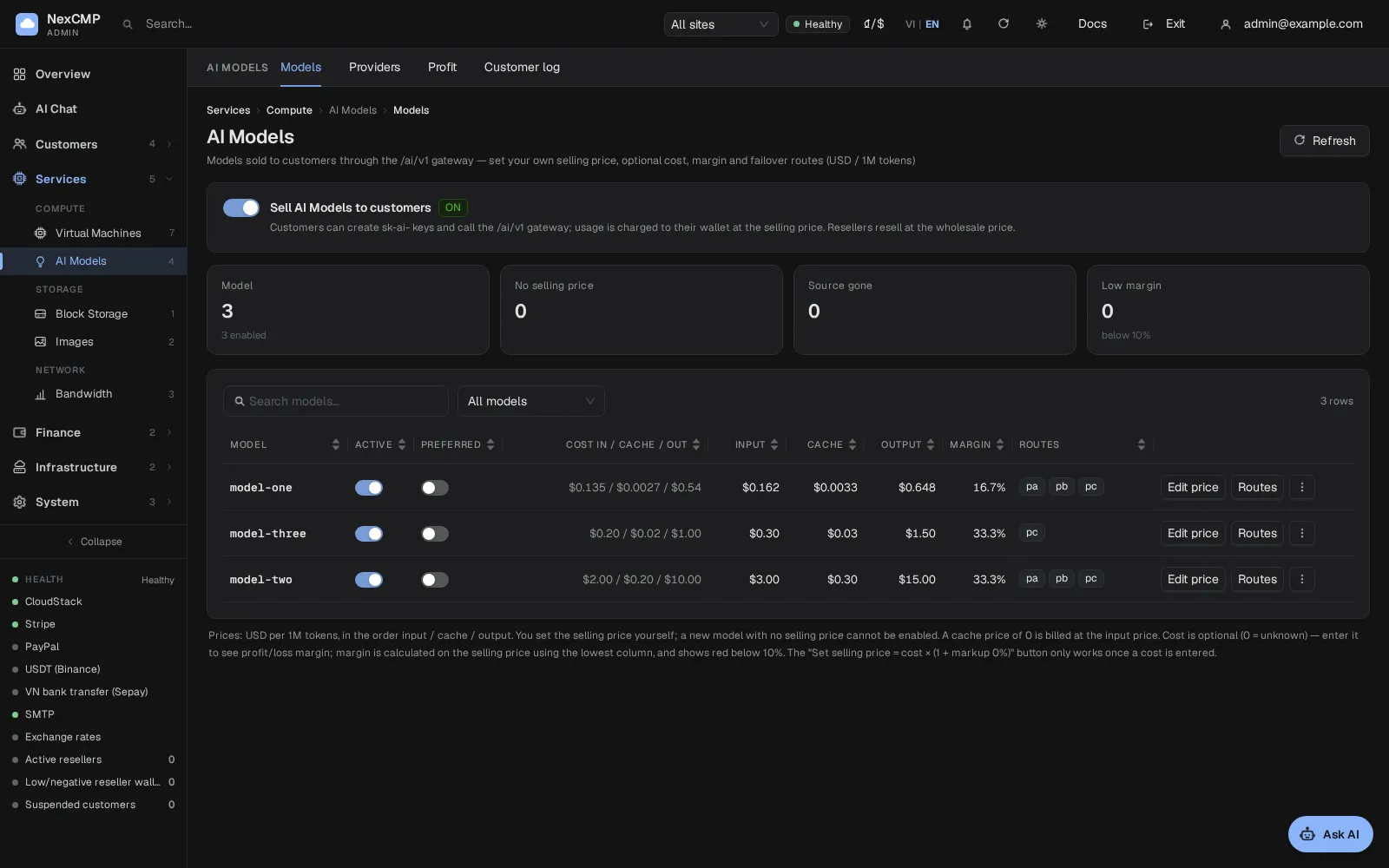
Input, cached input and output, in US dollars per 1 million tokens. A model with no selling price cannot be switched on.
Cached input
Until you set a cached input price, cached tokens are charged at the input price. They are not free.
Optional cost price
Enter what a model costs you if you want profit and loss by day and by model on the Profit page. When you do, a selling price below your cost plus a minimum margin is refused unless you confirm a deliberate loss.
Set price from cost
A button sets the selling price from your cost plus a markup that you choose. There is no default markup.
Public price list
Customers and visitors can read your prices without a key, at the price list address of your gateway.
API keys, limits, usage and logs
Each item is something a customer does in the portal, or you set for them.
Keys
Create, rename, rotate, disable and delete keys. A secret is shown once, and NexCMP stores only a hash of it.
Allowed models and expiry
Limit a key to a list of models and give it an expiry date.
Budgets
A soft budget warns by notification and email. A hard budget blocks requests with a 402 error. Both work per period, for one key and for a whole account.
Rate limits
Requests per minute and tokens per minute, per key and per account, plus a limit on concurrent requests and a cap on the number of keys per account.
Usage
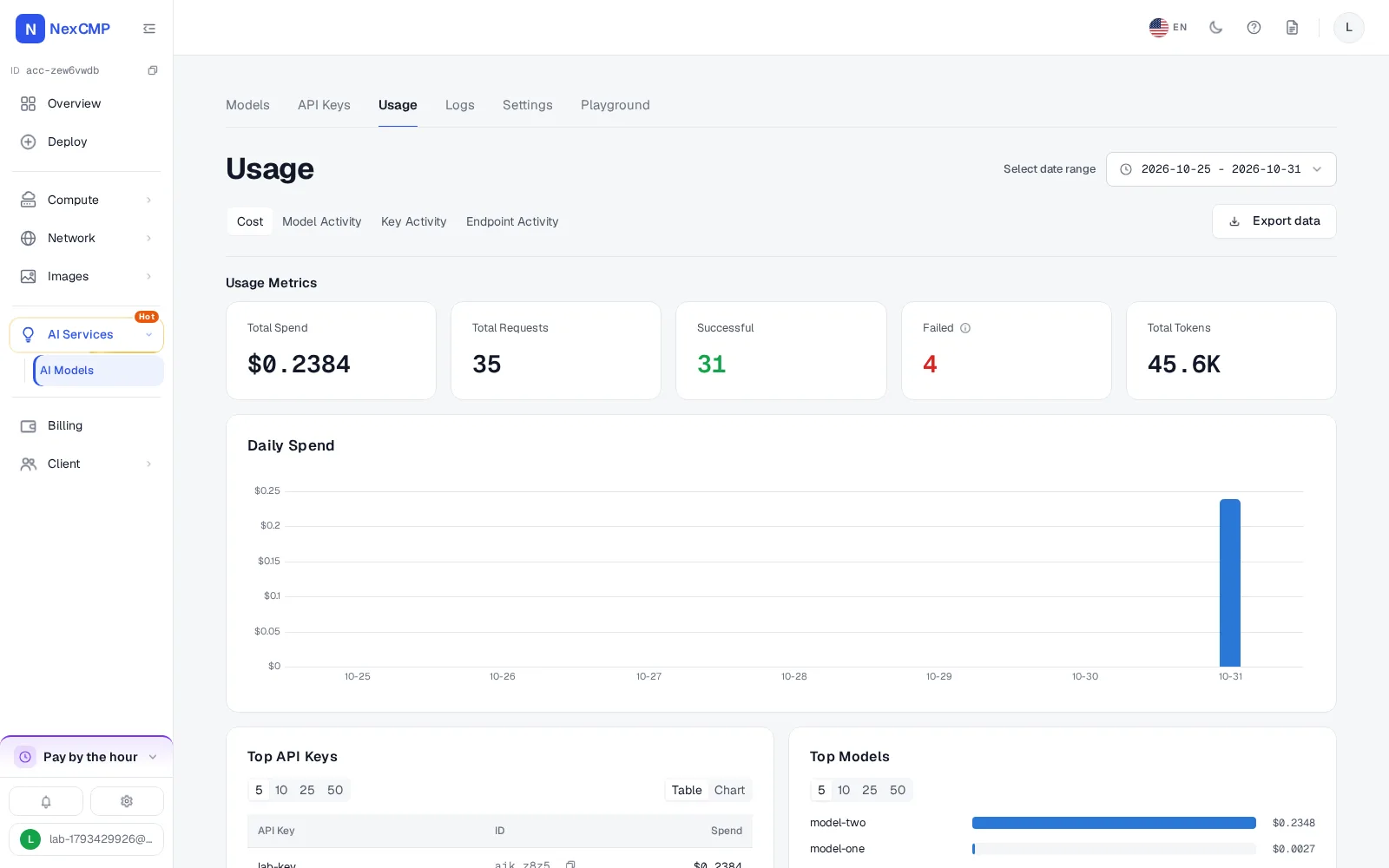
Usage by model, key and day, with CSV export.
Logs
Filterable request logs with time, key, model, tokens, cost, status and latency. NexCMP does not record prompts or responses. Logs are kept for 90 days by default.
Wallet billing for LLM APIs
AI usage is charged to the customer's prepaid wallet, the same wallet that pays for every other NexCMP service. You set the prices; the customer tops up in the usual way.
Before a request goes to a provider, NexCMP reserves money from the wallet for the most the request could cost. If the balance is below the minimum (20 cents by default) or too small, the request is refused with a 402 insufficient_balance error and no provider is called. Because the reservation comes first, parallel requests cannot push the wallet below zero.
Usage is gathered per account and settled into wallet ledger entries once the hour has passed, with a sweep every 5 minutes. Usage that is not yet settled is already subtracted from the balance the gateway sees.
Routing and failover between providers
Several routes per model
A model can have routes to several providers, in the order you choose, each switched on or off. The model name sent to a provider can differ from the name you publish.
Failover
When a provider fails with a server error, an authorization or billing error, a missing model or a rate limit, NexCMP tries the next route.
No double charge
If a read times out after the request was sent, NexCMP does not send it to another provider, so you do not pay twice for one request.
Pace per provider
Requests to each provider are limited per minute, 50 by default, so one busy period does not exhaust a source.
Alerts
If a provider keeps returning authorization or billing errors, NexCMP tells the administrator on Telegram, when Telegram is set up.
Provider details stay hidden
Errors are cleaned before they reach a customer: provider names, hosts, upstream model names and addresses are removed, and provider headers are not passed on. Customers do not see which provider served a request.
Playground and customer portal
Each item is something a customer does in the portal on your domain.
Models and prices
See the models you offer with their prices, the base URL and ready-made example commands.
Keys, usage and logs
Create keys, read usage by model, key and day, and filter request logs. The logs show metadata only, never the content of a request.
Settings
Set an account budget and the email address that receives alerts.
Playground
Chat with a model, compare several models side by side, and copy the matching code with Get Code.
What you can do as the operator
Each item is in the NexCMP admin console.
Providers, models and routes
Add and test providers, sync their model lists, set prices, switch models on or off, and choose which providers serve each model and in which order.
Usage and profit
See what each customer account has used, and read revenue against cost by day and by model for the models where you entered a cost.
Audit
Every change asks for a reason and goes to the audit log. Provider keys can be entered only from a signed-in administrator session.
Two switches
The module is switched on under License & updates, Modules. A separate sale switch in the AI Models admin pages is off by default: while it is off, customers see that the service is not open yet and the public price list reports it as not available.
Switching it off
With the module off, the customer pages, the admin pages and the gateway all answer 404, the menu entries are hidden and the background sync stops calling providers.
NexCMP AI Models screens
Real screens from a NexCMP 1.5.0 install with sample data. Provider A, B and C are sample names.
Selling through resellers
A white-label reseller can sell AI Models on its own domain at its own prices. The reseller's markup or discount is applied to your selling price, and the wholesale price is kept at or above your cost plus the minimum margin when you have entered a cost. The reseller's wholesale wallet is charged the wholesale price.
An AI switch for each reseller decides whether that reseller sells AI Models. It is on by default.
How it works
From a switched-off module to the first customer request.
Switch the module on
In the admin console, open License & updates, Modules and switch AI Models on.
Add a provider and test it
Enter the provider's type, base URL and key, then run the connection test.
Sync models and set prices
Sync the model list, set the selling prices, add a second provider as a fallback route if you have one, and switch the models on.
Open the sale switch
Turn the sale switch on in the AI Models admin pages so customers can use the service.
Customers create a key and call your endpoint
A customer tops up the wallet, creates a key in the portal and points a client at your domain.
Infrastructure requirements
You run the NexCMP panel and bring the model sources. The full list, with the exact steps, is in the docs at https://nexcmp.com/docs/infrastructure/ai-models/.
- A NexCMP panel with the AI Models module switched on.
- Outbound HTTPS from the panel to each of your providers, or to an internal gateway that you list under Allowed internal hosts.
- Customers reach the gateway through the domain of your panel.
- No GPU and no special hardware: NexCMP only forwards requests to your providers.
AI Models in NexCMP Free and Source
AI Models is a module like the others and is included in both NexCMP Free and NexCMP Source. NexCMP charges no extra fee for it and has no separate plan; the costs of your providers, your hardware and payment-gateway fees are yours.
NexCMP Free is $0 for the first year: the full signed build with every module, bug fixes and updates for 1 year, and as many reseller domains as you like. After the first year it renews at $99 per year, and the software keeps running if you do not renew. NexCMP Free is for network operators with their own ASN and a subnet registered in their own name; applications are reviewed. NexCMP Source is a $499 one-time purchase with the full source code, all apps built for you and 30 working days with an expert engineer.
Fit check
NexCMP AI Models fits you if you run a hosting, cloud or software business, have model sources you are authorized to use and to resell, and want keys, prices, a wallet, usage and customer billing in one panel on your own domain.
It does not fit if you need models, tokens, API keys or provider accounts supplied to you, a ready-made model catalog or price list, translation between the OpenAI-compatible and the Anthropic-compatible formats, fine-tuning, GPU hosting, or a service-level agreement from NexCMP.
Before you sell: sources, terms and responsibilities
NexCMP does not supply models, API keys, tokens, provider accounts or prices. You connect model sources you are authorized to use and to resell, and you remain responsible for complying with your sources' terms and with the law that applies to you.
Many model sources restrict reselling or passing access on to third parties. Read the terms of each source, and ask the source whether you need a separate agreement before you offer its models to your customers.
You also need an acceptable-use policy with your own customers and a way to handle abuse reports. What a source does with the data you send it is governed by that source's terms; NexCMP itself does not record prompts or responses. This page is not legal advice.
AI API reseller platform: frequently asked
What is an AI API reseller platform, and what does NexCMP AI Models do?
Does NexCMP provide models, API keys or tokens?
Am I allowed to resell access to the models from my sources?
Which API formats can my customers use?
How do I set prices?
How does wallet billing work, and what happens when the balance runs out?
What limits can I put on customer API keys?
Can customers see their usage and request logs? Are prompts stored?
What happens if one provider fails?
Can I sell AI models through resellers?
Can customers test models before buying?
Is it self-hosted, and what does it cost?
Who is responsible for acceptable use and customer content?
Sources
NexCMP documentation for the AI Models module.
Get NexCMP free
Free, with AI Models and every other module included. Install it on your server today.
Last updated: