General settings
Where in the admin: System › Settings › General (
/settings). Changes take effect immediately (30-second cache).
The page has three sections.
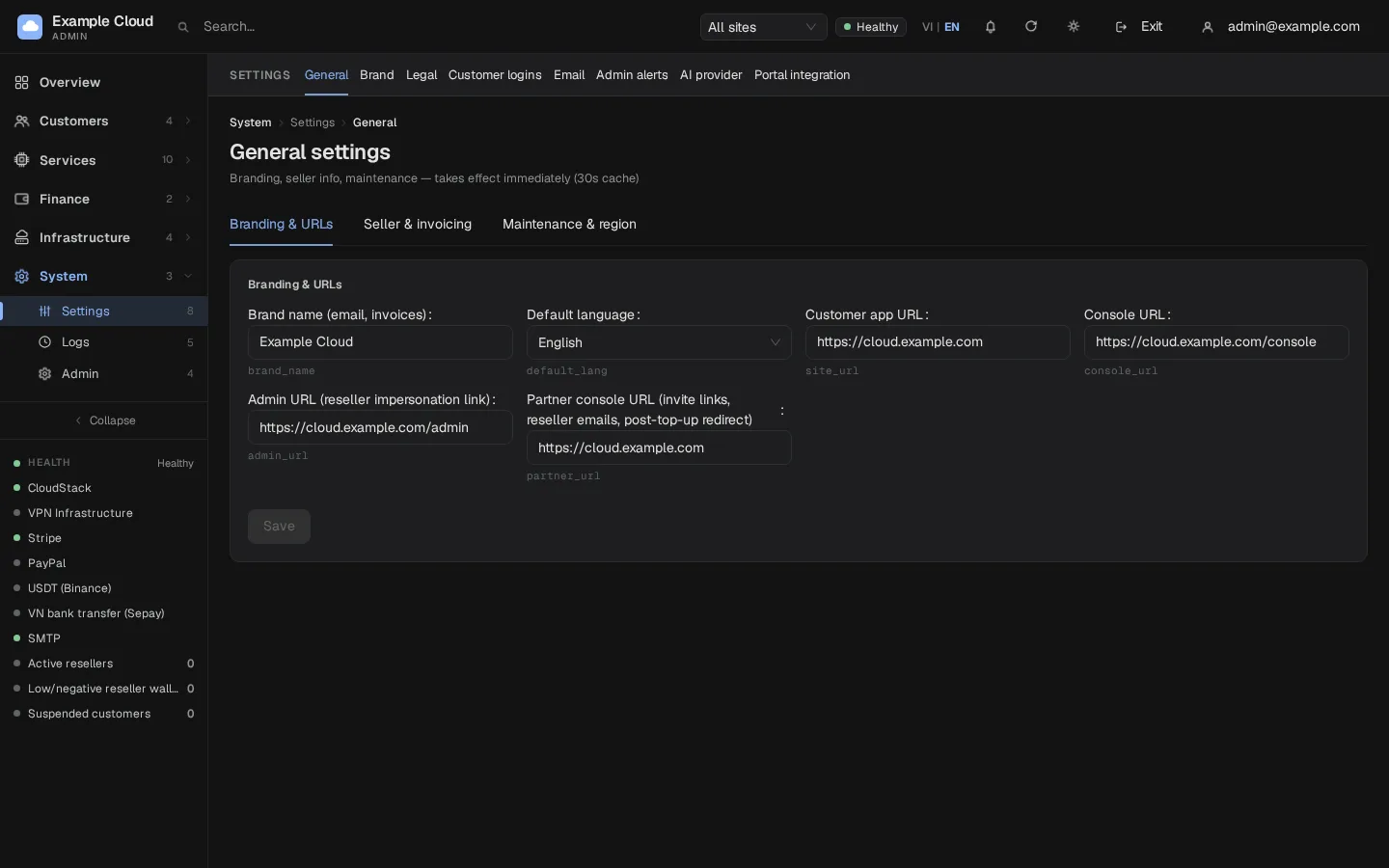
Branding & URLs
| Field | Purpose |
|---|---|
| Brand name (e-mail, invoices) | Shown in e-mails and invoices. Logo and colours are in Branding |
| Default language | Language for new visitors |
| Customer app URL | Public address of the portal, for example https://cloud.example.com |
| Console URL | Address of the VM console service |
| Admin URL | Link used when you "log in as" a reseller's customer |
| Partner console URL | Used in invitation links, reseller e-mails and the redirect after a top-up |
The wizard fills these in from your domain; change them only if you move the portal.
Seller & invoicing
Printed on every invoice:
| Field | Example |
|---|---|
| Legal entity name | Example Cloud Ltd |
| Tax ID | TAX-000000 |
| Address | 1 Example Street, New York |
| Contact e-mail | billing@example.com |
| Invoice number prefix | INV (1–8 characters, A–Z and 0–9) |
Existing invoices keep the seller details and number they were issued with; changes affect new invoices only.
Maintenance & region
Turn on Customer app MAINTENANCE to show a banner and block all customer write actions while the admin console keeps working. Enter the Maintenance message customers will see. Use this during upgrades of your infrastructure.
Other settings pages
| Page | Guide |
|---|---|
| Brand | Branding |
| Legal | Legal |
| Customer logins | Security |
| SMTP and e-mail templates | |
| Admin alerts | Telegram and admin alerts |
| AI provider | AI providers |