Invoices and ledger
Where in the admin: Finance › Billing (
/billing) with the tabs Overview, Transactions (/billing/ledger), Invoices (/billing/invoices), Top-ups (/billing/deposits), Payouts (/billing/payouts), Vouchers (/billing/vouchers) and Reports (/billing/reports). Where in the portal: Billing (/billing).
What it does
Every amount in NexCMP is stored as USD cents and recorded once. The key idea: the wallet ledger is the source of truth for balances; invoices, top-up payments and reports are views built from it. The ledger is append-only — a mistake is fixed by adding a reversing entry, never by editing history.
Requirements
| Item | Requirement |
|---|---|
| Role | An administrator. |
| Seller details | Set the legal name, tax ID, address, contact e-mail and the invoice number prefix in System › Settings › General, tab Seller & invoicing (/settings?tab=seller), card Seller details (printed on invoices). |
| Dependencies | Payment channels for money coming in. |
The pieces
| Admin tab | What it lists | Typical use |
|---|---|---|
| Overview | Revenue today and this month, ledger totals by kind (deposit, charge, refund, adjustment, voucher), invoices by status, pending refunds, shortcuts, spending per service in the last 30 days | Daily check |
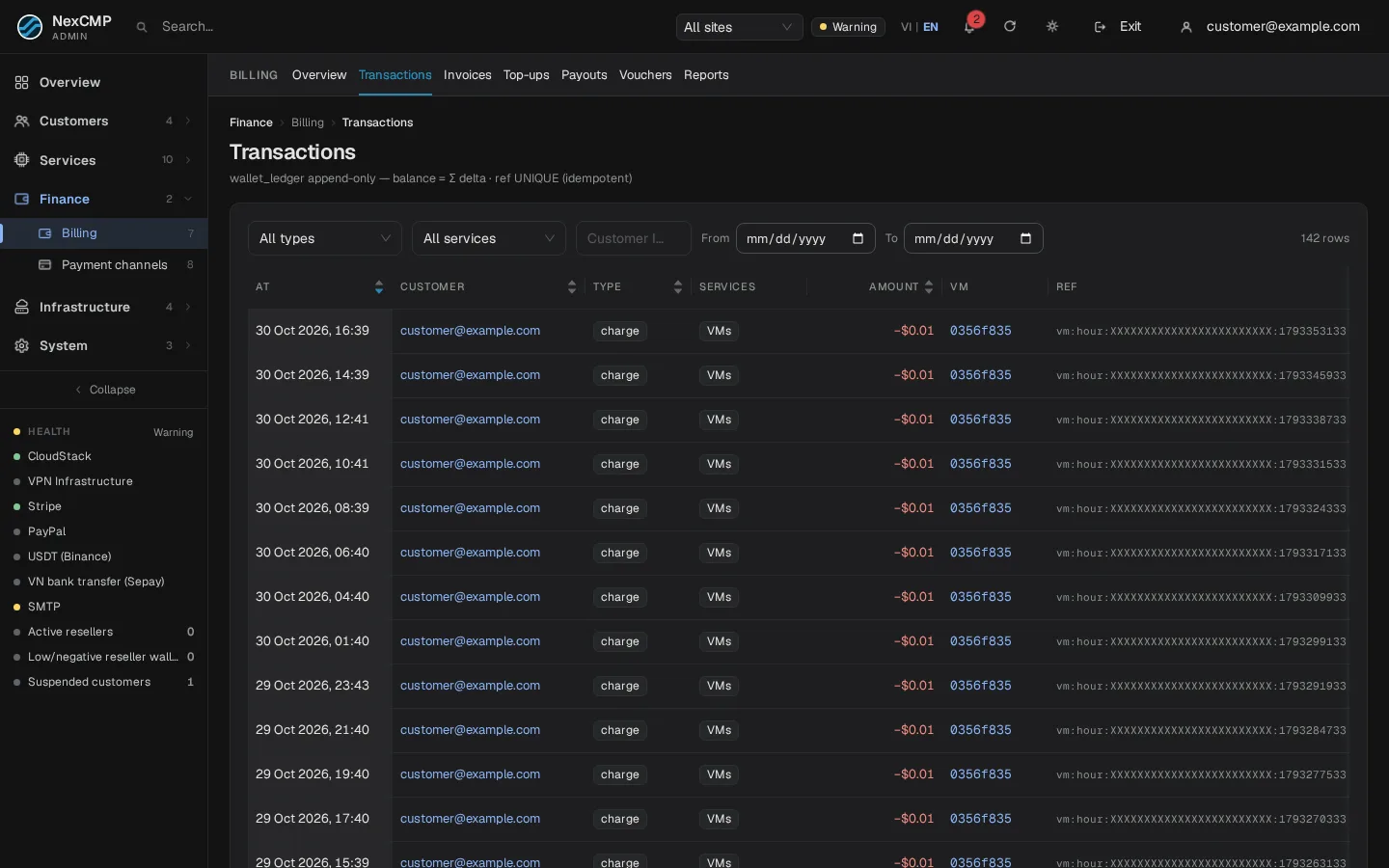
| Transactions | The wallet ledger, one line per movement | Explain a customer's balance |
| Invoices | Invoices, and a second view Orders with every purchase of every service | Find a document, resend, mark paid |
| Top-ups | Payments received through the gateways | Check a payment, refund it |
| Payouts | Card refunds, affiliate payouts, reseller withdrawals | Approve money going out |
| Vouchers | Top-up codes | See Promotions |
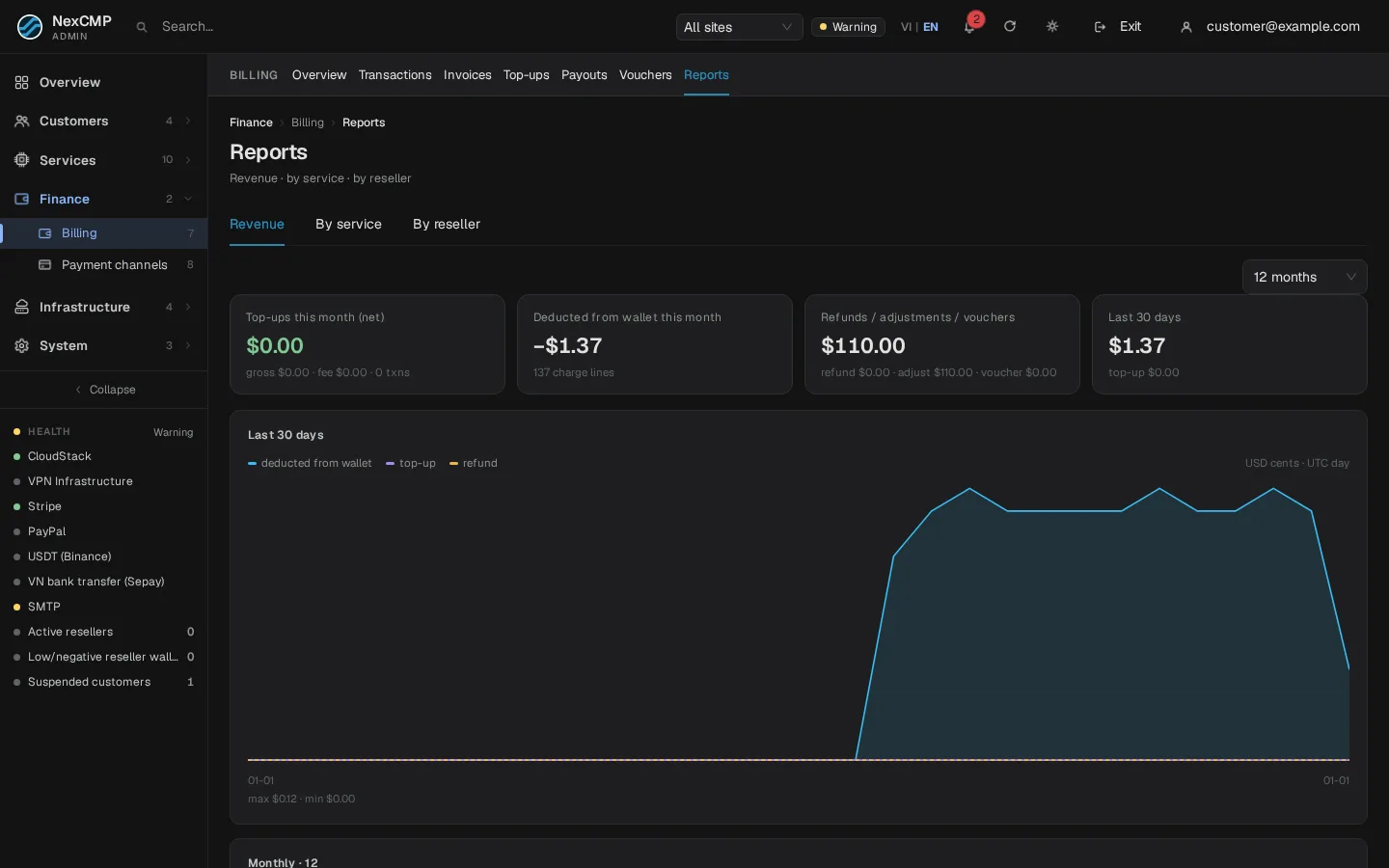
| Reports | Revenue, by service, by reseller | Accounting |
Transactions (ledger)
Columns: time, customer, kind, service, amount (signed), VM, reference, actor, note. Filters: kind, service, customer ID, site (when you have resellers), date range, and a VM link.
| Kind | Meaning |
|---|---|
deposit | Top-up from a gateway |
charge | Money taken for a service (order, renewal, hourly usage ...) |
refund | Money returned to the wallet |
adjust | Administrator credit or debit, and also top-up codes (reference starting vch:) — the overview shows vouchers as their own line |
Every row has a reference such as dep:stripe:<payment-id>; the same reference can never be written twice, which is why a repeated webhook cannot credit twice. Use Customers › List › customer › Credit / debit to add a manual adjustment: a reason is mandatory, a positive amount also tries to unlock VMs locked for lack of funds, and the action is confirmed in two steps.
Invoices
An invoice is created automatically when a customer buys or renews something paid from the wallet, or for a top-up. Numbers look like <prefix><YYYYMM>-<000001> (for example NX202610-000042); reseller sites use their own prefix and sequence. Existing numbers never change when you change the prefix.
| Field | Values |
|---|---|
| Kind | Receipt, Renewal, Top-up, Manual, Refund |
| Status | Unpaid, Paid, Overdue, Cancelled, Refunded |
Actions on a row:
| Action | Effect |
|---|---|
| View / Print | Opens the invoice; the portal can also print or save as PDF. |
| Mark paid (unpaid or overdue only) | Marks it paid without moving wallet money — use it when the customer paid you outside NexCMP. A reason is required. For a renewal invoice it also extends and unlocks the locked VM. |
| Cancel (unpaid or overdue only) | Cancels the invoice. A reason is required. |
| Resend | E-mails the invoice again. |
Create manual invoice (button at the top of the tab): customer ID, 1 to 50 lines (description, quantity, unit price), optional VM ID, optional due-in days (0 to 365, default 7), optional note. It is created as unpaid; the customer sees it in Billing › Invoice History.
Unpaid invoices of services are settled automatically from the wallet as soon as there is money, so the customer's action is simply to top up.
Top-ups (payments)
One row per attempt: time, customer, gateway and method, kind (top-up or auto top-up), status (pending, completed, failed, refunded, disputed, canceled), what the customer paid, the fee, what went to the wallet, the gateway reference and completion time. Completed Stripe and PayPal payments have a Refund action. Use the Gateway events pages to see webhooks (Payment channels).
Payouts
Three sub-tabs: Card refunds (approve or reject refund requests; the request is created from a completed payment), Affiliate payouts (commission withdrawals) and Reseller withdrawals. Every decision is audited.
Reports
Revenue (30-day trend, month by month, top customers), By service and By reseller.
What the customer sees
In Billing the customer has Balance, Deposit, Redeem code, Settings (auto top-up) and a history with tabs Invoice History, Payment Order, Ledger and Orders (every service in one list with filters by service and type). Each invoice has View, Print and Save as PDF; amounts are in USD, optionally shown in the display currency.
Verify
- Make a small top-up as a test customer.
- Transactions shows a
depositline, Top-ups shows the payment as Completed, and Overview revenue increases. - Buy something: a
chargeline appears, and Invoices shows a Receipt or Renewal invoice with the seller details you configured.
Limits & notes
- Append-only. There is no way to edit or delete a ledger line; add an adjustment with a reason.
- Currency. Amounts are USD; the display currency is cosmetic (see Currency and exchange rates).
- Refund to card is two steps (request, then approval under Payouts); USDT and bank transfers are not refunded to the source.
- Everything is audited under System › Logs › Admin actions with the reason you entered.
- Orders vs invoices. Hourly usage is not invoiced per hour; the Orders view groups it by day so you can still see it.
Troubleshooting
| Symptom | Cause | Fix |
|---|---|---|
| Customer's balance seems wrong | A charge, adjustment or voucher you did not expect | Filter Transactions by the customer ID and read the references and notes. |
| "Invoice is already paid" (409) | Mark paid on a paid invoice | Nothing to do. |
| Cannot cancel an invoice | Only unpaid or overdue invoices can be cancelled | For paid ones use a refund or an adjustment. |
| Seller details missing on invoices | Not filled in | Complete Seller details in System › Settings › General › Seller & invoicing. |
| Credit / debit refused | Amount is zero or over $100,000 | Use an amount between 1 cent and $100,000. |
| A payment shows Pending for a long time | Webhook missing | See Gateway events and replay. |