CloudStack
Open Source CloudStack billing and customer portal
NexCMP is a free, self-hosted billing and customer portal for Apache CloudStack. It connects to the CloudStack you already run, sells your capacity, bills for it by the hour and drives every action through the CloudStack API.
Developed and tested against Apache CloudStack 4.23. Using another version? Ask sales.NexCMP Source: full source code for $499, one-time. Use, modify and self-host for your own business. You may sell the services you operate; you may not resell or redistribute the source code or builds. Source license terms
What does NexCMP do on your CloudStack?
A scoped API client drives provisioning, power actions, scaling, storage, backups, Kubernetes, Private Cloud, images, console and networking end to end, and a background loop keeps NexCMP's records in step with CloudStack. Some of these are separate modules that stay off until you switch them on; each section below says what it needs.
 your endpointdedicated API user
How your customers manage a virtual machine
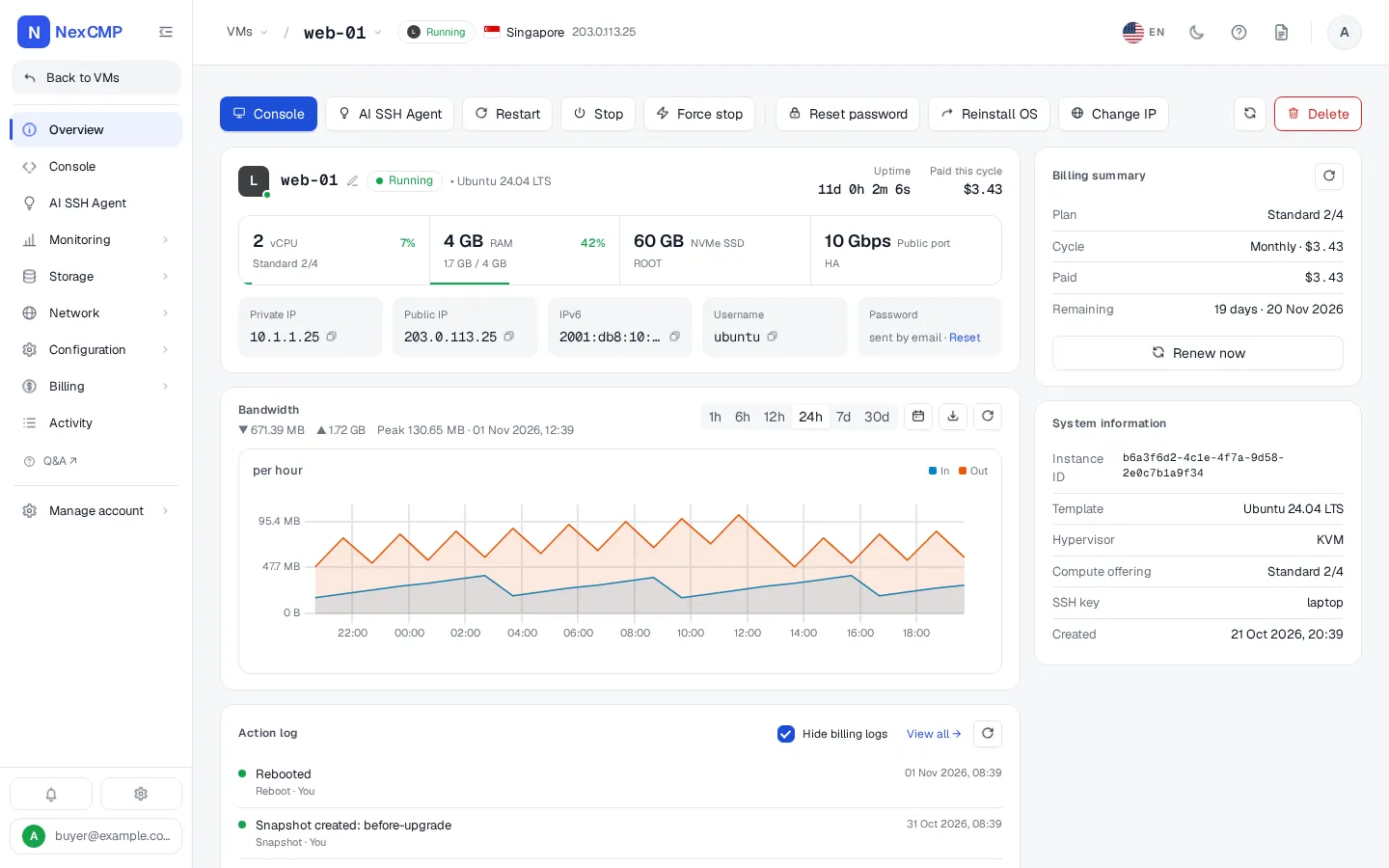
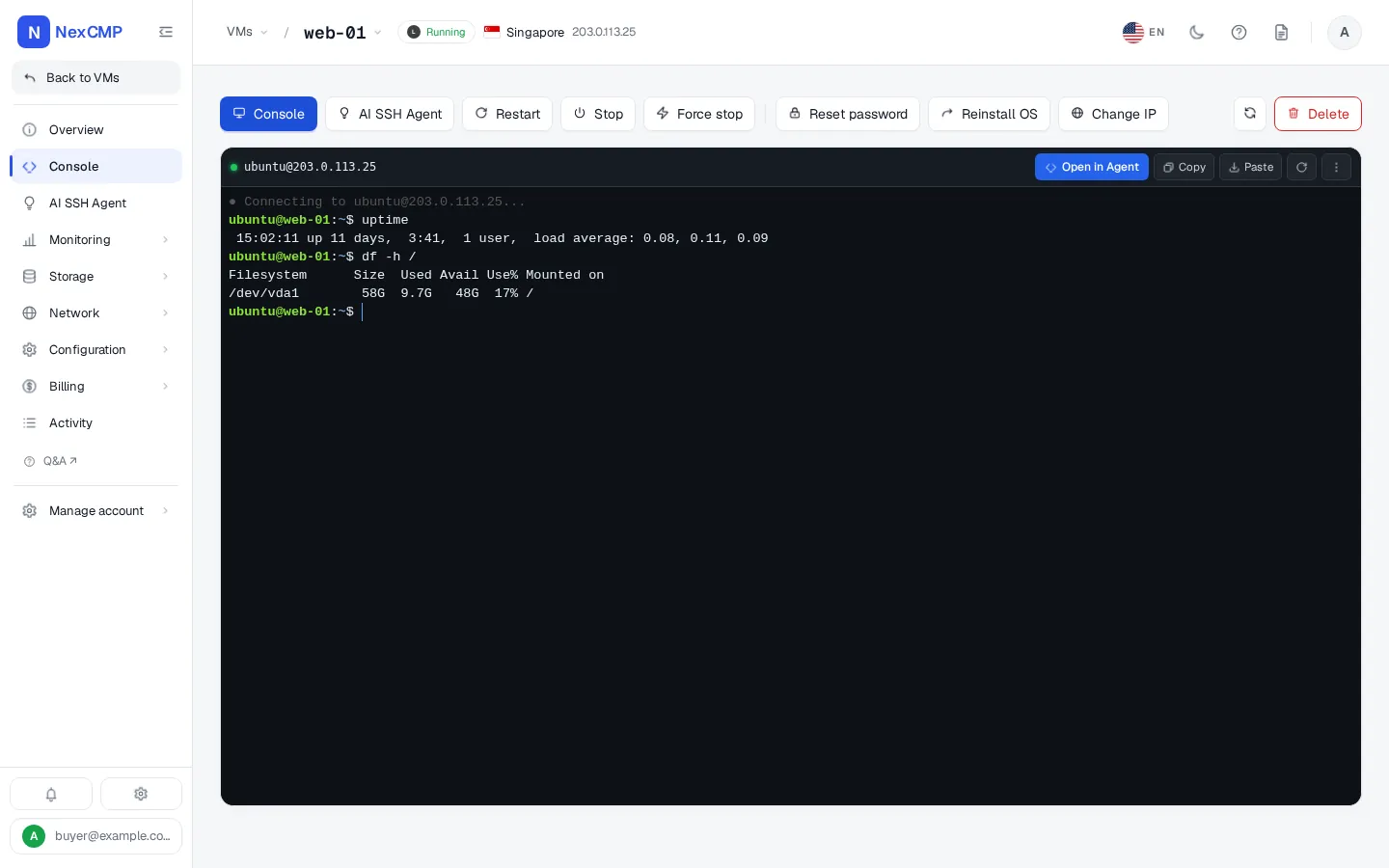
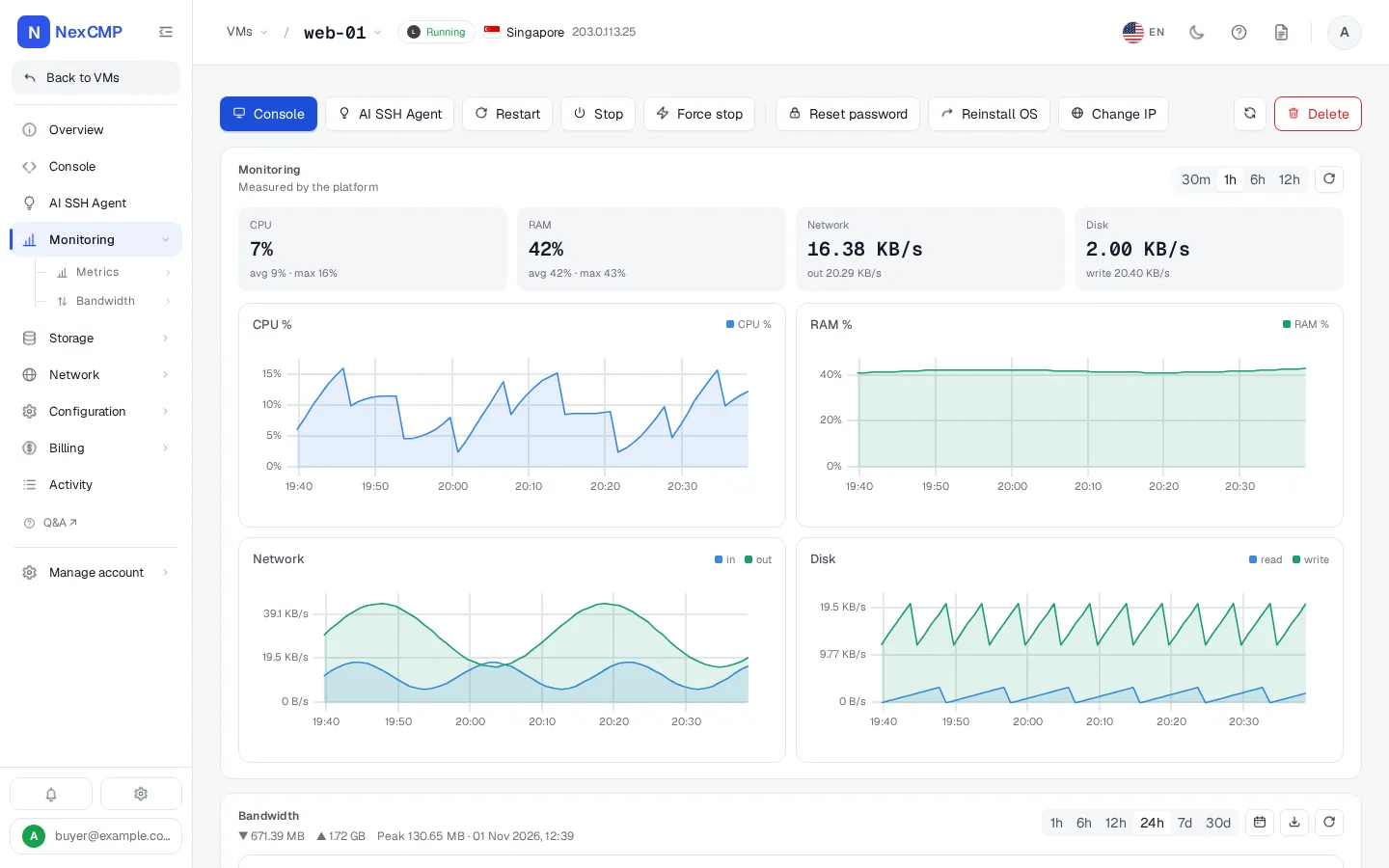
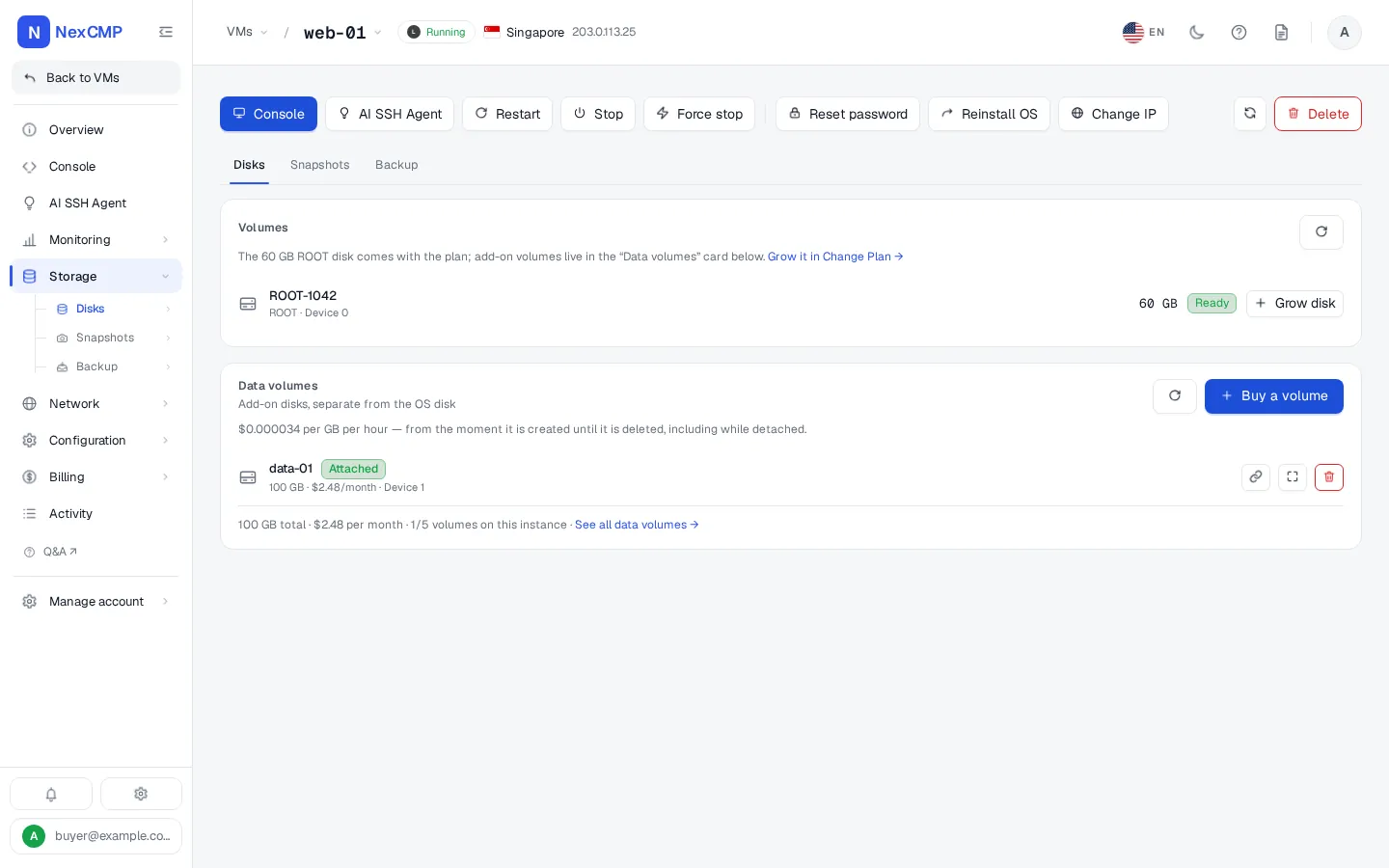
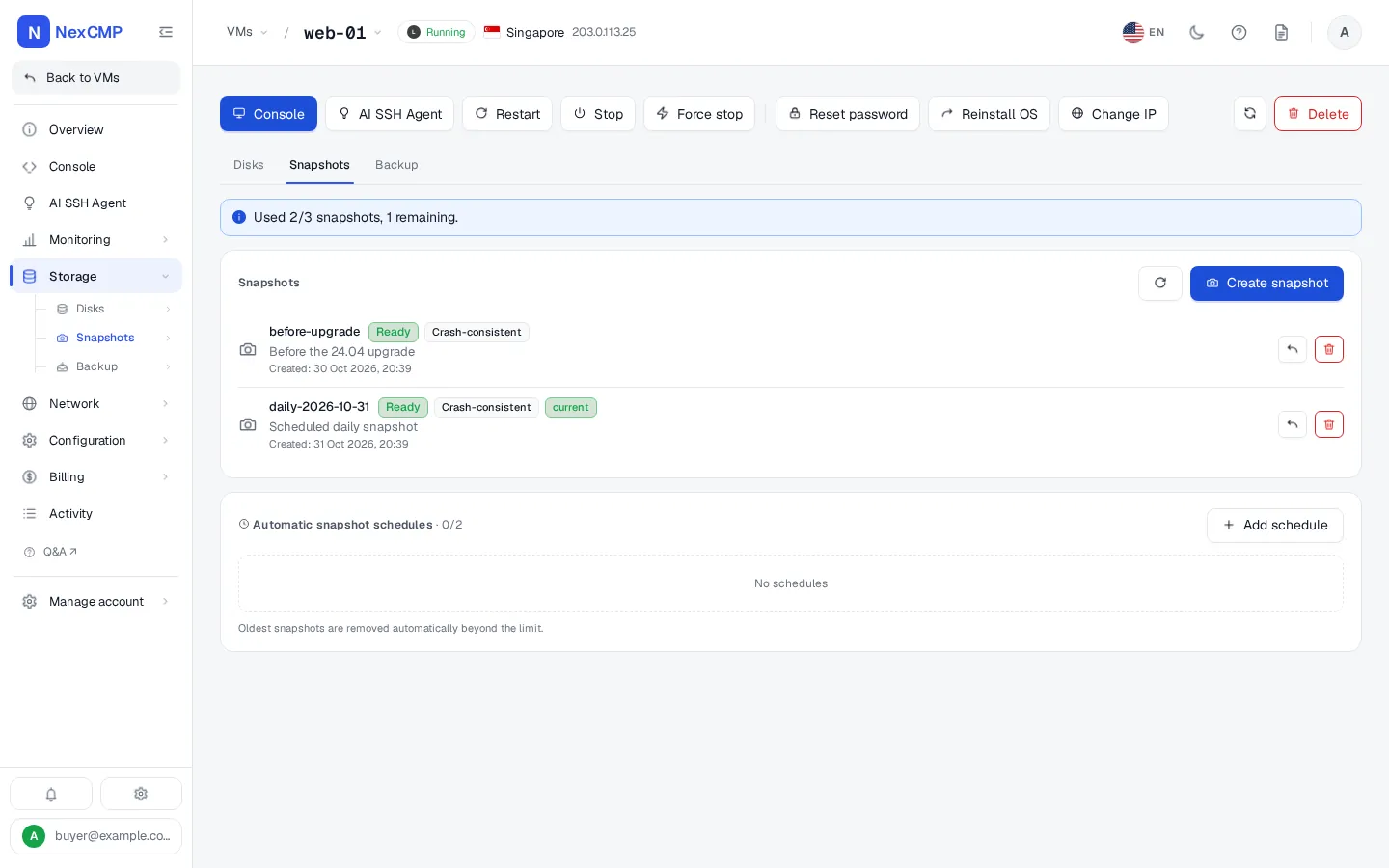
Every screen is a tab of the service page in the customer portal, shown with sample data. Pick a tab, use the arrows or the left and right keys, or open the full-screen viewer.
Overview
Console
Monitoring
Storage
Snapshots
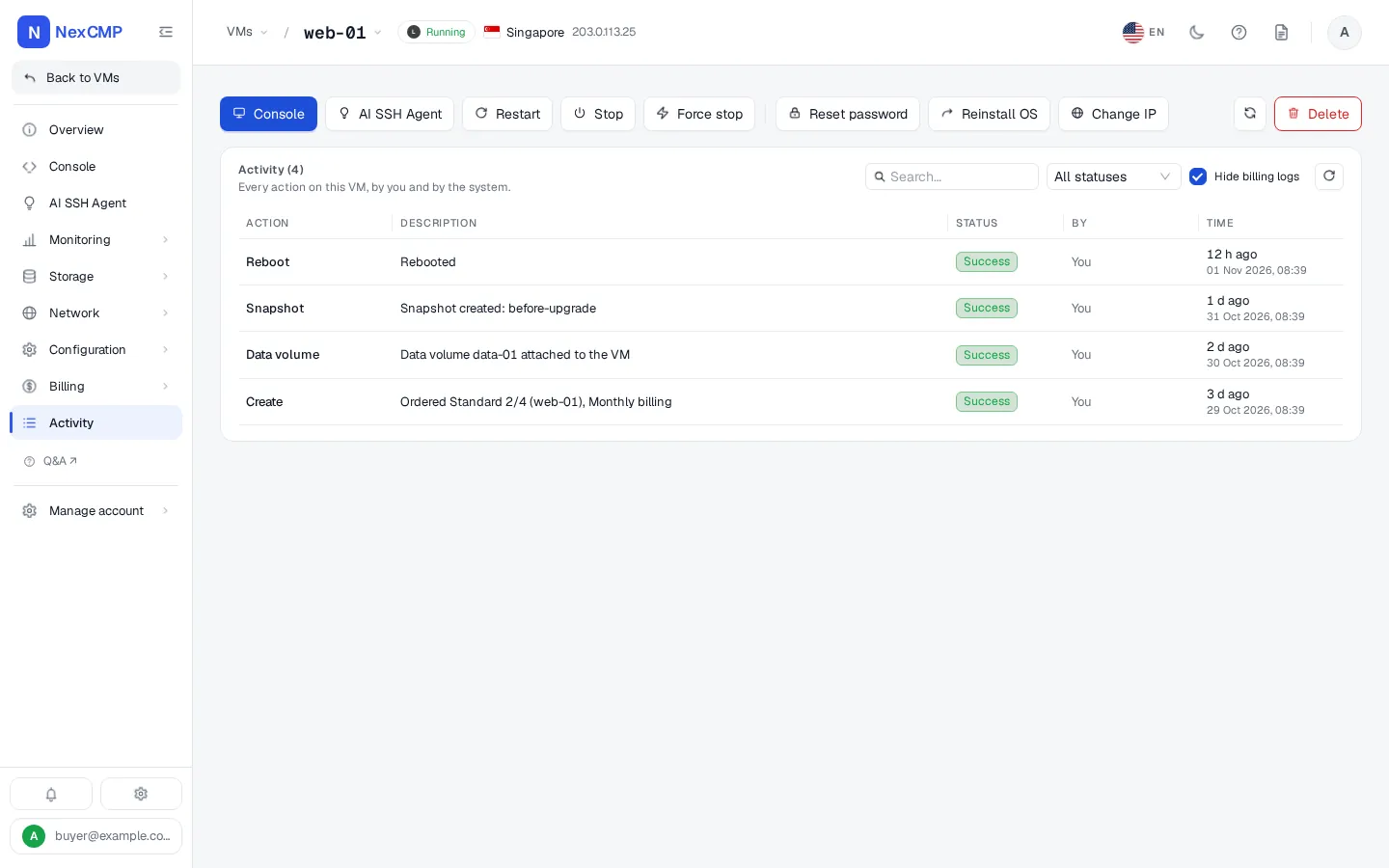
Network
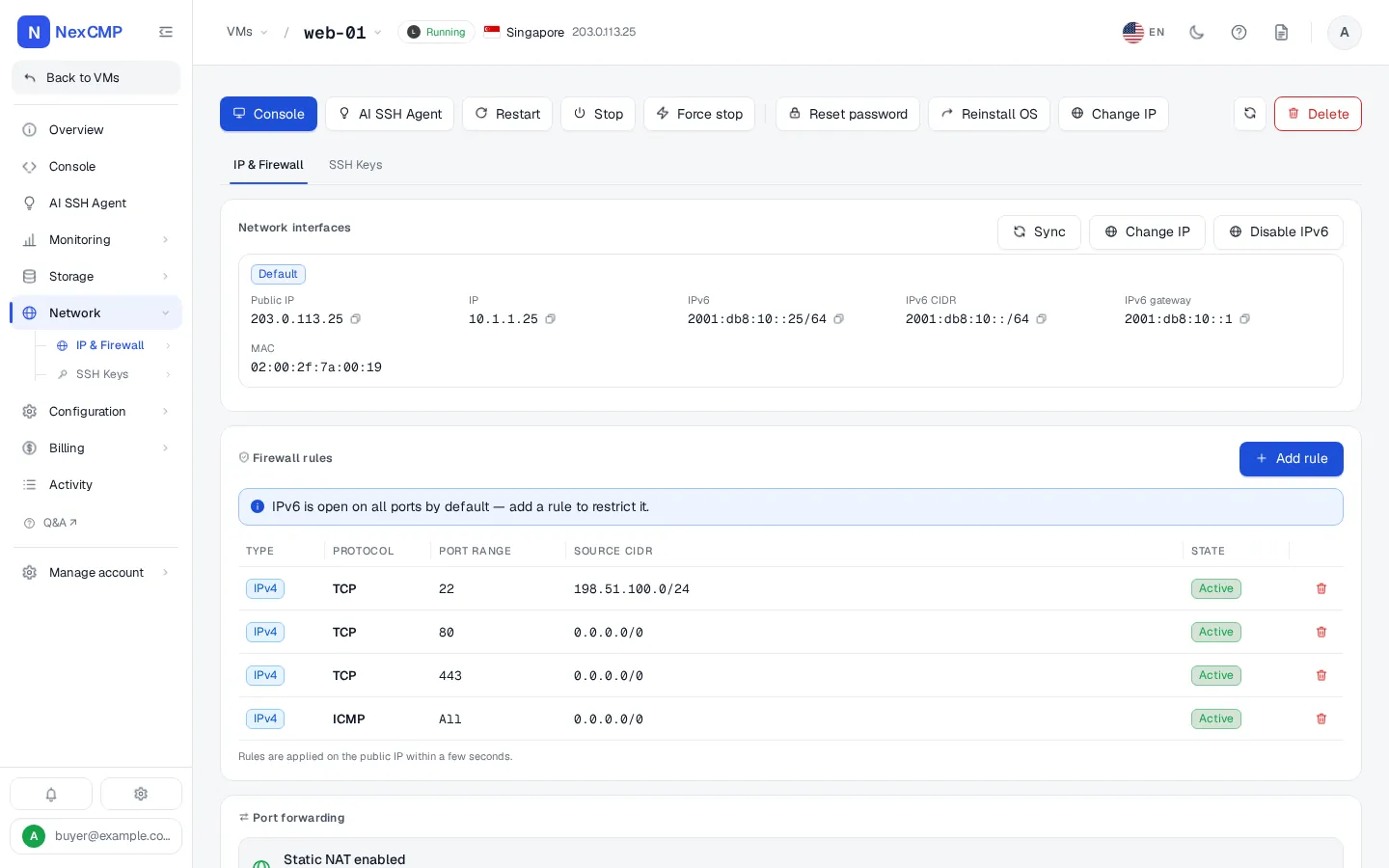
Change plan
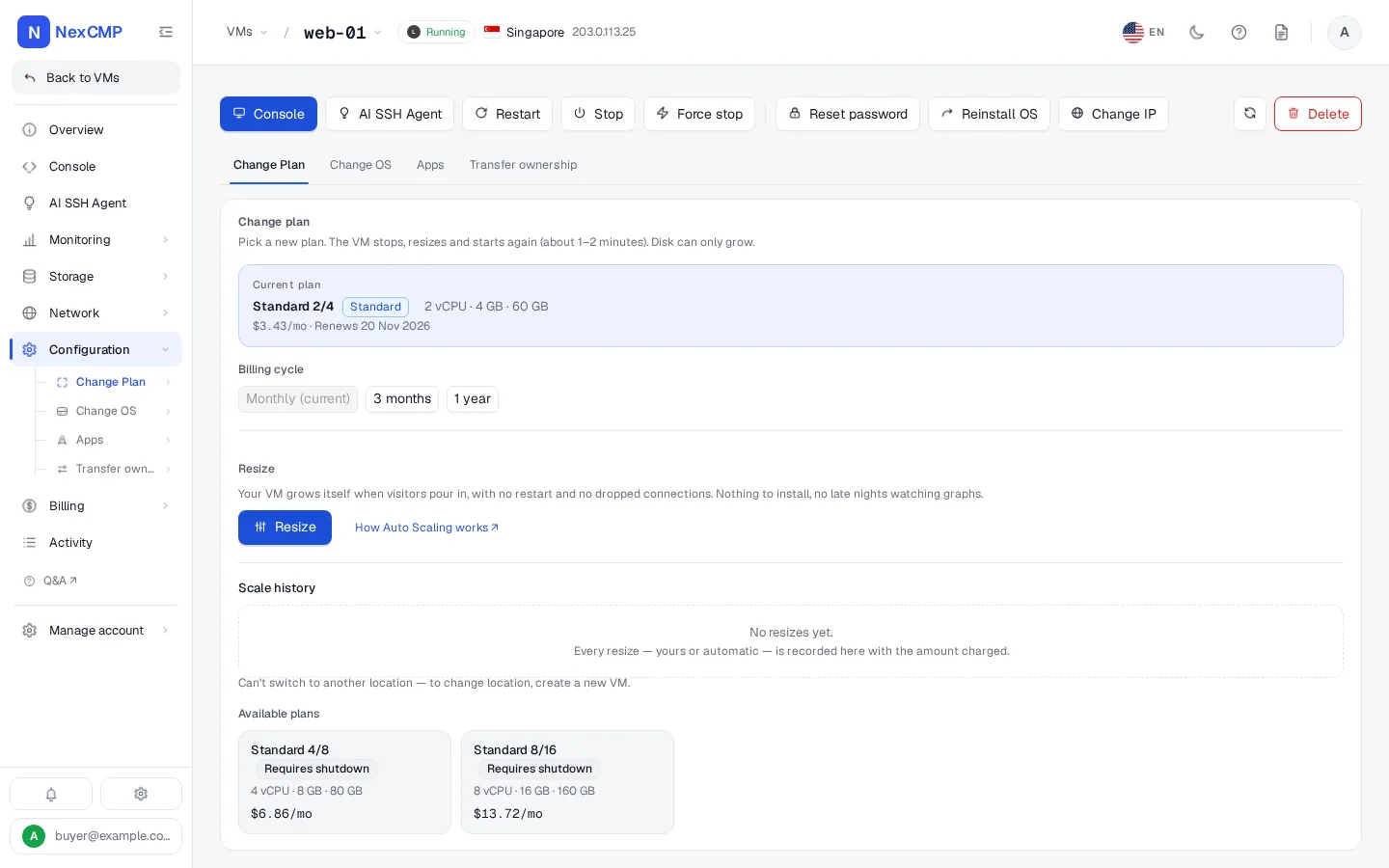
Billing
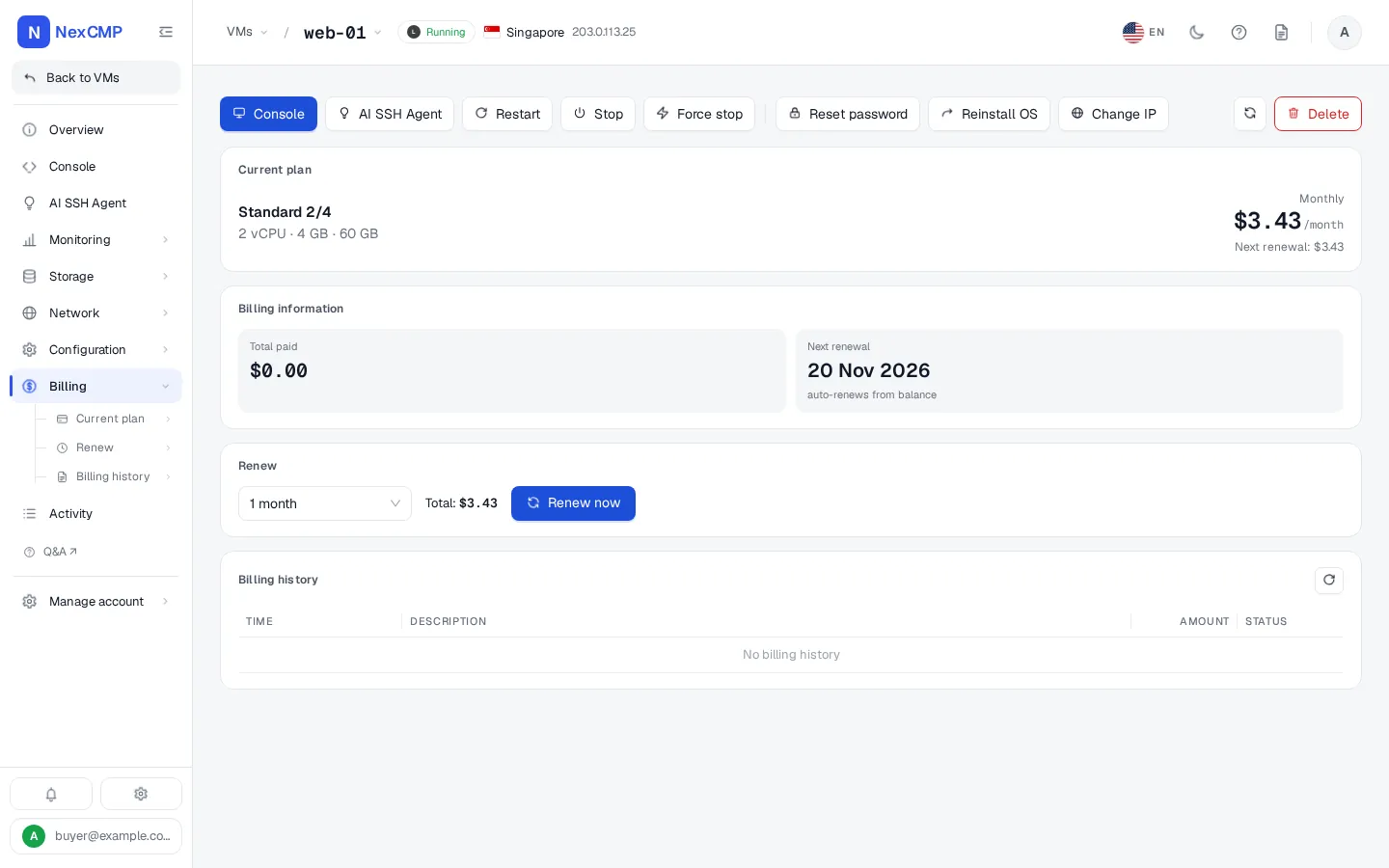
Activity
For your customers
What your customers can do
Everything below is a button or form in the customer portal, backed by your CloudStack. Features that are off by default appear only after you switch them on.
Order and pay
- Pick a location, a fixed or custom plan, a billing cycle, an operating system, a hostname and a quantity, then pay from the wallet
- Top up the wallet through the payment channels you enable, redeem codes and read the billing history
- Renew, switch billing cycle, change plan or delete a VM, with the price shown first
Power and access
- Start, stop, force stop and reboot
- Open the browser console
- Reset the password or the SSH key
- Reinstall the operating system
- See the VM's login details
Size
- Resize vCPU, RAM and disk in place and revert a change
- Switch Auto Scaling on so the VM grows by itself under heavy load
Disks and protection
- Buy extra data volumes, attach, detach, grow and delete them
- Take, schedule, restore and delete snapshots
- Turn on backups, set a schedule, create, restore and delete backups
Network
- See the VM's public IP and network interfaces
- Add and remove firewall rules
- Add and remove port forwarding rules
- Change the public IP
Statistics and activity
- CPU, memory, network and disk charts
- Bandwidth usage against the monthly quota, and buy extra terabytes from the wallet
- The VM's activity log and billing tab
More services
- Kubernetes clusters: create, scale workers, start, stop, download the kubeconfig
- Private Cloud: create a VPC, add tiers and network ACL rules, change plan
- Register their own OS images and ISOs, create an image from a stopped VM, mount an ISO
- Ask the AI Agent to do tasks on a Linux VM
Account
- Create scoped API keys
- Transfer a VM to another account
- Open support tickets and chat
For you, the operator
What you can do as the operator
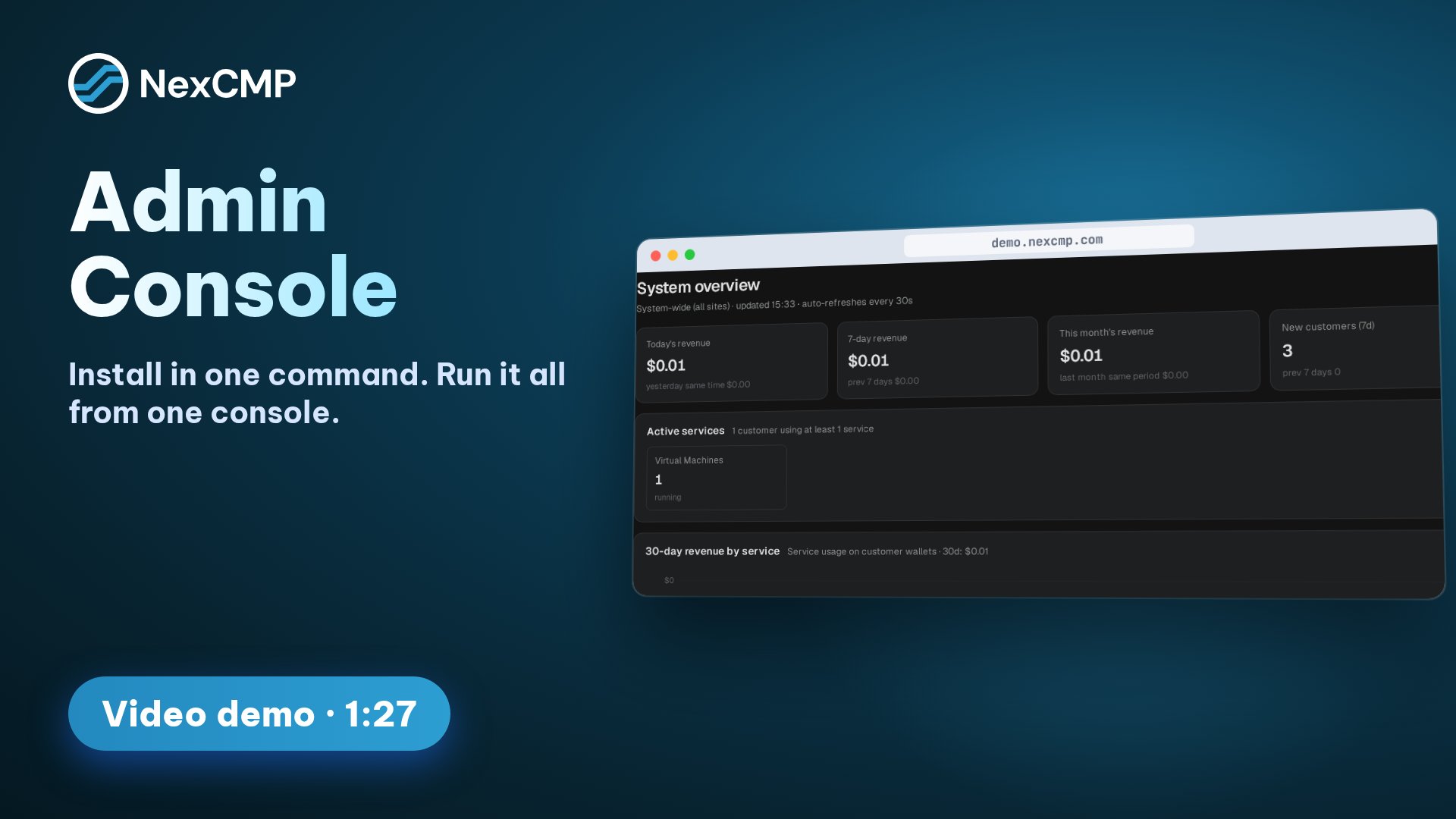
Everything below is in the admin console.
Connect CloudStack
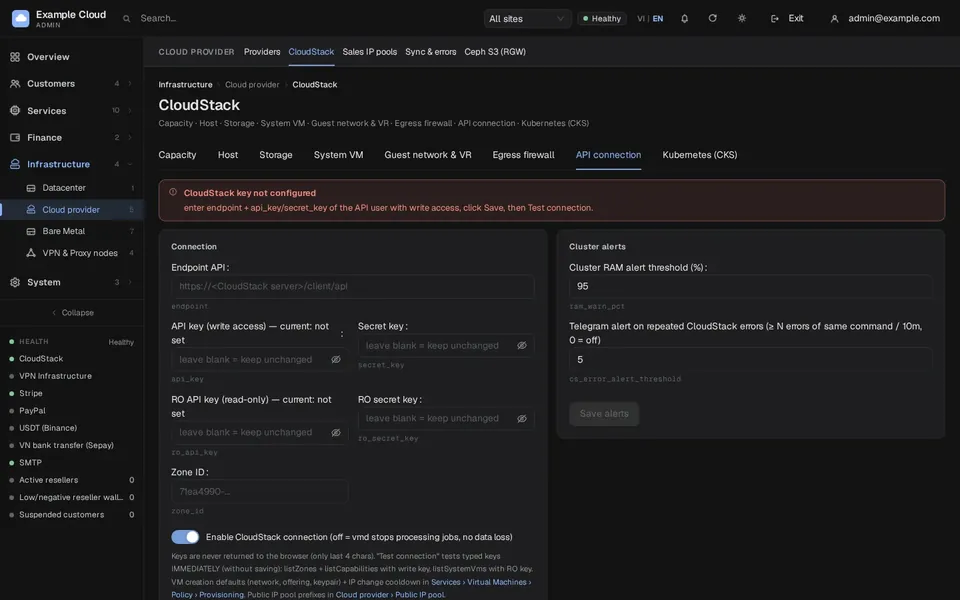
- Enter the API endpoint and a dedicated account's keys in the setup wizard or the admin console, and test the connection before saving
- Add an optional read-only key for capacity, hosts, storage and system VM pages
- Switch the connection off to pause all CloudStack jobs without losing data
Decide what to sell
- Attach CloudStack to a zone and choose which services the zone sells
- Create plans from your service offerings, price them by hour, month or longer cycles with discounts, clone, hide or switch them off
- Set the base price once and derive the other plans, or enable custom plans with your own unit prices and limits
- Choose which public IP prefixes may be sold and which are excluded
- Sync OS templates, set the name, icon and login user, and build new ones with the shipped template builder
- Set the default network, custom offerings and key pair used for new VMs
Switch services on
- Switch the Kubernetes, Private Cloud, OS & ISO Images and Bandwidth modules on or off
- Turn block storage, snapshots, backups and scaling on or off, and set their prices
- Set bandwidth quotas, add-on prices and the overage policy
- Price Kubernetes worker plans and Private Cloud bandwidth plans
Money
- Enable payment channels: Stripe, PayPal, USDT and bank transfer in Vietnam
- Issue top-up codes and promotions
- Limit new accounts with quotas until their wallet is funded
- Read the wallet ledger, invoices and revenue reports
Customers and partners
- Find customers, act on their VMs, log in as a customer for one hour and handle service transfers
- Create white-label resellers with their own domain, brand and wholesale prices
- Brand the portal and write your legal pages
- Answer tickets and chats
Control and safety
- Read the audit log of admin actions, customer logins and VM events
- Send alerts to Telegram and e-mail through your own SMTP
- Protect the console with two-factor authentication and an IP allow-list
- Back up and restore NexCMP, and update it from the admin console
Virtual machines
Virtual machines on your CloudStack
Customers order a plan, an operating system and a billing cycle. NexCMP deploys and manages the VM on your CloudStack through its API.
Provisioning pipeline
New VMs provision through an automated, resumable pipeline with automatic rollback if a step fails.
Power & lifecycle actions
Start, stop, force stop, reboot, reinstall the OS, reset the password or SSH key and delete, each backed by an auditable job.
Fixed and custom plans
Sell fixed plans that point at your CloudStack service offerings, or custom plans where the customer picks vCPU, RAM and NVMe size within the limits and unit prices you set.
Offering & template sync
VM plans and OS templates stay in sync with your CloudStack.
Browser console
A browser-based VNC console through the console proxy of your CloudStack, no client software required.
Live charts
CPU, memory, network and disk charts for every VM, read from CloudStack usage history, plus a bandwidth chart.
AI Agent on a VM
A customer describes a task in plain language and the AI Agent connects to their running Linux VM over SSH. It shows every command and runs only read-only ones by itself; anything that changes the server waits for the customer to press Run.
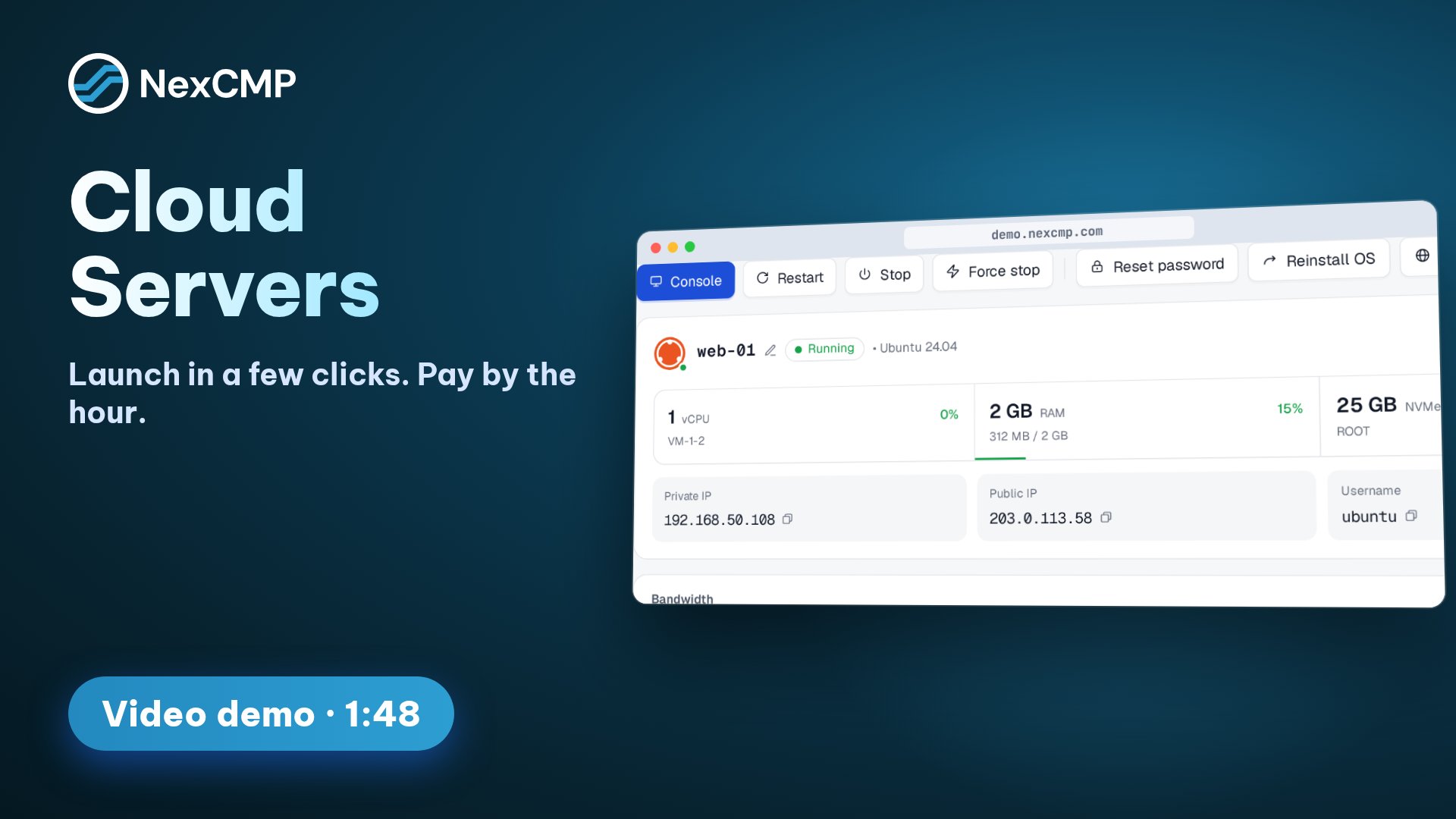
The browser console needs CloudStack 4.18 or newer. Custom plans are switched on separately in the admin console and need a custom compute offering from your CloudStack. A web SSH terminal next to the console is optional, off by default, and needs a separate SSH proxy service. The AI Agent belongs to the AI module, which stays off until you switch it on and add an OpenAI-compatible provider.
Virtual machines in the portal: https://nexcmp.com/docs/portal/virtual-machines/ · AI Agent: https://nexcmp.com/docs/ai/ai-agent/
Scaling
Vertical Auto Scaling
A running VM can be made bigger without a new server, by hand or automatically.
Vertical scaling
Adjust a running VM's vCPU, RAM and disk in place in one dialog. The price of the new size is shown before the customer saves, and a change that fails on CloudStack is refunded.
Auto Scaling
A switch on the VM that increases its size when it stays under heavy load. You set the ceilings for vCPU and RAM and a daily step limit.
Size only, never more VMs
Only the size of the same VM changes. NexCMP does not add VMs, load balancers or scaling groups.
History and revert
Every scaling event is logged, and a change can be reverted.
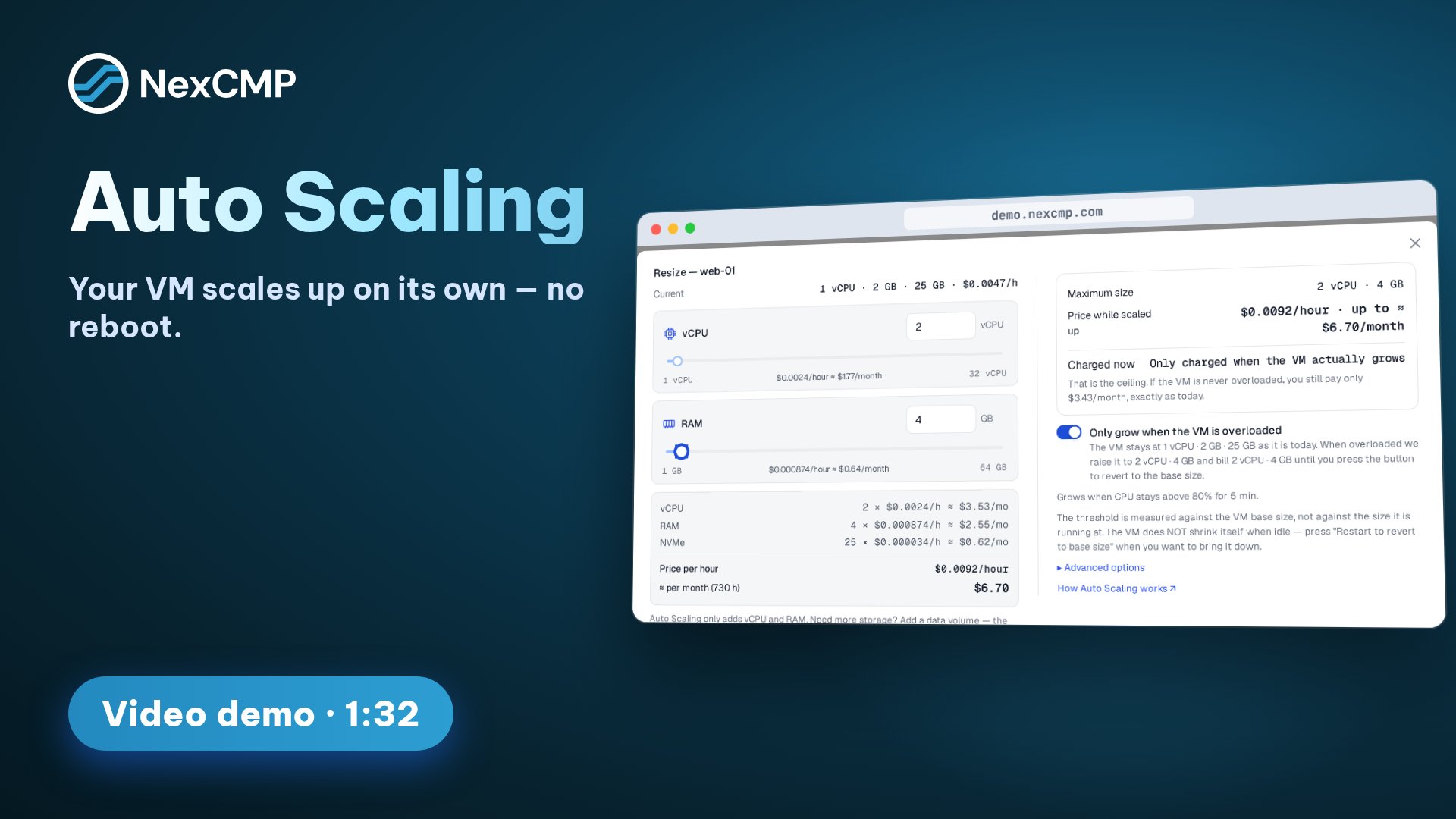
Live CPU and RAM changes need CloudStack 4.23 with KVM and a template that allows hot-plug; the template builder shipped with each release produces such templates. Scaling and Auto Scaling are separate switches in the admin console and stay off until you turn them on.
OS templates and ISOs: https://nexcmp.com/docs/infrastructure/templates/
Storage
Block storage, snapshots and backups
Extra disks, rollback points and backups, each sold on its own.
Data volumes
Buy extra data disks that live apart from the VM: attach, detach, grow and delete them. A detached volume keeps its data, can be attached to another VM, and is billed by GB-hour.
Snapshots
Capture and roll back a VM's disk state on demand, or on a schedule.
Backups
VM backups run on CloudStack's native Backup & Recovery engine, on demand or on a schedule with a number of copies to keep, and are billed by GB-hour of the space they use.
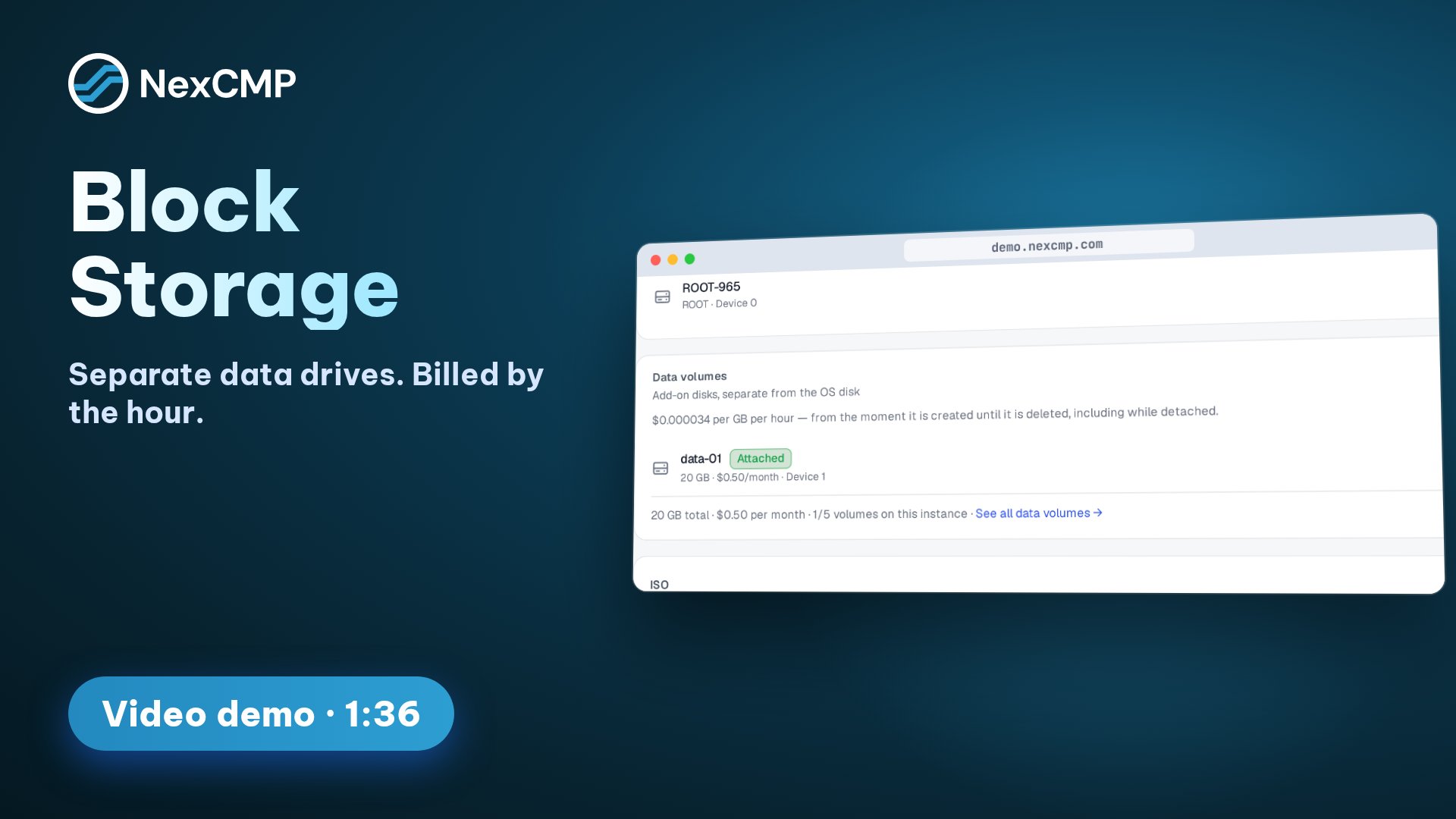
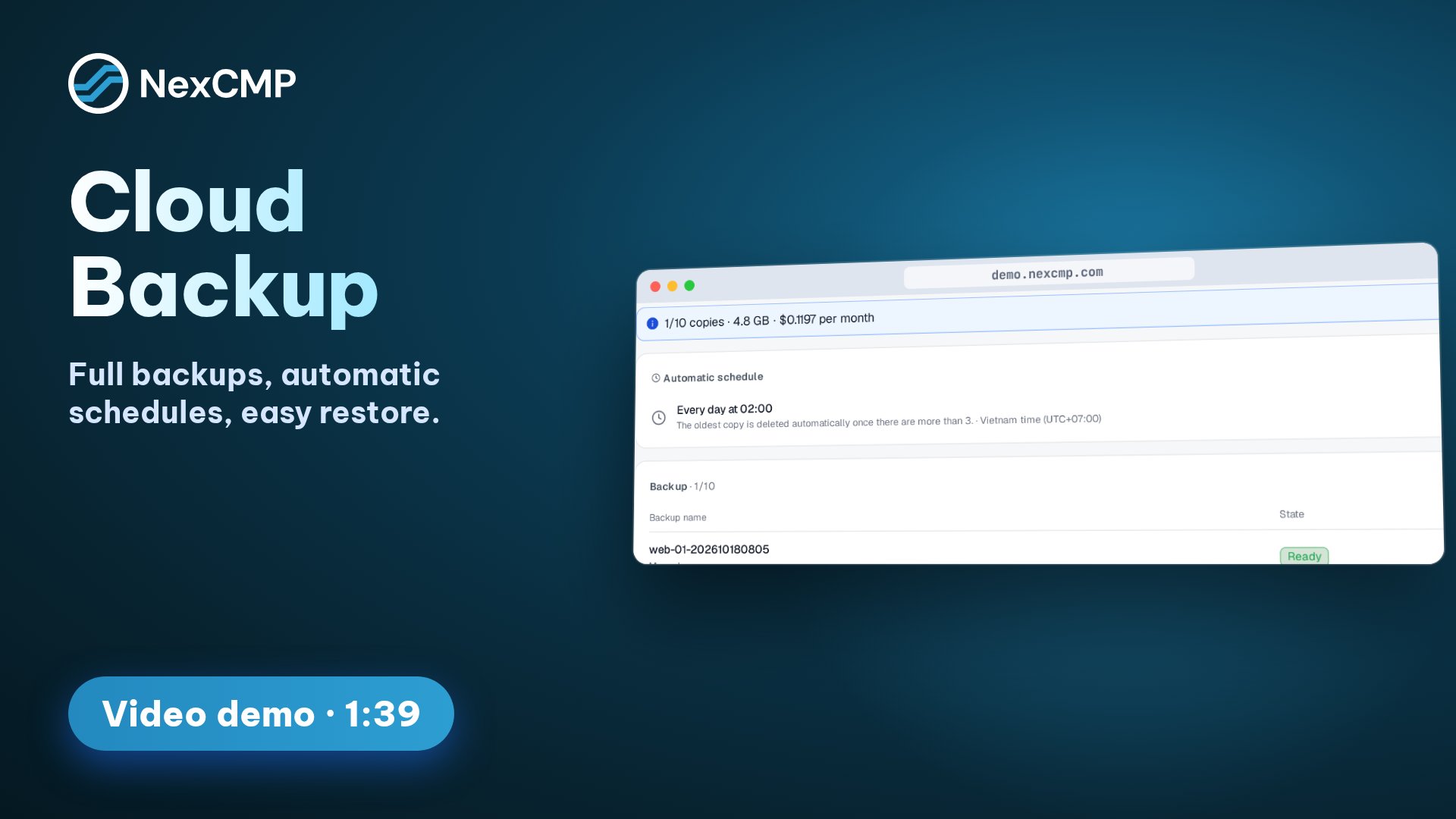
Block storage, Snapshots and Backups are separate switches in the admin console and stay off until you turn them on. Block storage needs a custom disk offering from your CloudStack, snapshots need secondary storage, and backups need Backup & Recovery with a backup offering configured in CloudStack.
Snapshots and backups: https://nexcmp.com/docs/portal/snapshots/ · CloudStack connection: https://nexcmp.com/docs/infrastructure/cloudstack/
Networking
Public IPs, firewall and bandwidth
Each VM is reachable from the Internet and customers manage its access themselves.
IP, NAT & firewall
Every VM gets a dedicated public IP with 1:1 static NAT and a self-service firewall: customers add and remove rules themselves.
Port forwarding
Customers add and remove port forwarding rules for their VM.
Change public IP
A customer can replace a VM's public IP from the portal.
Sales IP pools
You decide which public prefixes NexCMP may sell and which to exclude; the pool of free addresses refreshes about once a minute.
Bandwidth metering
Traffic is read from CloudStack's VM statistics and feeds monthly quotas, 80% and 100% alerts, add-on packs and an overage policy.
Bandwidth is on by default and can be switched off. Metering needs CloudStack VM statistics collection to stay enabled. The sellable IP prefix is set in the admin console under Sales IP pools.
Bandwidth quotas and add-ons: https://nexcmp.com/docs/catalog/bandwidth/ · CloudStack connection: https://nexcmp.com/docs/infrastructure/cloudstack/
Kubernetes and Private Cloud
Kubernetes clusters and Private Cloud (VPC)
Two modules built on the same CloudStack connection.
Kubernetes clusters (CKS)
Customers create managed Kubernetes clusters on CloudStack Kubernetes Service. The control plane is free to the customer; workers are billed at the hourly price of the VM plan.
Cluster management
Scale the workers, start and stop a cluster, see its nodes and download the kubeconfig. NexCMP creates a separate network and public IP for each cluster and keeps every customer's clusters apart.
Private Cloud (VPC)
A private network with its own router, subnets (tiers), network ACL firewall rules and virtual machines inside it.
Dedicated bandwidth plans
A VPC is sold by bandwidth plan with dedicated, unmetered speed, and a customer can change plan later. A VPC locked for non-payment is limited to a very low speed instead of being deleted.
IPv6 in Private Cloud
With a dual-stack VPC offering in CloudStack, each tier also gets an IPv6 /64.
Kubernetes and Private Cloud are separate modules that stay off until you switch them on under License & updates. Kubernetes needs CloudStack with CKS enabled, a Domain Admin account, a Kubernetes version ISO and a control-plane offering. Private Cloud needs a VPC offering and one network offering per bandwidth plan.
Kubernetes and Private Cloud: https://nexcmp.com/docs/infrastructure/kubernetes-and-private-cloud/
OS and ISO images
OS images, ISOs and templates
The images VMs start from, yours and your customers'.
Customer OS and ISO images
Customers register their own OS image or ISO from a download link, create an image from one of their stopped VMs, and mount an ISO on a VM. Images stay private to the customer's account and are billed by GB-hour.
Checked download links
A link is checked before CloudStack is asked to fetch it.
Catalog templates
Sync the ready templates from CloudStack and set the name, icon, OS family and login user customers see.
Template builder
A template builder ships with every release. It builds Ubuntu 22.04 and 24.04, Debian 12 and Rocky Linux 9 images with the guest agent, password reset and hot-plug support ready for CloudStack.
OS & ISO Images is a module you switch on or off under License & updates. It needs a CloudStack whose secondary storage VM can reach the Internet to download customer images, and an account that may register templates and ISOs.
OS templates and ISOs: https://nexcmp.com/docs/infrastructure/templates/ · Modules: https://nexcmp.com/docs/infrastructure/modules/
Operations
Running the cloud day to day
What you see and control in the admin console.
State reconciliation
A background loop keeps NexCMP's records in sync with the real infrastructure state and repairs drift automatically.
Connection test and pause
Test the CloudStack connection before saving it. Switching the connection off stops all CloudStack jobs without losing data.
Capacity and health
With an optional read-only key the admin console shows hosts, storage pools, system VMs, capacity and public IP ranges.
Activity log
Every VM has a job and event log, and administrators have an audit log.
Act for a customer
Administrators can act on a customer's VM or log in as the customer.
Service transfer
Move a VM to another account on the same site, confirmed by the owner by email and accepted by the recipient.
Customer API
A REST API with scoped, revocable API keys for VMs, volumes, snapshots, backups and more.
The read-only key is optional and only needs read access to six CloudStack list commands; it is not needed to sell VMs.
CloudStack connection: https://nexcmp.com/docs/infrastructure/cloudstack/
Billing
Billing for what runs on CloudStack
Every service above is billed from the customer's prepaid wallet.
Hourly or prepaid cycles
Hourly VMs accrue until deleted. Customers can switch to monthly or longer prepaid cycles at the discount you set for each cycle.
Per-service units
Data volumes, backups and images are billed by GB-hour, Kubernetes workers at the hourly price of the VM plan, and Private Cloud by monthly bandwidth plan.
Price changes
A lower price applies to running hourly VMs from the next billing hour. A higher price does not change VMs that already run.
Quotas
Limit what a new account can create until its wallet is funded.
White-label resellers
Resellers sell the same plans on their own domains with their own brand and prices.
Plans and pricing: https://nexcmp.com/docs/catalog/plans/ · Quotas: https://nexcmp.com/docs/billing/quotas/
What you need
What does NexCMP need from your CloudStack?
The base platform only needs the CloudStack API. A few modules lean on optional CloudStack features.
- The CloudStack API URL (the management server's /client/api) and the API key and secret key of a dedicated domain and account created for NexCMP. Never use the ROOT administrator key: a dedicated key reaches only that domain.
- A zone with at least one guest network for customer VMs and a public IP range with free addresses; the prefix NexCMP may sell is set under Sales IP pools.
- At least one ready, password-enabled template and one service offering that the account can see, plus primary storage (and secondary storage if you sell snapshots or images).
- KVM, the hypervisor NexCMP is tested on. The browser console needs CloudStack 4.18 or newer, and live CPU and RAM scaling of a running VM needs 4.23 with KVM.
- A custom disk offering, if you switch on block storage, and a custom compute offering, if you sell custom plans.
- Backup & Recovery configured, if you want to sell VM backups.
- A secondary storage VM that can reach the Internet, if you switch on OS & ISO Images.
- CloudStack Kubernetes Service enabled, a Domain Admin account, a Kubernetes version ISO and a control-plane offering, if you switch on the Kubernetes module.
- A VPC offering and one network offering per bandwidth plan, if you switch on the Private Cloud module.
Licensing
One license, no per-infrastructure fees
NexCMP Free is $0 for the first year: the full signed build with every module, bug fixes and updates for 1 year, and unlimited reseller domains. After the first year it renews at $99 per year, and the software keeps running if you do not renew. There is no per-infrastructure, per-VM or per-customer fee.
- Connect the Apache CloudStack you operate — no per-infrastructure license.
- Unlimited VMs and unlimited customers.
- Every module is in the build; the ones that are off by default are switched on in the admin console.
NexCMP Free is for network operators with their own ASN and a subnet registered in their own name; applications are reviewed, and it includes bug fixes but no technical support and no apps. NexCMP Source is $499 one-time, bought directly or added to a Free license, with the full source code, all apps built and branded for you, and 30 working days with an expert engineer. See pricing and plans
Frequently asked questions
Do I pay per infrastructure?
Which CloudStack version is supported?
What can NexCMP do on my CloudStack?
Which features are off until I switch them on?
Does NexCMP work with anything other than CloudStack?
Which CloudStack account and API key does NexCMP need?
Which hypervisor and CloudStack features does NexCMP rely on?
Can I sell Kubernetes clusters?
Can customers bring their own OS image or ISO?
How does NexCMP stay in step with what CloudStack runs?
Do customers get a public IP address and a firewall?
Do I need to run CloudStack myself?
Supported platforms
One billing, portal and reseller core on top of your infrastructure. Add Apache CloudStack, Proxmox VE, Ceph S3 and AI Models to the same install.
Proxmox VE
Proxmox VE clusters as a VM source: IP pools, OS templates, console, snapshots and reinstall, billed hourly or monthly.
Ceph S3
S3-compatible object storage on your Ceph RADOS Gateway: customer accounts, access keys, buckets, usage and pay-as-you-go billing.
AI Models
Sell access to AI models from sources you bring: one key for many models, per-model prices, limits and wallet billing.
OpenStackSoon
In development. It will share the same billing, portal and reseller core. No release date promised.
Guides
CloudStack billing guide
Open source CloudStack billing: metering, hourly rates, wallets, invoices and resellers. Get full NexCMP Source code for your business; no resale.
WHMCS alternative for CloudStack
WHMCS lists one third-party CloudStack module, last updated 2022 (read 2026-10-30). Compare WHMCS, HostBill and free NexCMP for CloudStack billing.
FAQ
Answers about NexCMP: CloudStack billing and customer portal, the free license, install requirements, payment gateways, resellers and comparisons.
Put your CloudStack to work
NexCMP Free is $0 for the first year with every module in the build. Install it on your server today.

Last updated: