Object Storage (S3, Ceph RGW)
Where in the admin: Infrastructure › Cloud provider › Ceph S3 (RGW) (
/infra/s3). Accounts: Services › Object Storage › S3 accounts (/s3). Pricing: Services › Object Storage › PAYG pricing (/s3/policy). Switch the module on under System › Admin › License & updates.
What it does
Customers create S3 accounts from the portal and get access keys. NexCMP creates and deletes the matching users on your Ceph RADOS Gateway (RGW) through the RGW Admin Ops API, reads usage for billing, and bills pay-as-you-go: storage over a free tier per GB per month (charged by the hour) and download traffic per GB. Uploads are free.
Use it when you run a Ceph cluster with RGW and want to resell object storage.
Requirements
| Item | Requirement |
|---|---|
| Ceph | A cluster with at least one RGW daemon, with the Admin Ops API enabled (the default rgw_enable_apis includes admin). |
| Admin user | An RGW user for NexCMP with the capabilities listed below. Do not use a user that owns customer data. |
| Endpoints | The S3 endpoint customers use, and the Admin Ops endpoint. Both are written as https://host with no path, port 443 only, and must resolve to a public address: loopback, link-local, multicast, private and unique-local addresses are refused. |
| Certificate | A valid certificate for the endpoint host. |
| Usage log | RGW usage logging on (rgw_enable_usage_log = true), so the usage API can report traffic. |
| Zone | A master zone with the service Object Storage (S3) ticked. See Zones. |
| Storage | Capacity in Ceph for the quotas you sell. |
| Depends on | The module Object Storage. Download traffic also counts toward Bandwidth. |
Prepare the infrastructure
On a Ceph admin node:
Create the admin user and give it the Admin Ops capabilities it needs:
bashradosgw-admin user create --uid=nexcmp-admin --display-name="NexCMP admin" radosgw-admin caps add --uid=nexcmp-admin --caps="users=*;buckets=*;usage=read;metadata=read" radosgw-admin user info --uid=nexcmp-adminCopy the
access_keyandsecret_keyfrom the output. They are the Admin access key and Admin secret key in NexCMP.Turn on the usage log and restart the gateways:
bashceph config set client.rgw rgw_enable_usage_log truePut the gateways behind HTTPS on port 443 (a reverse proxy or the RGW's own TLS), publish the DNS name, and test from the panel server:
bashcurl -fsS -o /dev/null -w '%{http_code}\n' https://s3.example.com/You should get an S3 XML answer (HTTP 200 or 403), not a timeout.
Connect in NexCMP
Give a zone the S3 service. Open Infrastructure › Datacenter › Zone, edit the zone and tick Object Storage (S3). Only master zones with the S3 service appear in the backend form.
Open Infrastructure › Cloud provider › Ceph S3 (RGW) and click Add backend:
Field Example value Backend name Ceph RGW 1Zone the zone from step 1 RGW Admin Ops endpoint https://s3.example.comCustomer S3 endpoint https://s3.example.comS3 signing region defaultAdmin access key XXXXAdmin secret key XXXXActive on Enable sales (requires connection test first) off for now Reason for change initial setup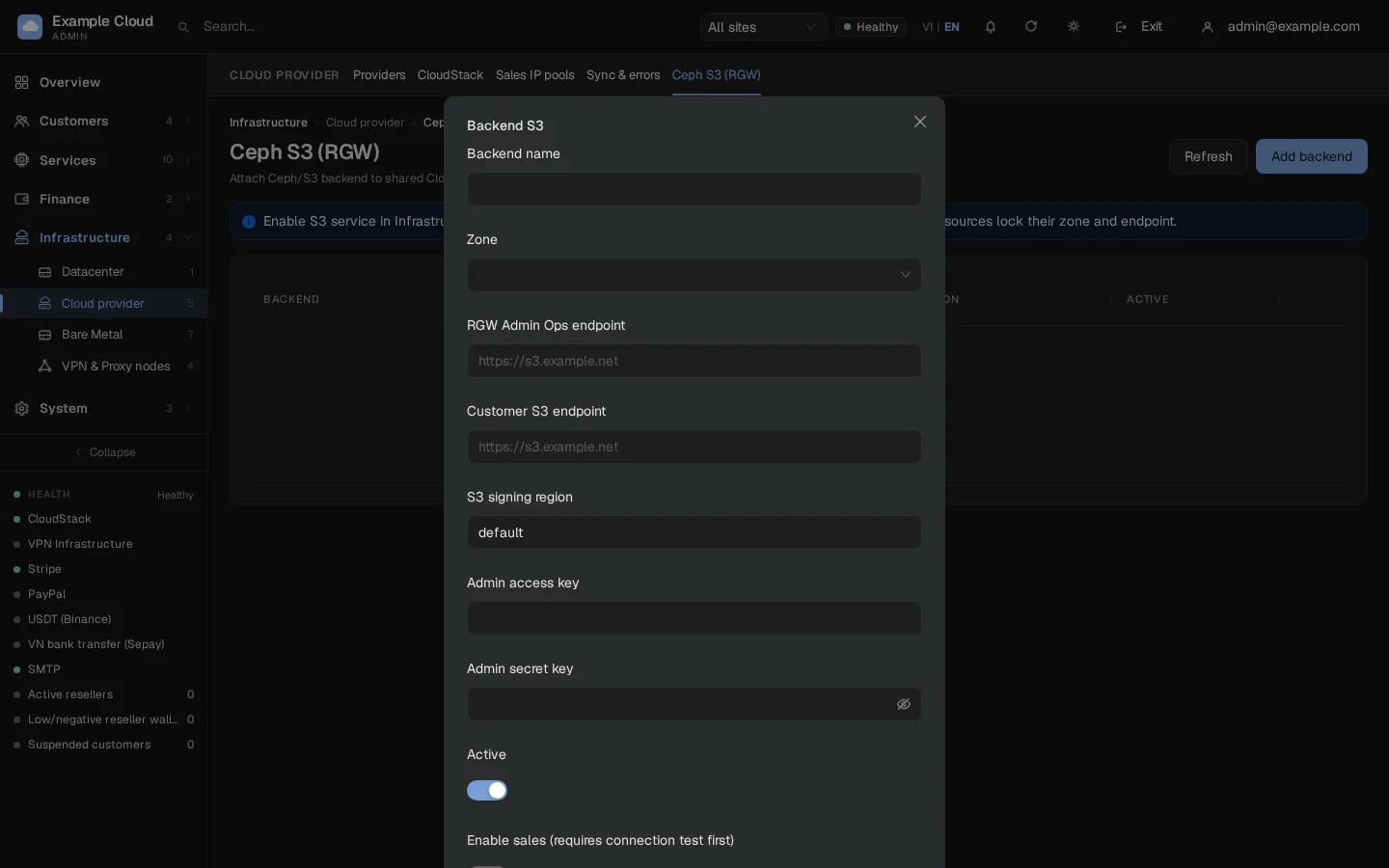
Click OK (save), then Check in the row. NexCMP calls the Admin Ops API with the admin key. Ceph connection successful and the tag Verified mean it works.
Click Edit, switch Enable sales on and save. NexCMP refuses to open sales until a check has succeeded.
Open Services › Object Storage › PAYG pricing and set the pricing:
Field Meaning Storage over free tier (VND/GB/month) Storage price; billed per hour as the monthly price divided by 730. Download (VND/GB) Price for outgoing traffic. Upload (VND/GB) Always 0. Free tier with Running VM (GB) Fixed at 100 GB per account while the customer has at least one running VM, shared across their S3 accounts by size. Debt limit (VND) How much unpaid usage is allowed. Billing threshold (VND) Usage is collected into one invoice once it passes this amount. Min balance to create S3 (VND) Wallet balance needed to create an account. Max S3 accounts per customer, Default technical quota (GB) Limits for new accounts. 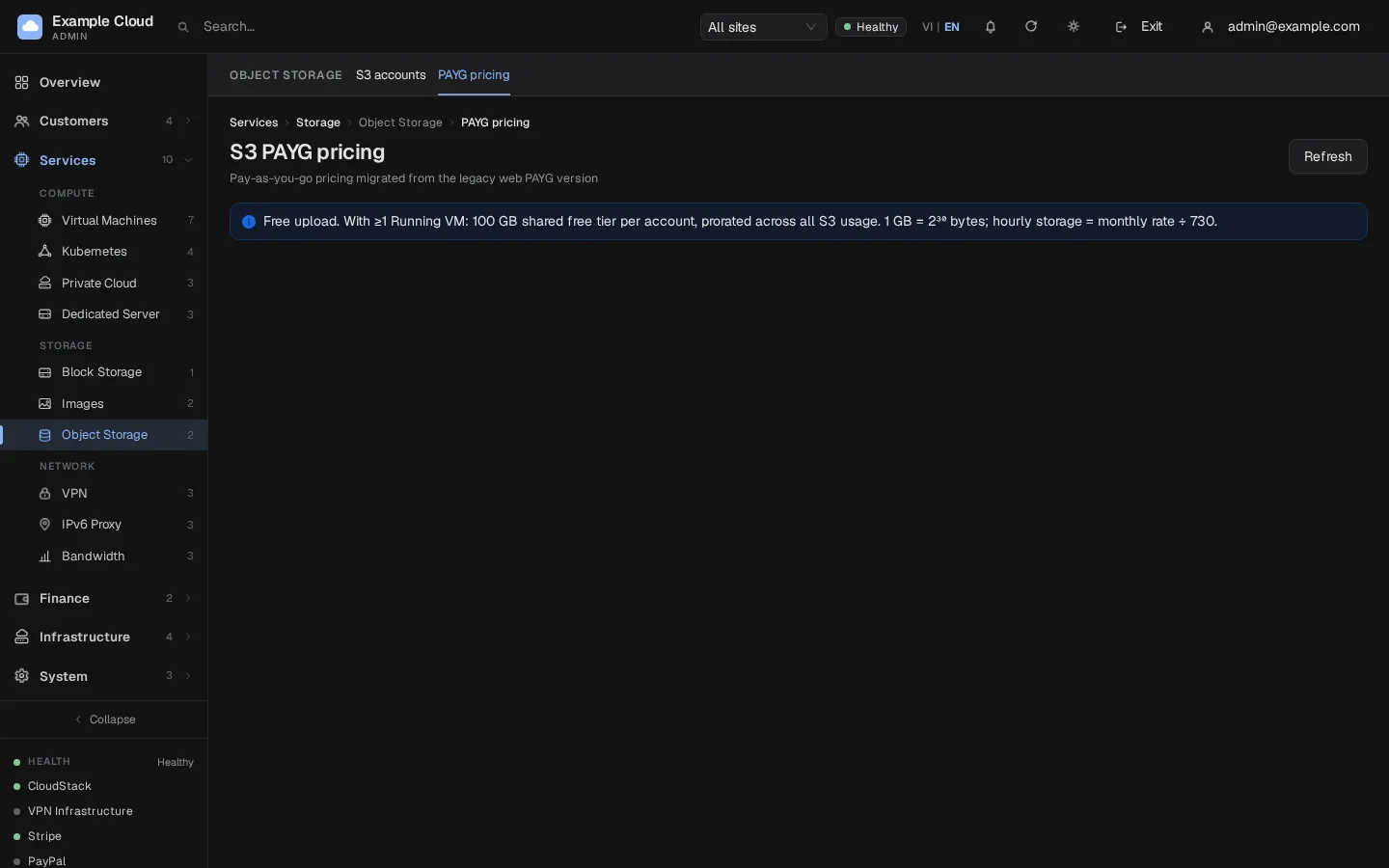
S3 prices are entered in VND. They are converted for display and wallet charges at the exchange rate in effect; see Currency and exchange rates.
Verify
- Check gives "Ceph connection successful".
- As a customer (or with a test account), create an S3 account. On Ceph,
radosgw-admin user listshows a new user, and S3 accounts lists it. - Create a bucket with any S3 client using the customer's keys against the customer endpoint. Upload a file.
- After the next hour's billing tick, S3 accounts shows usage.
Limits and notes
- A backend that already has accounts attached keeps its zone, endpoint and region; to change them, create a new backend.
- One zone can have its own backend; accounts and backends are tied to a zone for good.
- The free tier and "uploads are free" are fixed rules, not options.
- Keys are stored encrypted; the console shows nothing but a "leave blank to keep the current key" field. A key pair is always entered together.
- Customers' secret keys are shown once at creation, never again. A lost key is replaced by rotating it.
Troubleshooting
| Symptom | Cause | Fix |
|---|---|---|
| "Endpoint requires HTTPS" | The endpoint uses plain HTTP | Publish HTTPS on port 443. |
| "Endpoint port not allowed" | A port other than 443 | Use the standard HTTPS port. |
| "Endpoint address not allowed" | The name resolves to a private, loopback, link-local or unique-local address | Use a public address. |
| "Endpoint must contain only protocol and host" | The URL has a path, query or user information | Use https://host only. |
| "Failed to resolve endpoint" | DNS does not resolve from the panel server | Fix DNS. |
| "Failed to connect to Ceph" | Firewall or TLS error | Test with curl from the panel server. |
| "Ceph returned HTTP 403 AccessDenied" | Wrong keys or missing capabilities | Check the keys and re-run radosgw-admin caps add. |
| "Invalid Ceph response" | The endpoint is not an RGW Admin Ops API | Point it to the RGW, not to a web page. |
| "Connection test must succeed before enabling sales" | You switched on sales before a successful Check | Run Check, then enable sales. |
| "All new keys for endpoint are required" | Endpoint changed without both keys | Enter the access key and the secret key together. |
| "Backend already has attached resources; create a new backend to change zone or endpoint" | Accounts exist on this backend | Create a new backend. |
| "Select master zone with S3 service" | The zone is not a master zone or has no S3 service | Tick Object Storage (S3) on the zone. |
| "Invalid region" | The region has other characters than letters, digits, - and _ | Use default or your RGW zonegroup name. |
| "Ceph usage summary missing; not billed" | Usage log disabled | Enable rgw_enable_usage_log. |