Migration · Other systems
Migrate from any other billing panel to NexCMP
Whatever you run today, the migration follows the same method: inventory, export, mapping, dry run, parallel run and cutover. In the 30 working days of NexCMP Source an expert engineer applies it to your system at no extra charge.
Included with NexCMP Source ($499 one-time), not with NexCMP Free. VMware, WHMCS, HostBill, Blesta, Paymenter, StackBill, Virtualizor and Apache CloudStack are trademarks of their respective owners. NexCMP is independent and not affiliated with or endorsed by them.

The problem: every system stores your business differently
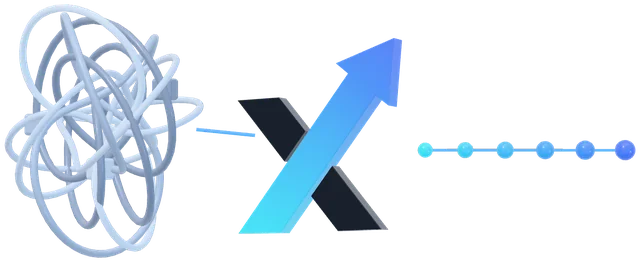
HostBill, Blesta and Paymenter are billing systems for hosting businesses, and StackBill is a cloud management platform for service providers. Virtualizor is a control panel for virtual servers. Others are home-made or inherited from a former provider. Each keeps customers, balances, services and prices in its own structure, and each offers its own way to get data out.
NexCMP has no connectors for these systems and this page does not claim any. What it has is a clear target shape: customers with a prepaid wallet, virtual machines charged hourly or monthly, plans with prices, invoices and white-label resellers. The engineer maps your data onto that shape using whatever export your system offers.
Systems we have in mind
These products exist and are common sources. Naming one is not a claim that NexCMP connects to it.
HostBill
Billing and automation software for web hosts. We read it through whatever export route your version offers and map the result to NexCMP.
Blesta
A self-hosted billing, provisioning and support platform. Its developer documentation includes an API reference, which is one possible route to the data.
Paymenter
An open-source billing platform for hosting businesses. We confirm the export route for your installed version in week 1.
StackBill
A cloud management platform that helps service providers sell cloud infrastructure. We confirm what can be exported from your version in week 1.
Virtualizor
A control panel for virtual servers. Its documentation includes an admin API, which is one possible route to server and user data. The virtual machines themselves are planned case by case.
Anything else
A spreadsheet, a database, a custom panel or a mix of tools. If the data can be exported or queried, it can be mapped.
The method
The same five steps for every source system.
1. Inventory
List what exists: customers, balances, services, virtual machines, plans, prices, gateways, tickets, resellers, scheduled jobs. For each item we note where it lives and how it can be read.
2. Export
Read the data through the system's API, a database query or a report export, preferably read-only. The route depends on the system and its version, and we confirm it before relying on it.
3. Mapping
Decide where each item goes in NexCMP: a customer account, a wallet credit, a plan, a virtual machine attached to a customer, or an archive file. Items with no place in NexCMP are archived or left where they are.
4. Dry run
Run the scripts into a test NexCMP and compare the result with the source row by row, especially balances and services. Repeat until it matches.
5. Parallel run and cutover
Load the real data, run both systems side by side, synchronise the final balances and switch billing on the date you chose.
What usually moves and what does not
The pattern is the same for most systems; the exact list is written in week 1 after we see yours.
Customers
- In NexCMP
- Customer accounts created in the NexCMP admin, with an invitation or password-reset e-mail
- Note
- Passwords are not carried over by default; customers choose new ones.
Account balances
- In NexCMP
- Wallet credit added by an administrator with a reason
- Note
- NexCMP amounts are in US dollars; other currencies are converted at a rate agreed with you.
Cloud servers
- In NexCMP
- Virtual machines attached to the right customer and plan
- Note
- Applies to machines on CloudStack or Proxmox VE. How machines on another platform move is planned case by case.
Products and prices
- In NexCMP
- Plans with hourly or monthly prices
- Note
- Rebuilt with you rather than copied, because NexCMP prices servers by the hour or month.
Invoice history
- In NexCMP
- Archived as files you keep
- Note
- NexCMP issues its own invoices from the day it starts.
Saved payment methods
- In NexCMP
- Not moved
- Note
- Cards saved at a payment gateway belong to that gateway; customers add a method again.
Domains, shared hosting and other non-cloud products
- In NexCMP
- Not moved
- Note
- NexCMP sells cloud servers and its own modules.
Resellers
- In NexCMP
- Rebuilt as white-label resellers if you use them
- Note
- Each reseller has its own domain, brand and wholesale wallet.
NexCMP's admin can create customers, add credit with a mandatory reason and create virtual machines for customers, and its ledger is append-only. Bulk loading is done with scripts that use the admin console, the API or, where needed, the source code that Source gives you.
The plan, week by week
Typical, adjusted to your case. The 30 working days of continuous work are about six calendar weeks.
Week 1 — Inventory and export route
We study your system, confirm how its data can be read, and write the mapping to NexCMP. You decide what moves, what is archived and what stays.
Week 2 — Build the NexCMP side
NexCMP is installed and connected to your CloudStack and/or Proxmox VE. Branding, plans, prices, payment channels and e-mail are set up before any customer data is loaded.
Week 3 — Dry run
Scripts load a copy of your data into a test NexCMP. We compare balances, customers and services with the source and rehearse the cutover.
Weeks 4 and 5 — Real data and parallel run
The real data is loaded, machines are attached to customers, and both systems run side by side while you check accounts. Final balances are synchronised just before the switch.
Week 6 — Cutover and handover
Billing moves on the agreed date, old recurring subscriptions are cancelled, customers are notified, and we hand over the scripts and notes. We stay available for the move until the end of the 30 working days.
Outline only. The real plan comes out of week 1, and the only dated commitment in the offer is the 30 working days.
Risks and how we reduce them
We do not promise zero downtime or a perfect first run. This is what can go wrong and what we do about it.
A system we cannot read
If a system offers no usable export, the first week says so and we agree an alternative, such as a database read or a manual list for a small part. We do not start a migration whose data we cannot read.
Balances that do not match
The dry run compares every balance with the source, and final balances are read again just before the switch. A mistake after the switch is corrected by a visible reversing entry.
Double charging at cutover
Recurring subscriptions at gateways would keep charging after the move. We end them on the switch date, after both systems have run in parallel, with a billing cut-over date agreed with you.
Servers on another platform
If virtual machines also change platform, the machine side has its own risks: downtime per machine, drivers, addresses, and licenses of the software inside. We plan it as a separate part of the work and test before any wave.
Addresses and DNS
IP addresses, MAC addresses and DNS records may change when machines move. They are listed in week 1, TTLs are lowered ahead of the cutover and customers are told in advance.
Rollback
The source system is not deleted. Until you confirm the migration is complete, customer data can be read from it and billing can return to it.
Who does what
Read access to the source system: its API, a database user or report exports
- The expert does
- Inventories it and writes the export and mapping scripts
Decisions on plans, prices and what is archived
- The expert does
- Proposes options and builds the plans in NexCMP
Accounts and keys for payment channels, and seller details for invoices
- The expert does
- Configures them in NexCMP and tests a payment
Access to CloudStack or Proxmox VE, or the servers to build them on
- The expert does
- Connects it and attaches machines to customers
The cutover date and the customer announcement
- The expert does
- Rehearses and runs the cutover, then checks balances
What you get in the 30 working days
The migration is part of the NexCMP Source upgrade: a one-time $499 that includes the complete source code (Rust server, Vue portal and admin, Go node agent, CLI, build scripts), the right to modify and build your own version without limit, 12 months of new source releases, all apps and 30 working days of continuous work with an expert engineer.
In those 30 working days the expert migrates you from any other source system or billing panel to NexCMP at no extra charge, or does a WHMCS or VMware migration, or a complete A-to-Z setup and the building of your apps. The clock starts when you start the work with the expert and is shown on your license page. Support for the move lasts the same 30 days.
NexCMP Free does not include this. Free is free for one year with all modules and no technical support, only fixes of source-code bugs, and renews at $99 per year.
Other panels — frequently asked questions
What does it cost?
Is this included in NexCMP Free?
Does NexCMP have a connector for HostBill, Blesta, Paymenter, StackBill or Virtualizor?
My system is not in your list. Can it still be migrated?
Will my customers need to do anything?
Will there be downtime?
What do I need to provide?
Sources and notes
The systems named here are listed from their own public sites, read on 2026-10-30; naming a product is not a claim that NexCMP connects to it, and we have not verified any export feature beyond the ones the sources below describe. VMware, WHMCS, HostBill, Blesta, Paymenter, StackBill, Virtualizor and Apache CloudStack are trademarks of their respective owners. NexCMP is independent and not affiliated with or endorsed by them.
Move from your current panel with an engineer
Upgrade to NexCMP Source for $499 and start your 30 working days, or describe your system to [email protected] first.

Last updated: