Static residential and ISP proxies
Open Source static residential and ISP proxy billing
NexCMP is self-hosted billing and management software that lets you sell static residential and ISP proxies on IP addresses you already hold. Customers order SOCKS5 and HTTP proxies in a portal on your domain; NexCMP prices, bills and manages them. NexCMP includes no residential IP network: you bring the IPs.
What this is not: NexCMP does not include an IP network. There is no peer network and no backconnect network, and there is no rotating residential pool. You bring the residential or ISP IP addresses you already hold; NexCMP bills and manages them. The module is part of NexCMP Free and Source and is off until you switch it on.NexCMP Source: full source code for $499, one-time. Use, modify and self-host for your own business. You may sell the services you operate; you may not resell or redistribute the source code or builds. Source license terms


What a static residential or ISP proxy is, and what you need
A static residential or ISP proxy is a proxy server on a fixed IPv4 address that does not change between connections. The address is announced by an internet service provider's network (its ASN) rather than by a hosting company, so many websites treat it as an ordinary consumer-network address. It is normally priced per IP for a billing period.
NexCMP does not create, rent or verify such addresses, and it does not tag an IP as residential. You already hold the addresses, attached to a Linux node or routed to it. NexCMP turns them into a product: each customer gets their own IPs with their own SOCKS5 and HTTP logins, ordered and paid for in a portal on your domain.
How your customers manage a static residential proxy plan
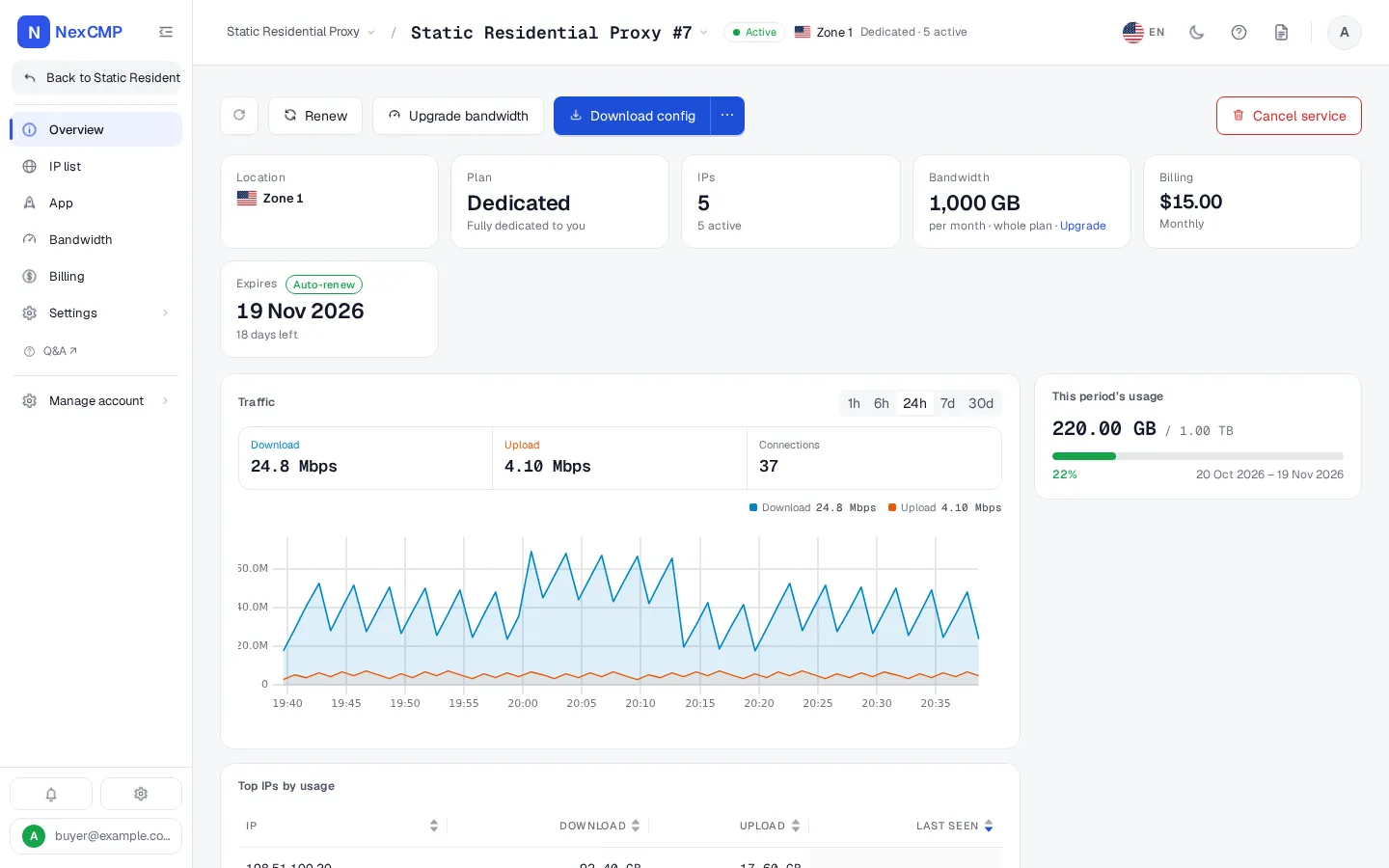
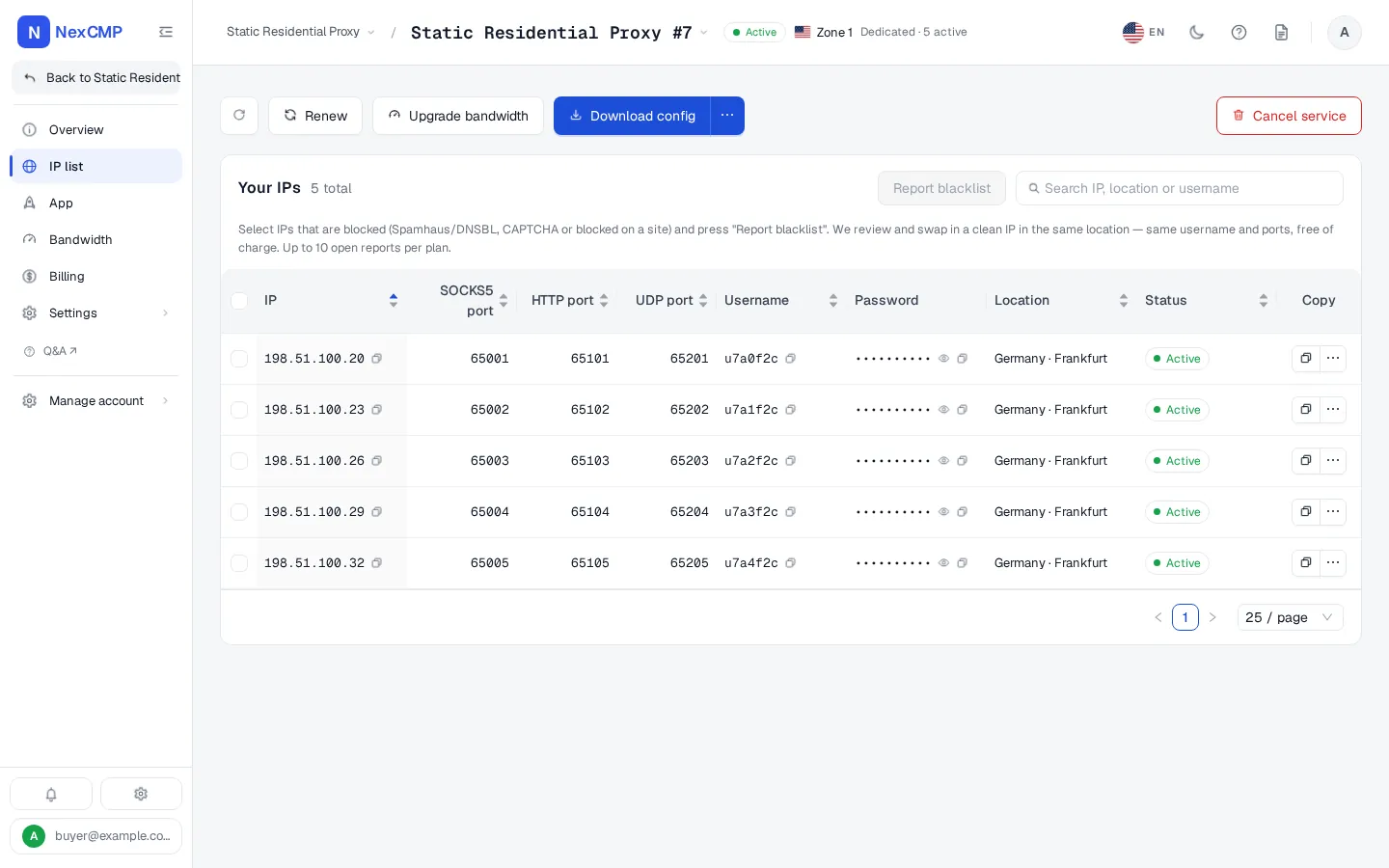
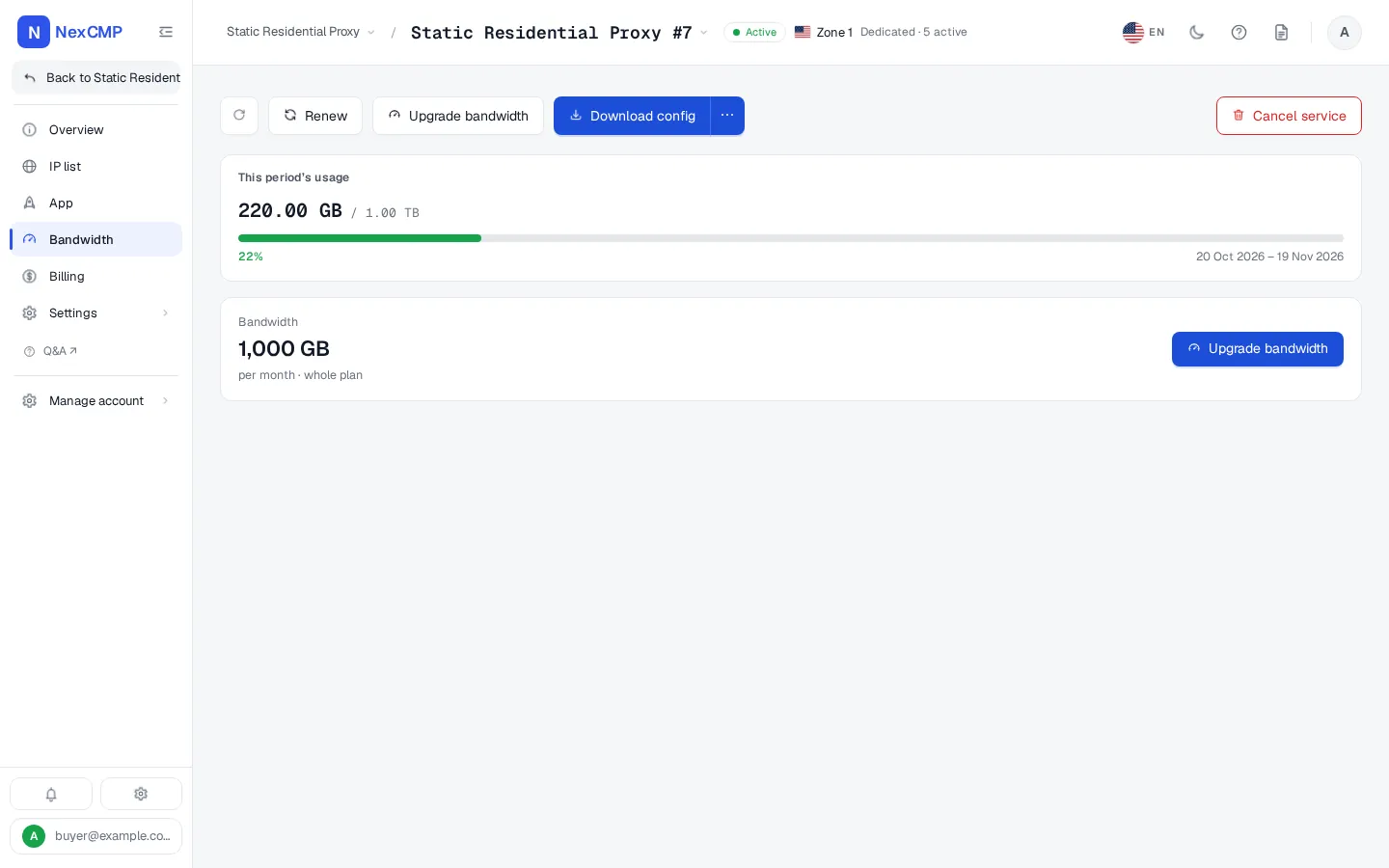
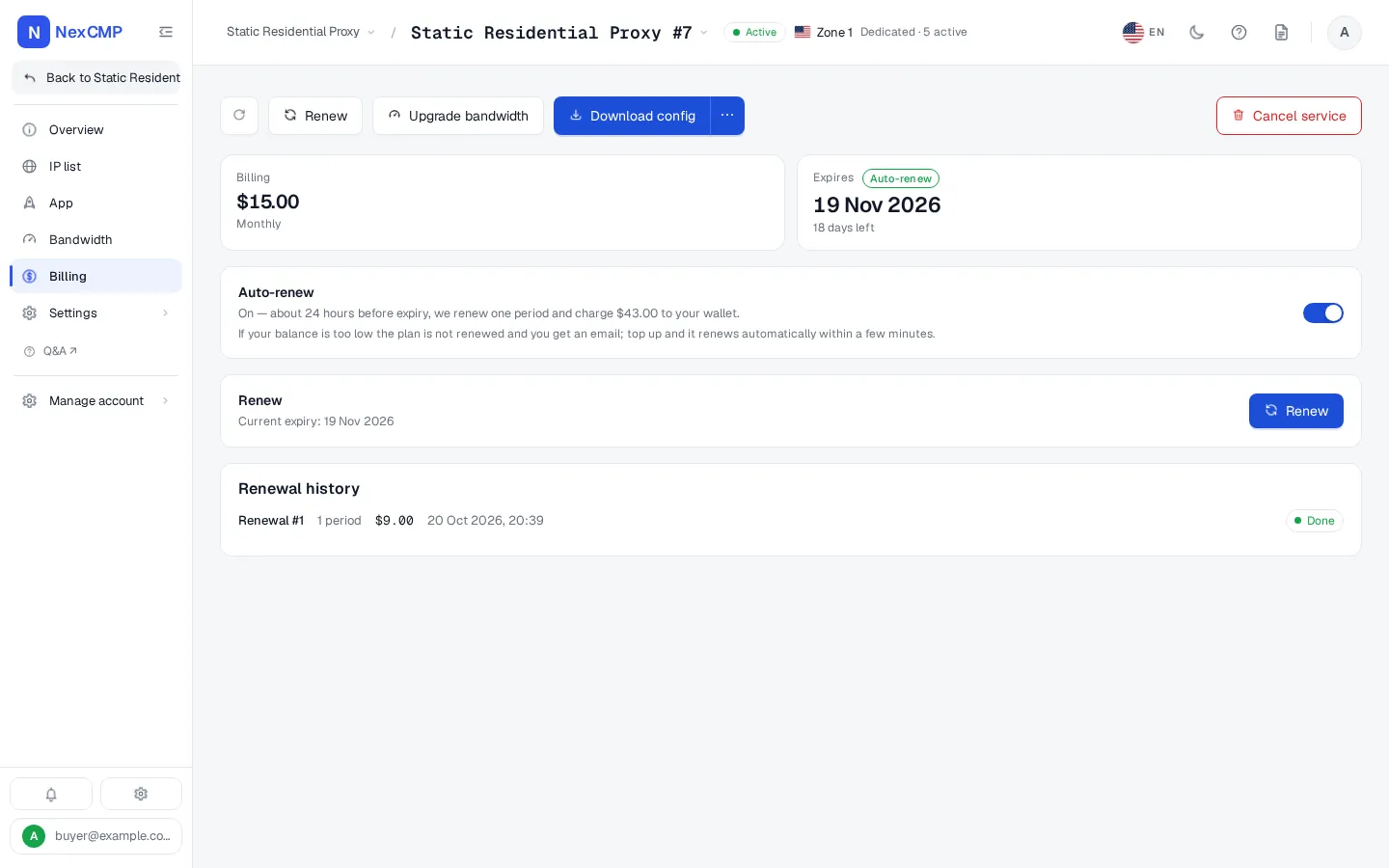
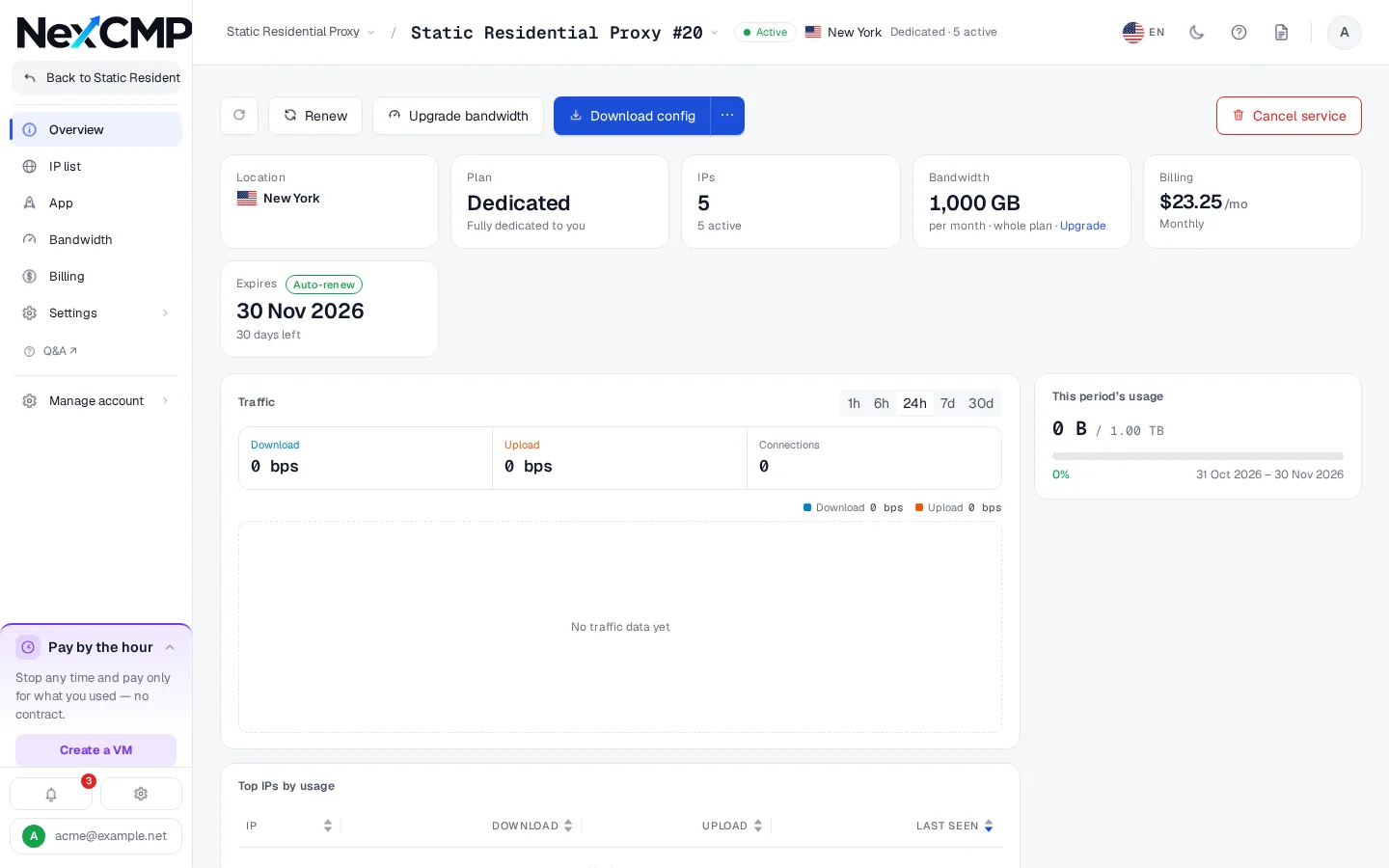
Every screen is a tab of the service page in the customer portal, shown with sample data. Pick a tab, use the arrows or the left and right keys, or open the full-screen viewer.
Overview
IP list
Bandwidth
Billing
How the pieces fit
Customers deal with the panel. The IPs stay on your own nodes.
Name the product Static Residential Proxy
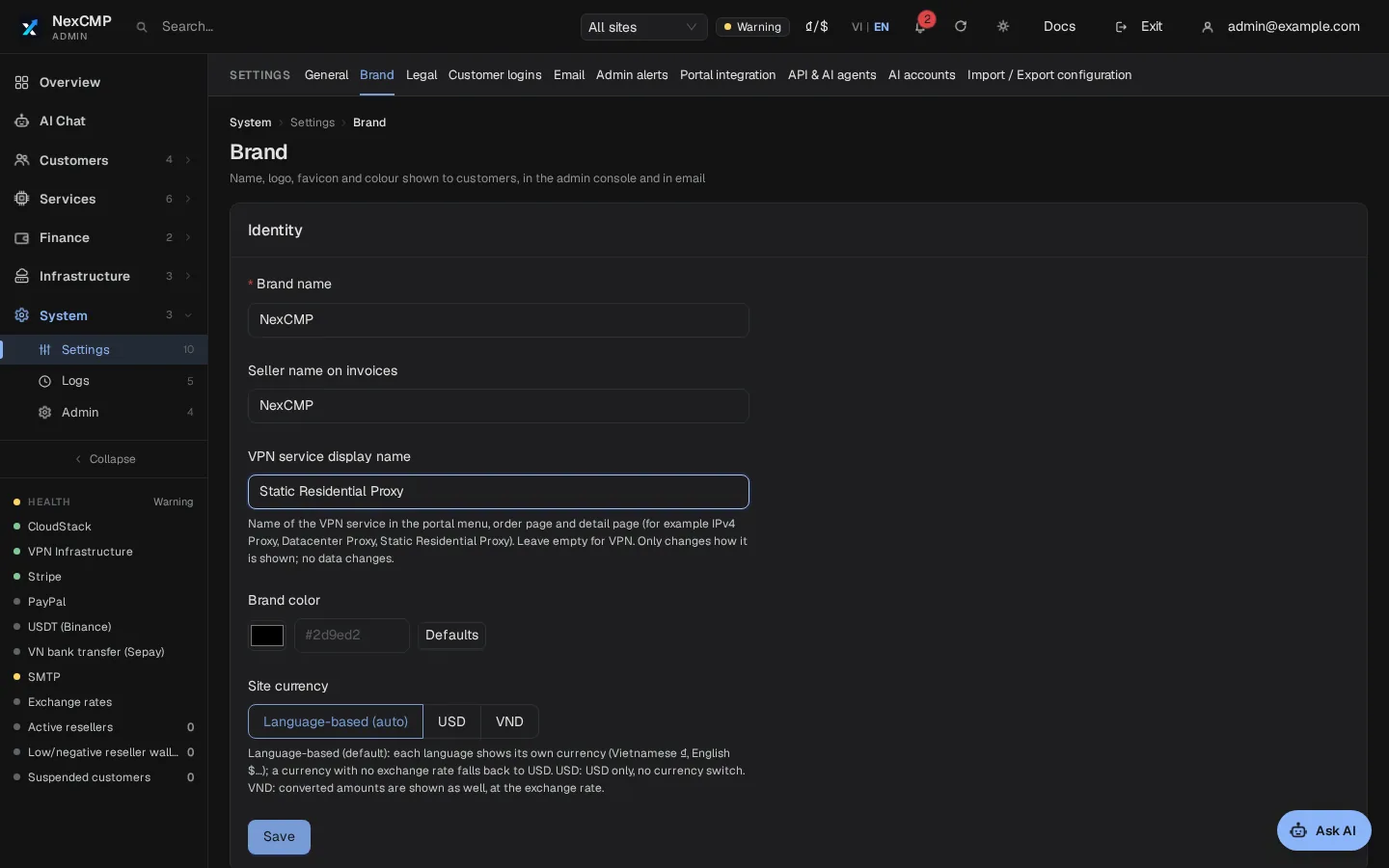
The module is called VPN inside NexCMP, but what it sells is a SOCKS5 and HTTP proxy on a dedicated IPv4 address for each customer. It is not a tunnel product. In Admin > Settings > Branding you set the VPN service display name, for example Static Residential Proxy. Customers then see it in the menu, on the order page and on the subscription page.
The name is a label and nothing else. It does not change data, routes or the API, and it is at most 40 characters. Descriptions, error messages and invoice wording keep their original text. The same label also names the menu group that holds the proxy services.
Choose a name that matches the addresses you really sell; their source is your responsibility.
Node management and setup
A node is a Linux server running a small NexCMP agent. The agent hosts the proxies for the addresses attached to it.
Add a node over SSH
In the admin console enter the server's public IPv4 address, SSH port and user, the SSH password (used once), a display name, a role and a zone. The panel connects, runs the installer with a one-time ticket that lives 600 seconds, and the node enrols itself. NexCMP picks the zone from the address's country, or you choose one.
Or install by hand
Generate an install command in the admin console and run it on the server. A machine enrolled this way starts without the proxy role. Open it under Agents and external nodes and add the vpn role before it can sell.
Your IPs become a pool
The agent detects the public IPv4 addresses on the server. A prefix routed to the node is declared as an additional subnet, up to 32 per server, /16 to /32. You mark each range as sellable or not.
Gateway addresses are never sold
The agent reads the real routing table on the node and keeps the next-hop gateway addresses out of the pool, so a gateway of your upstream network cannot be handed to a customer.
Node health
The agent checks in every 5 seconds. A node counts as online when its last check-in is under 60 seconds old.
Plans and pricing
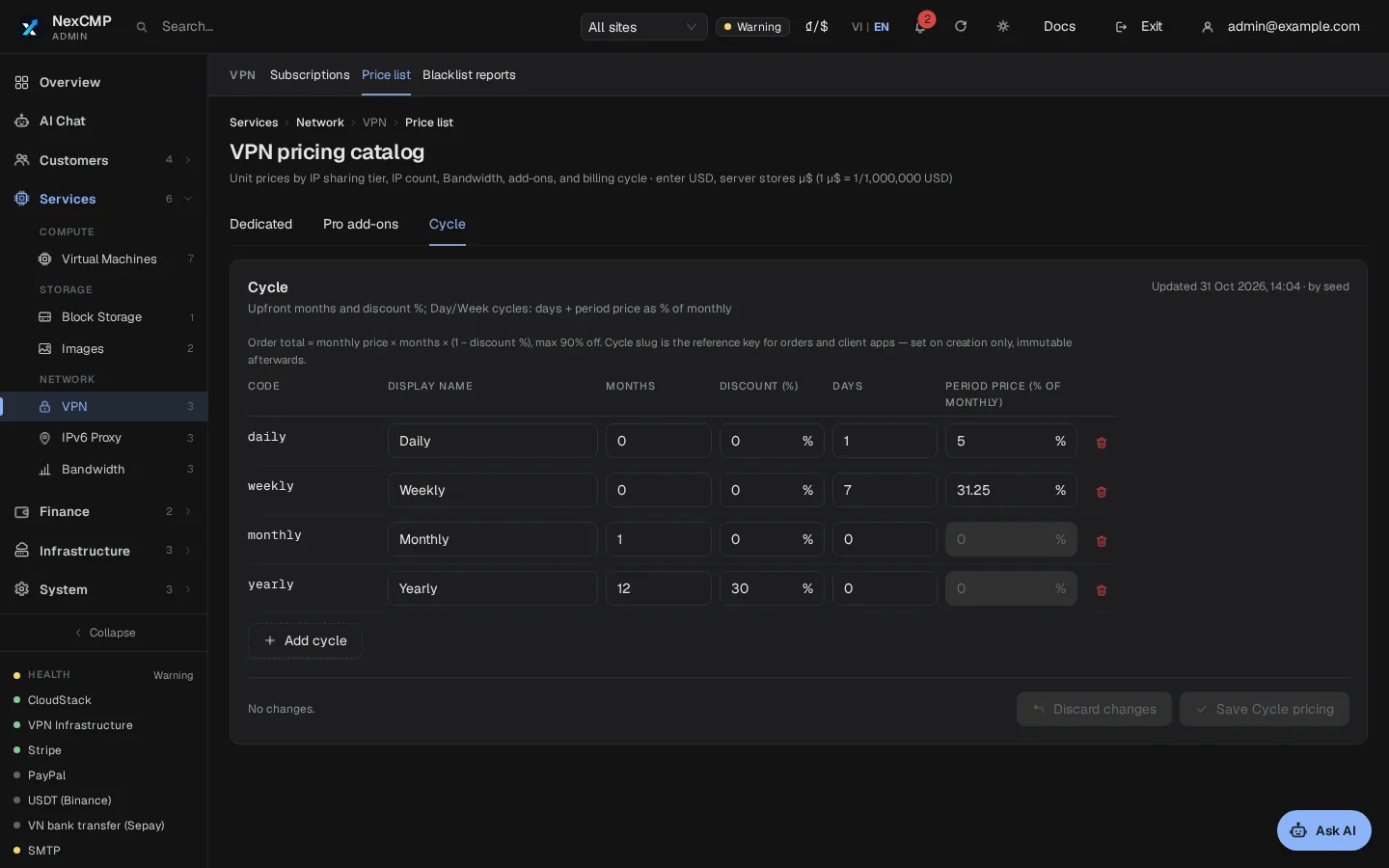
You set the prices in Admin > VPN > Price list. Every price in a fresh install is a sample for you to replace.
Priced per IP
Each customer gets dedicated IPs. The price per IP per month falls as the order grows, in tiers you define by IP count. The tier an order reaches prices the whole order. A new price applies to new orders; running subscriptions keep theirs.
Billing periods
Day, week, month and year. Day and week are percentages of the monthly price, and the yearly discount is a percentage you choose. You can change all of them.
Bandwidth tiers
A plan carries a bandwidth tier in GB per period for the whole plan, not per IP. Customers can move up a tier mid-term and pay the difference. The next section says what the tier does and does not do.
Add-ons
Priced add-ons per month. The IP authorization add-on raises the Authorized IPs list from 3 entries to 1,000.
Auto-renew and expiry
Auto-renew is on by default. If the wallet is short, the customer is notified. An expired subscription keeps its IPs for a 3-day grace period, then releases them.
Bandwidth and limits
Be exact about what is enforced before you promise it to customers.
The GB tier is a measured data allowance
From NexCMP 1.5.1 the panel adds up the traffic that the node agent reports and cuts a subscription when its GB for the period are used up; it opens again within seconds after a bandwidth upgrade or a new period. Run the 1.5.1 node agent: older agents can miss bytes, and a node that has not reported usage is shown as Not measured and is never cut. There is no speed limit per plan on these IPs.
Need a hard speed cap?
Plans in the IPv6 Proxy module have a Mbps limit enforced per plan. That module serves IPv6 destinations only.
Ports
Each IP gets three consecutive ports in the range 65001-65535, one each for SOCKS5, HTTP and UDP. Traffic leaves from the same IP the customer connected to. Outbound port 25 is always blocked.
Quotas per customer
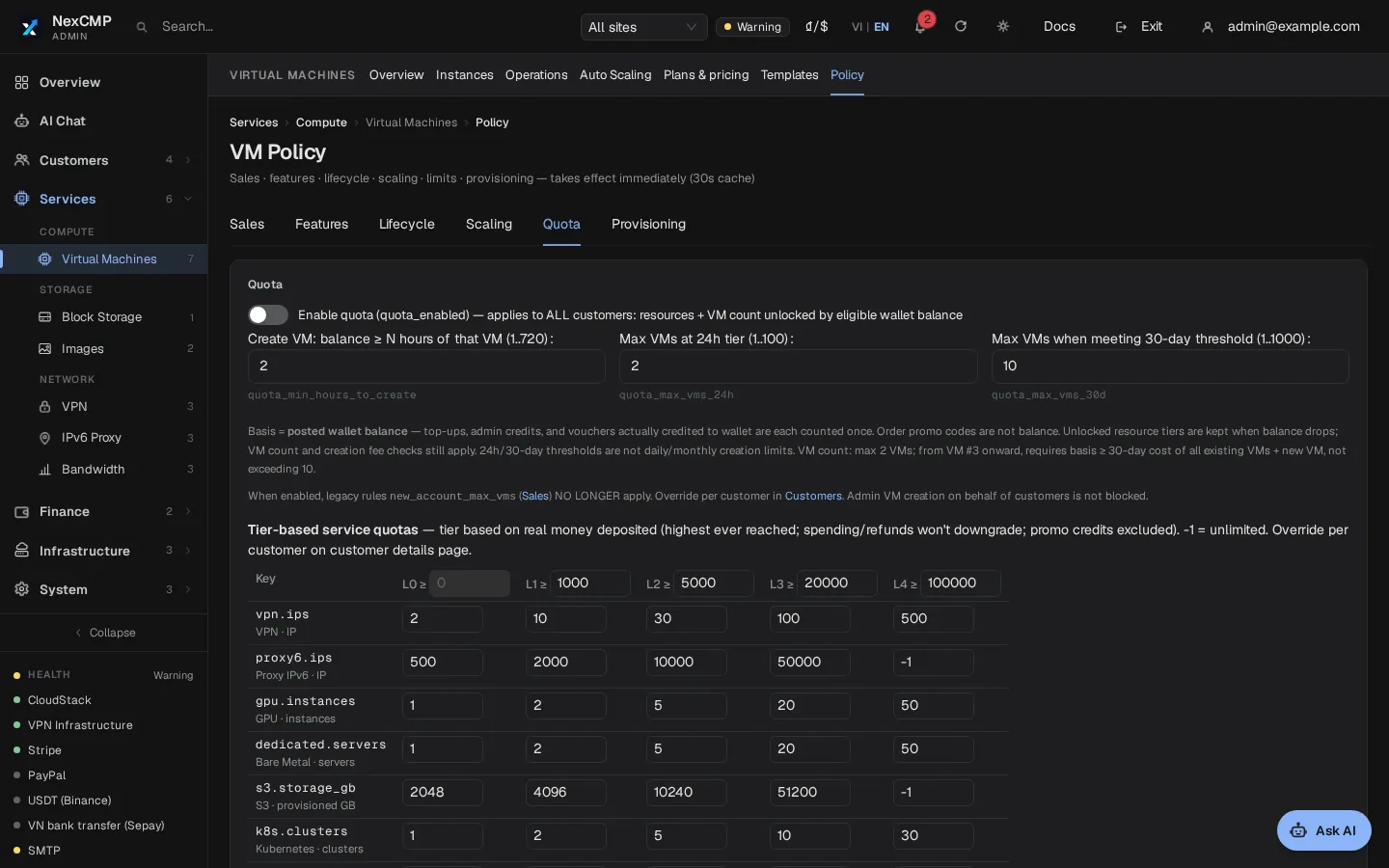
A quota key, vpn.ips, limits how many proxy IPs one customer can hold. The check runs before any money is taken, and an order over the limit is refused.
Defaults depend on how much real money a customer has topped up. You edit the default table in Admin > Settings > Quotas, and you can override a single customer, with a required reason that goes to the audit log.
The general quota switch is off by default, so nothing is limited until you turn it on.
IP rotation: there is none for these IPs
These are static IPv4 addresses. NexCMP does not rotate them, on a schedule or on request. Rotation exists in NexCMP only in the IPv6 Proxy module.
When an address is blacklisted or blocked, the customer reports it. In the portal they select the IPs and give a reason (listed on a blacklist, blocked by a site, or other). NexCMP checks the address against public blacklists straight away. A plan can have up to 10 open reports.
You, or the reseller who owns that customer, then approve or decline. Approving swaps the IP for a clean one in the same zone, keeps the username, password and ports, and costs the customer nothing. If no clean IP is free, nothing changes. Declining needs a reason, which the customer receives. Because the replacement comes from the same zone, mark as sellable only the ranges you want to sell under this name.
Authentication: user/pass and Authorized IPs
Both methods work on the SOCKS5 and the HTTP port of each IP.
Username and password per IP
Every IP gets its own generated username and password.
Authorized IPs
A customer can list source addresses that connect without a password: IPv4 from /16 to /32 and IPv6 from /32 to /128. The default is 3 entries, and the add-on raises it to 1,000.
Protocols
SOCKS5 with CONNECT and UDP ASSOCIATE, and HTTP proxy with Basic authentication and CONNECT for HTTPS sites. There is no WireGuard or OpenVPN and no branded client app.
Export and API
A customer exports a subscription's logins through the config endpoint in eight formats: socks, http, socks_plain, http_plain, json, clash, singbox and v2rayn. The portal adds a QR code for the SOCKS link.
Each subscription has a private subscription link, a feed for proxy tools in v2rayn, shadowrocket, clash or singbox format. The customer can replace it at any time, and the old link stops working.
Customers can also use scoped API keys (read, detail, write, create, destroy) for listing, exports, Authorized IPs, renewals and purchases. An OpenAPI document and the cmp command-line tool cover the same calls.
GET /v1/vpn/subscriptions/{id}/config?format=socks_plain
# 203.0.113.10:65001:username:password
The product in the admin console and the portal
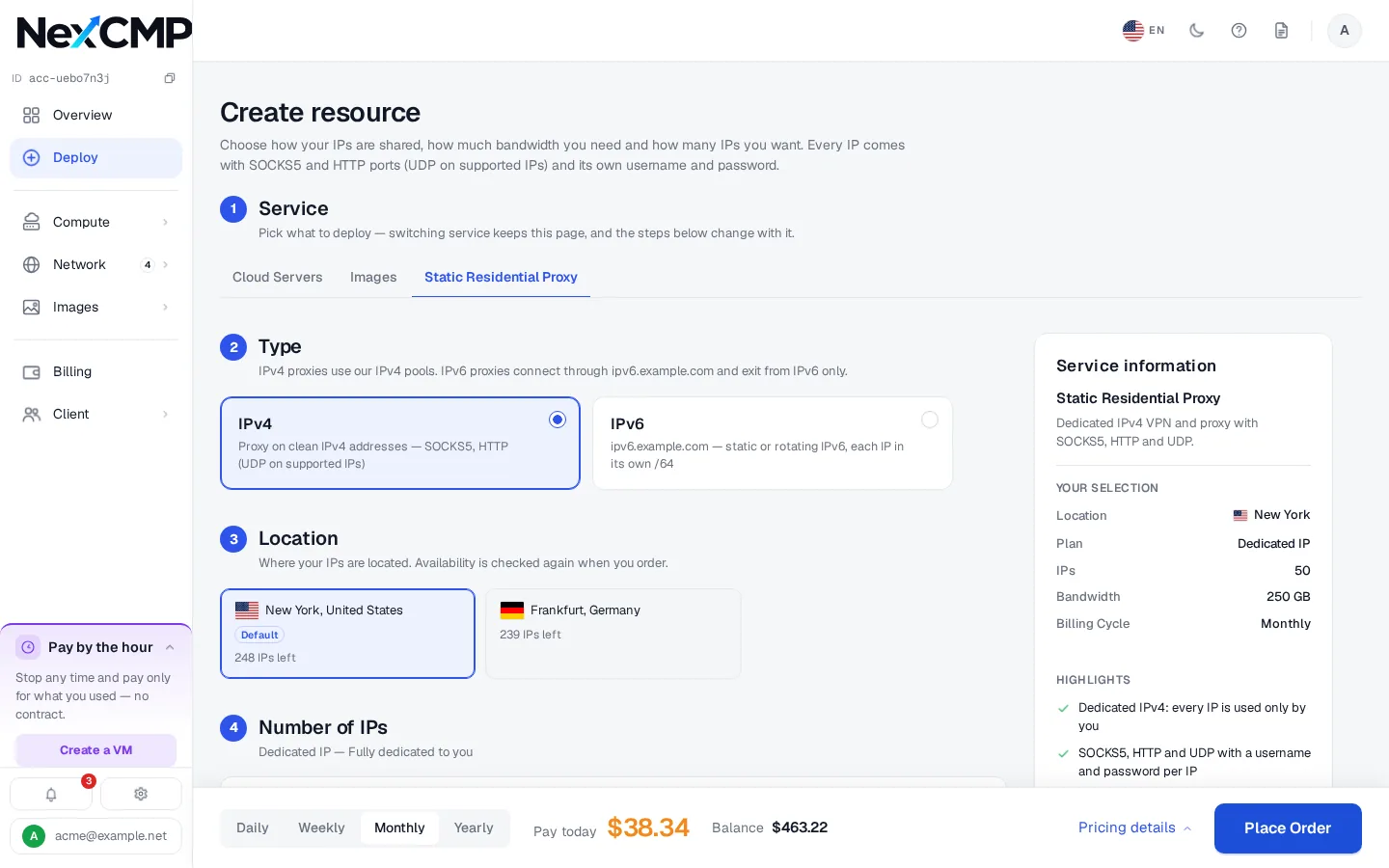
Static Residential Proxy is only the display name set in Branding; the screens come from a NexCMP lab install.
What your customers can do
Each item is something a customer does in the portal or through the API.
Order
Pick a zone, a number of IPs, a bandwidth tier, add-ons and a billing period, see the quote, and pay from the wallet. If an IP cannot be allocated, the wallet is refunded automatically.
Manage IPs and logins
Search the IP list, copy or download logins, scan a QR code, and set Authorized IPs within the plan's limit.
Renew and upgrade
Renew several periods ahead, switch auto-renew on or off, move up a bandwidth tier and add or remove add-ons.
Cancel or transfer
Cancel at once with no refund, or transfer the subscription to another account. A blocked IP is reported here too.
What you can do as the operator
Each item is in the NexCMP admin console.
Switch the module on
Turn on the VPN module under License & updates. It is off by default.
Manage nodes and the pool
Add servers over SSH, add address ranges, assign zones and set what is sellable.
Set the price list
Edit tiers, periods and add-ons.
Watch subscriptions
Filter subscriptions, read the IP history of one, and revoke one with a reason. Revoking cancels with no refund.
Handle blacklist reports
Approve a replacement or decline with a reason. Resellers can handle the reports of their own customers.
Resellers
Give a reseller the Sell VPN switch. Resellers sell under their own brand and prices against a wholesale wallet.
Audit
Price, quota and revoke changes go to the audit log.
Infrastructure requirements
You run the nodes and own the addresses. NexCMP supplies the panel and the node agent. The exact steps are in the docs at https://nexcmp.com/docs/infrastructure/vpn-proxy-nodes/.
- A Linux x86_64 server with systemd and root access for each node. Only the amd64 agent is published.
- curl or wget on the node, and HTTPS from the node to your panel.
- Public IPv4 addresses assigned to the server, or a prefix routed to it and declared as an additional subnet (/16 to /32).
- TCP and UDP ports 65001-65535 reachable on every IP you sell. Outbound port 25 stays blocked.
- An acceptable-use policy and a way to answer abuse reports.
Fit check
Good fit: you hold residential or ISP IPv4 addresses and want to sell them as static proxies with billing, a customer portal, quotas and an API on your own domain.
Not a fit: you want NexCMP to supply IP addresses or bandwidth, a peer or backconnect network, a rotating residential pool, geo-targeting by city or carrier, WireGuard or OpenVPN, or branded client apps. NexCMP provides none of these.
Responsibility: you are responsible for where your IP addresses come from, for being open about their origin, for obeying the law that applies to you, and for an acceptable-use policy that your customers accept. NexCMP does not supply IPs or bandwidth, and nothing on this page is legal advice.
Free and Source
The VPN module is included in NexCMP Free, which is $0 for the first year and then $99 per year, and in NexCMP Source, a $499 one-time purchase. NexCMP Free is for network operators with their own ASN and a subnet registered in their own name, and applications are reviewed by hand. Nodes, addresses and payment-gateway fees are yours.
The slides above show the customer portal before you install anything.
Static residential proxy billing: frequently asked
Does NexCMP include residential IPs?
Is there a rotating residential or peer-to-peer network?
What is a static residential (ISP) proxy?
Can I price per IP and per period?
How are plans limited?
Which protocols are supported?
What happens when an IP is blacklisted?
Can I show the name Static Residential Proxy to my customers?
Who is responsible for how the IPs are sourced and used?
Sources
NexCMP documentation for the VPN module and its nodes.
Get NexCMP free
Free, with the VPN module and every other module included. Install it on your server today, or look at the customer portal screens first.

Last updated: