IPv6 Proxy
Open Source IPv6 proxy panel and billing platform
NexCMP is a billing and customer-portal platform that lets a network operator sell IPv6 proxies from their own prefix. You install proxy nodes on your servers, set static, rotating and no-data-cap plans with Mbps limits, and customers order, rotate, export and renew in a portal on your domain.
The IPv6 Proxy module is part of NexCMP and costs nothing extra. It is off until you turn it on. NexCMP does not provide IP addresses or bandwidth: the servers and the IPv6 prefix are yours.NexCMP Source: full source code for $499, one-time. Use, modify and self-host for your own business. You may sell the services you operate; you may not resell or redistribute the source code or builds. Source license terms


What it is and what you need
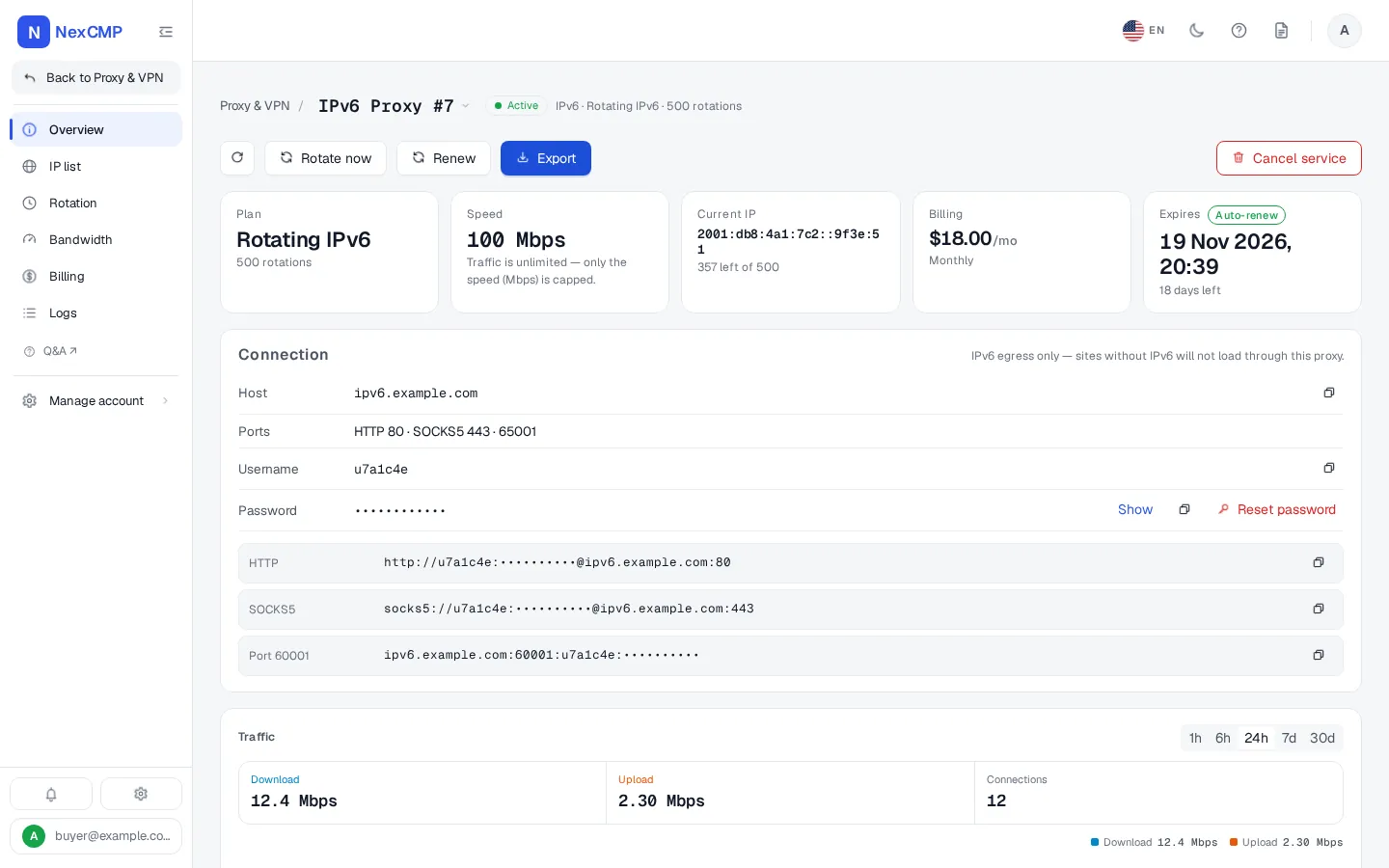
IPv6 Proxy sells SOCKS5 and HTTP proxies whose exit address is an IPv6 address from your prefix. A customer buys a plan, receives a host, a user name and a password, and connects to the IPv4 address of one of your nodes. The node sends the traffic out from an IPv6 address of the plan.
NexCMP handles plans, prices, wallets, invoices, renewals, quotas, rotation, exports and logs. The nodes carry the traffic. To start you need a Linux server you can reach over SSH and an IPv6 prefix routed to it, or on-link with NDP proxying.
How your customers manage an IPv6 proxy plan
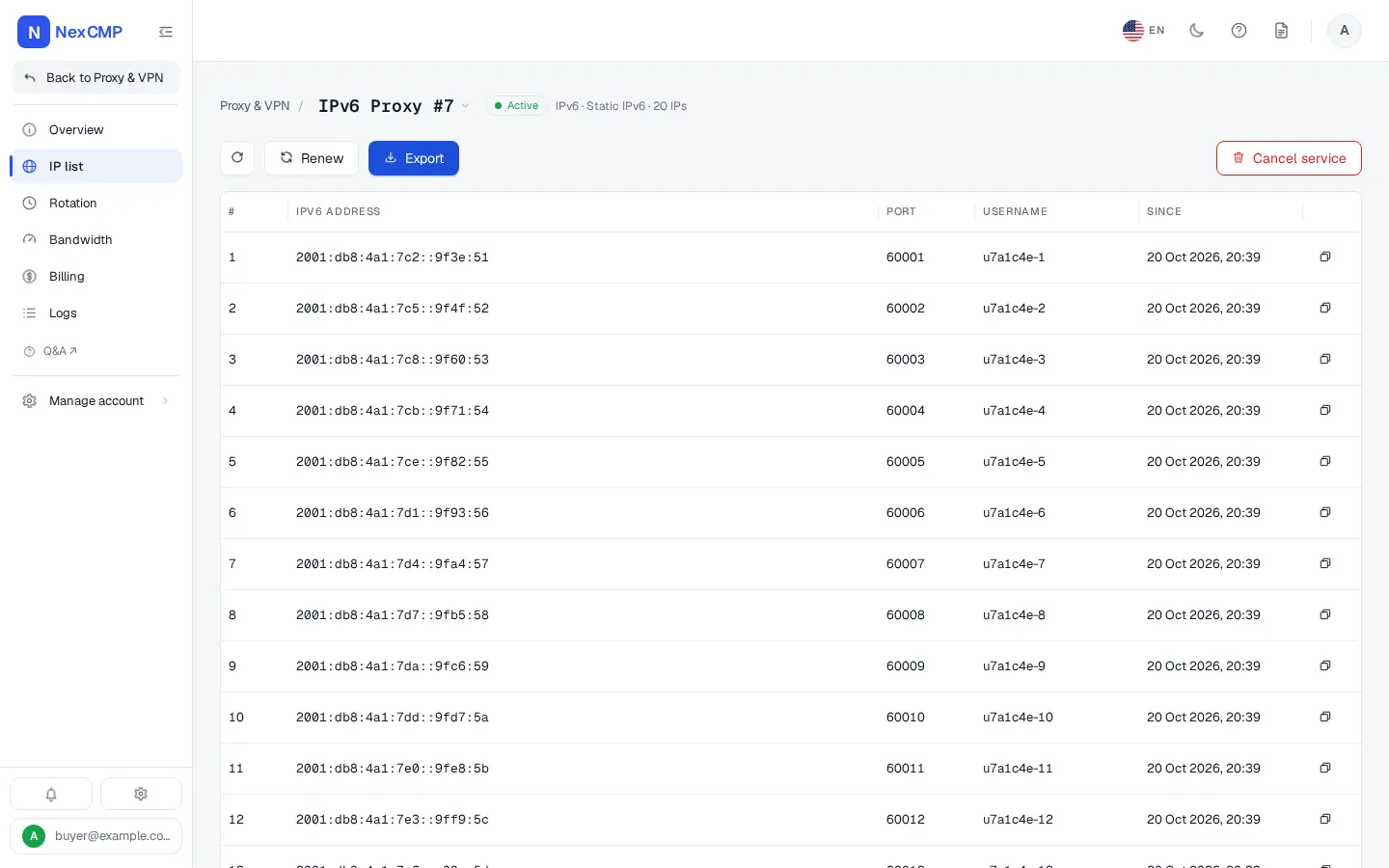
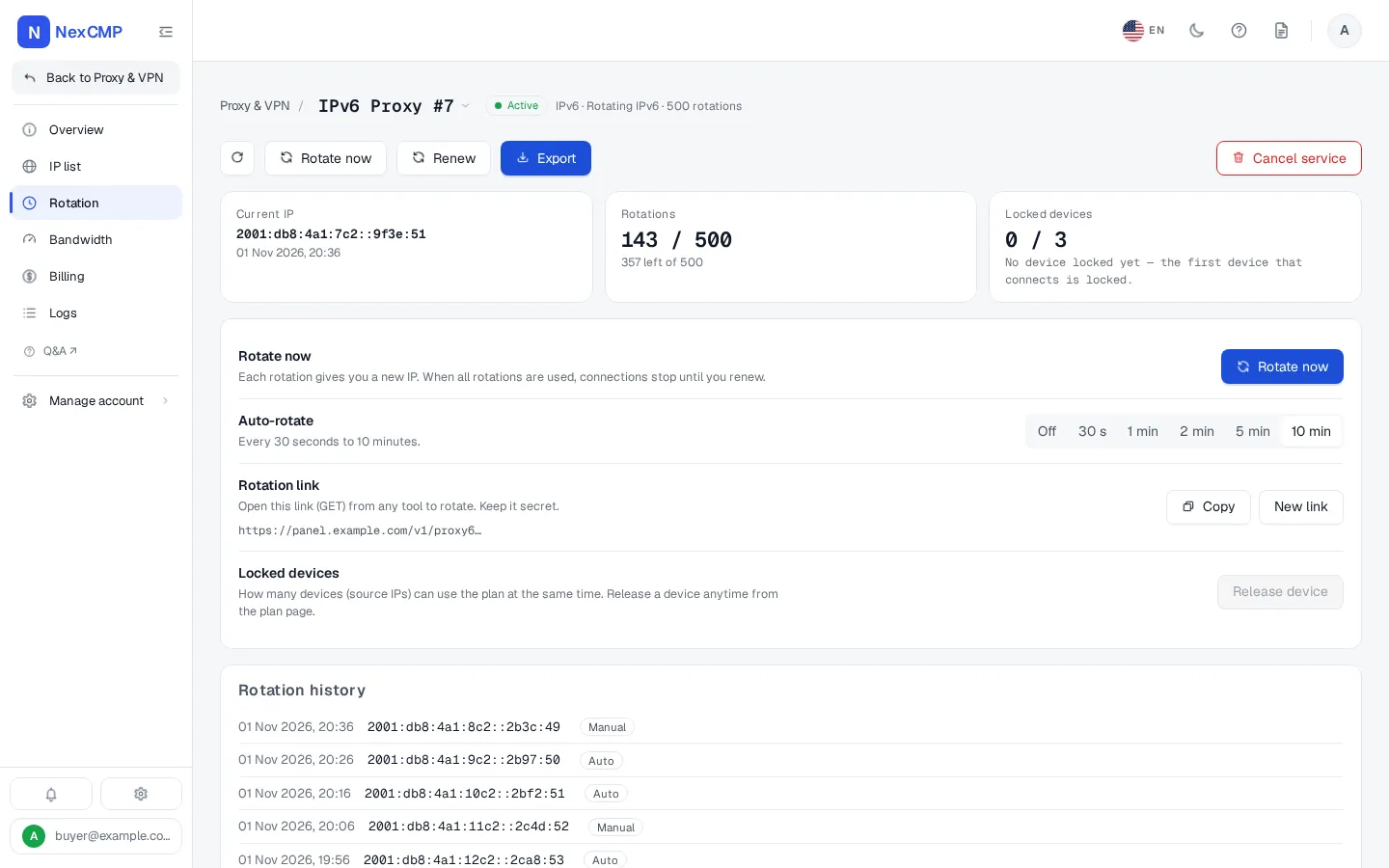
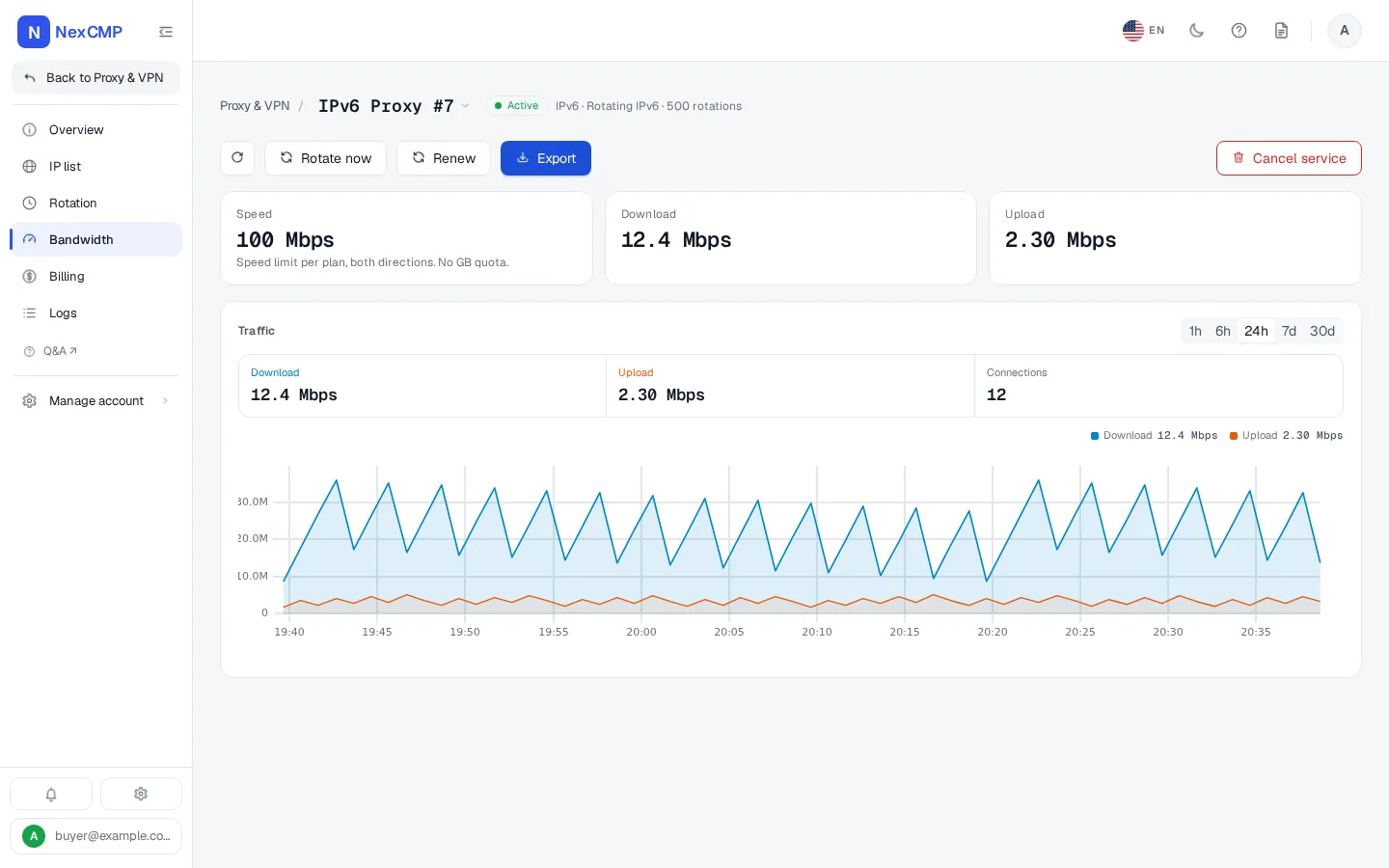
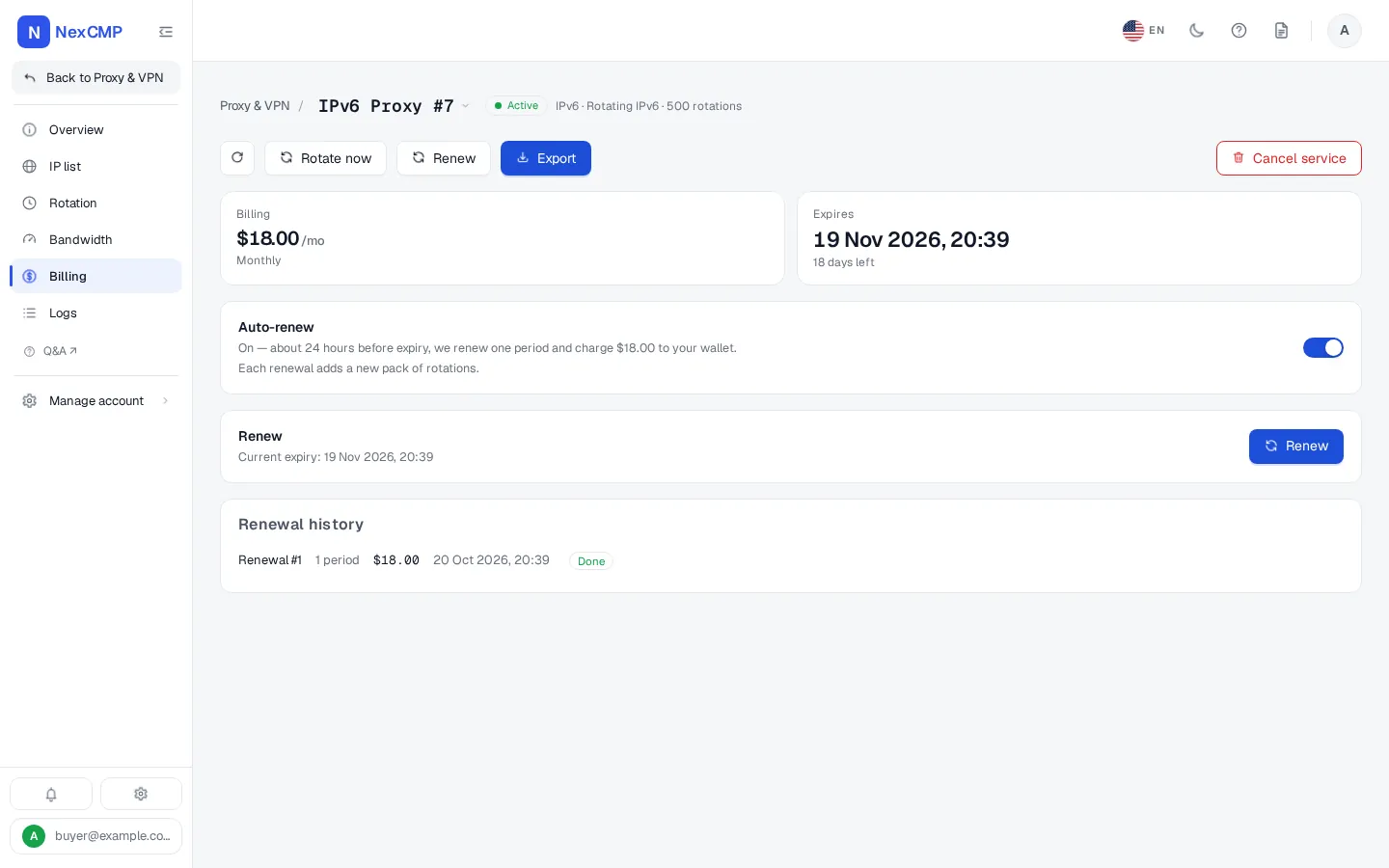
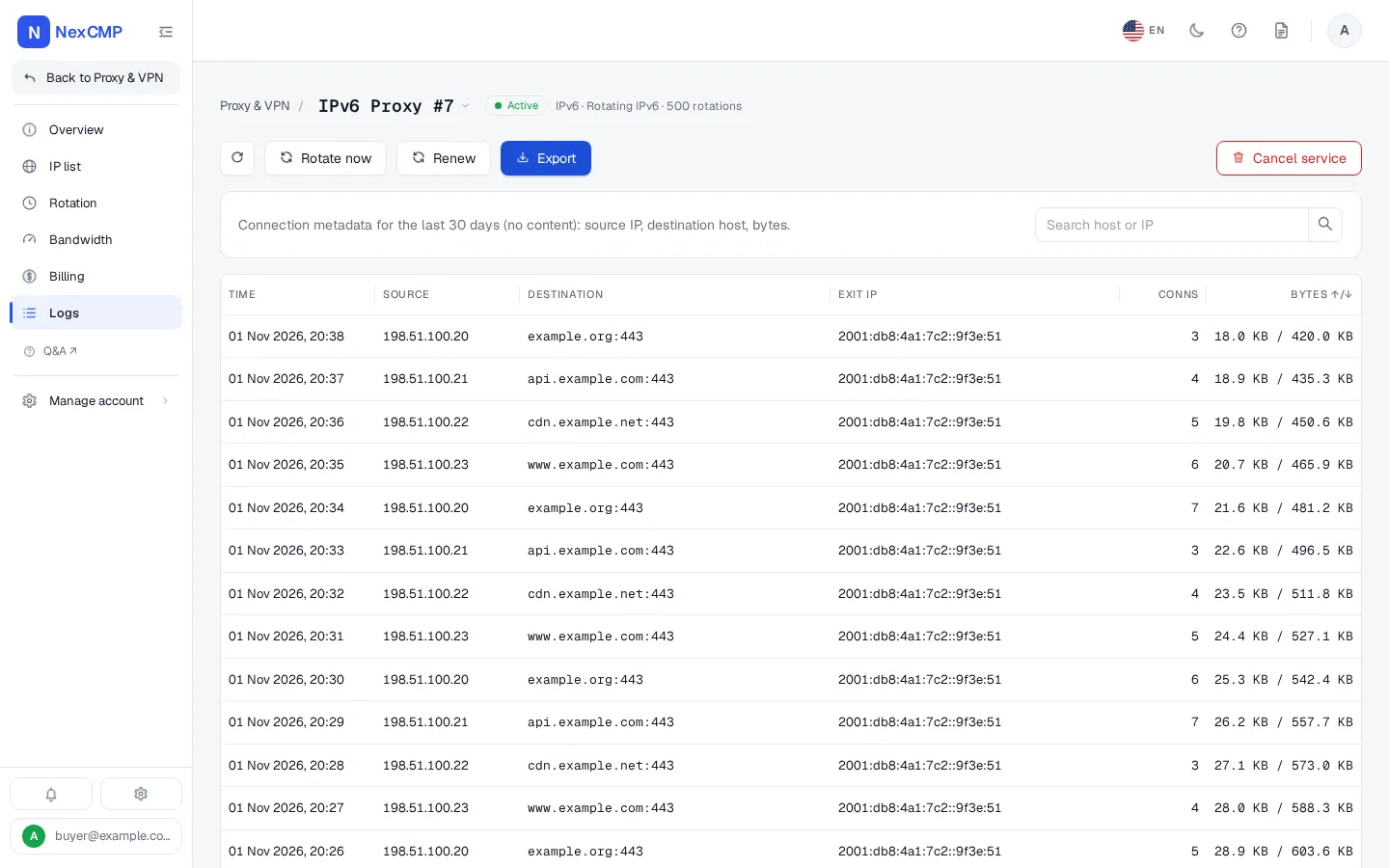
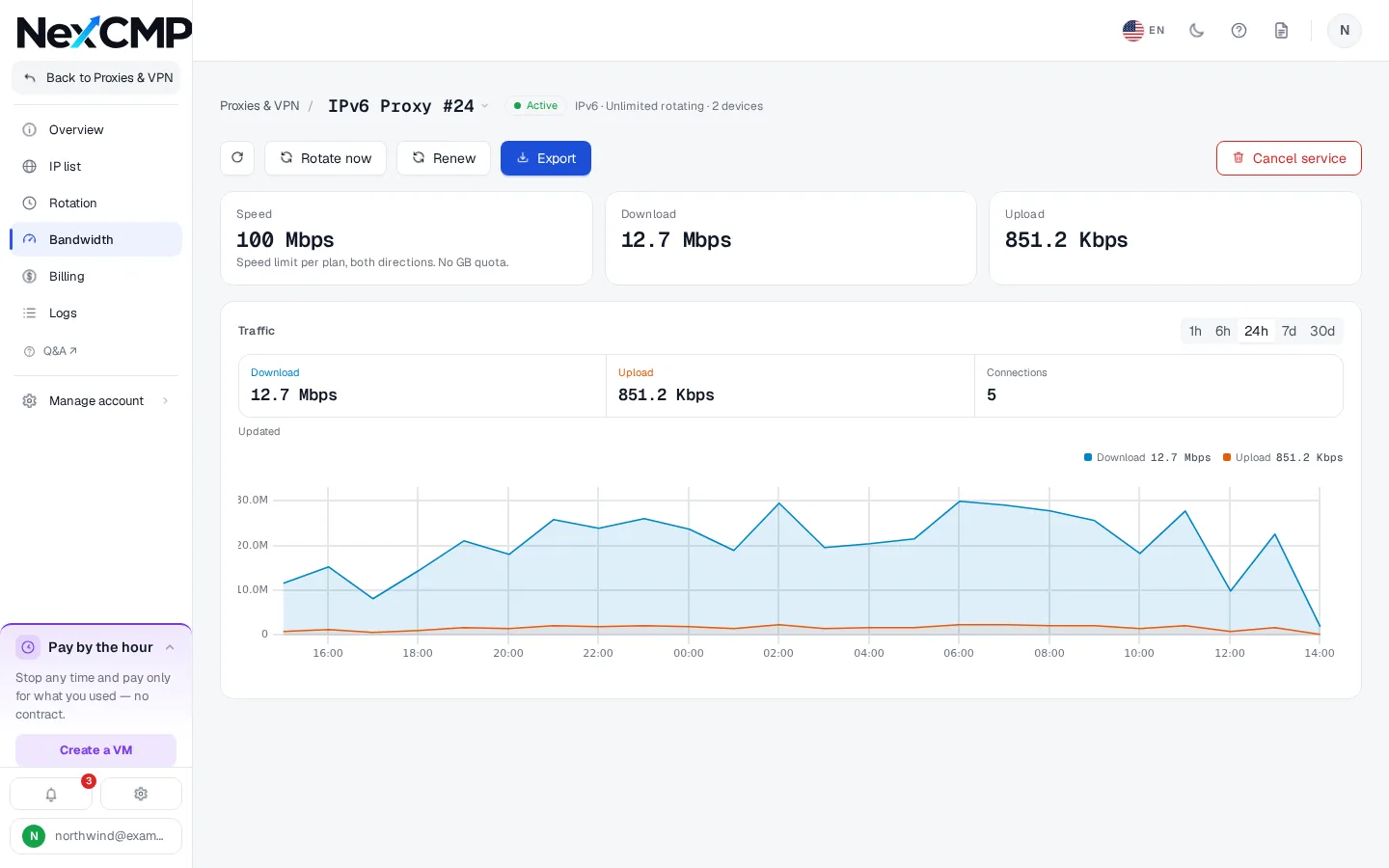
Every screen is a tab of the service page in the customer portal, shown with sample data. Pick a tab, use the arrows or the left and right keys, or open the full-screen viewer.
Overview
IP list
Rotation
Bandwidth
Billing
Logs
How the pieces fit together
Traffic goes from customers straight to your nodes. The panel sells, configures and records.
Node management and setup
Nodes are added from the admin console. The only manual step is having SSH access to the server.
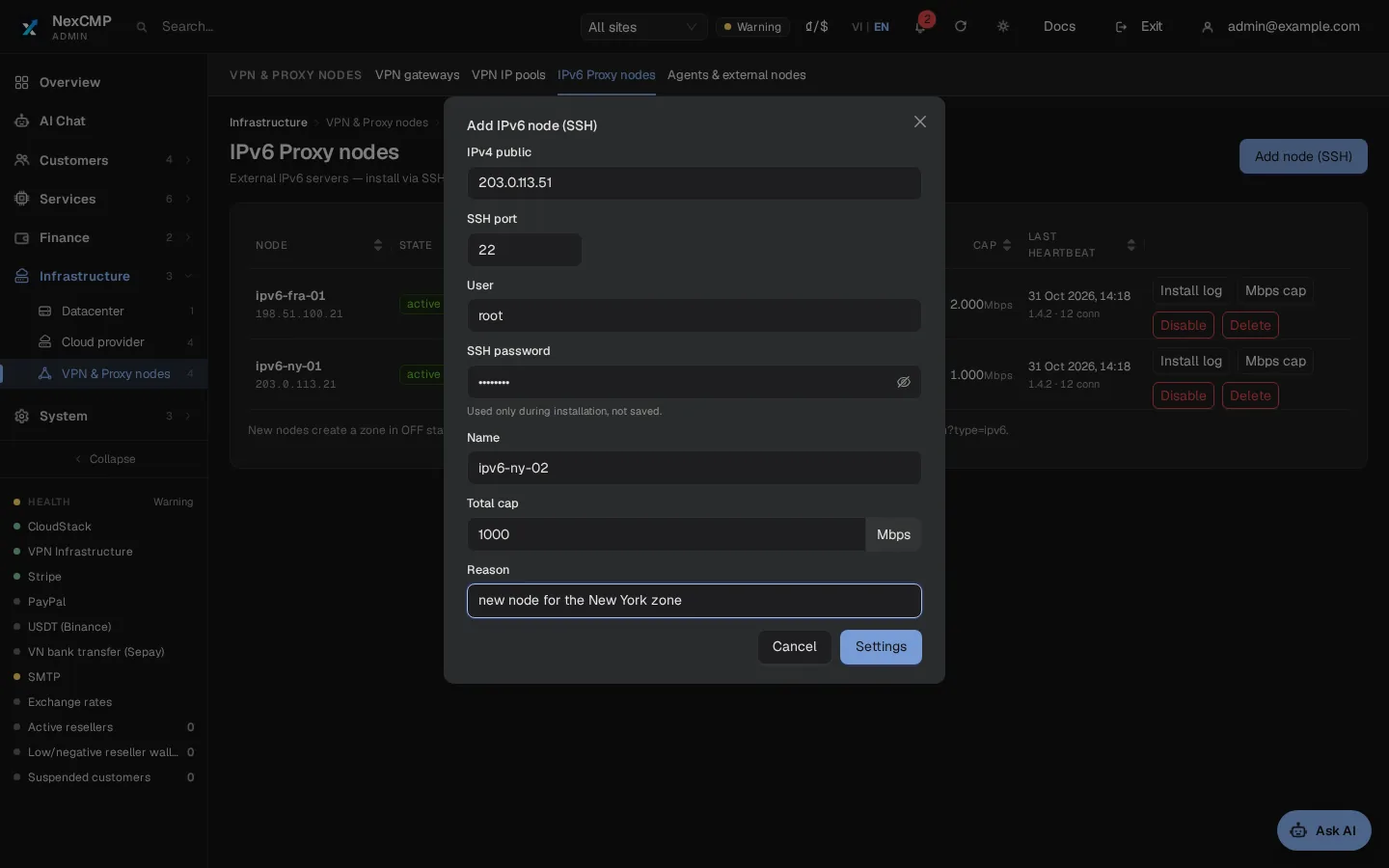
Add a node over SSH
In the Add IPv6 node (SSH) box enter the server's public IPv4, SSH port, user and password, a name, the total speed cap in Mbps and a reason. The password is used for the install only and is not stored.
Background install
The panel installs the proxy daemon in the background and shows an install log. It takes a few minutes. The panel host needs sshpass and an SSH client.
Prefix probe
The node tests real outbound traffic and reports whether your prefix is routed to it or on-link. Accepted prefixes run from /32 to /64 inside 2000::/3. A prefix assigned to another node is refused.
Zone by location
The node's country comes from its IPv4 address. It joins your zone for that country, or a new zone is created switched off for you to enable.
Status and controls
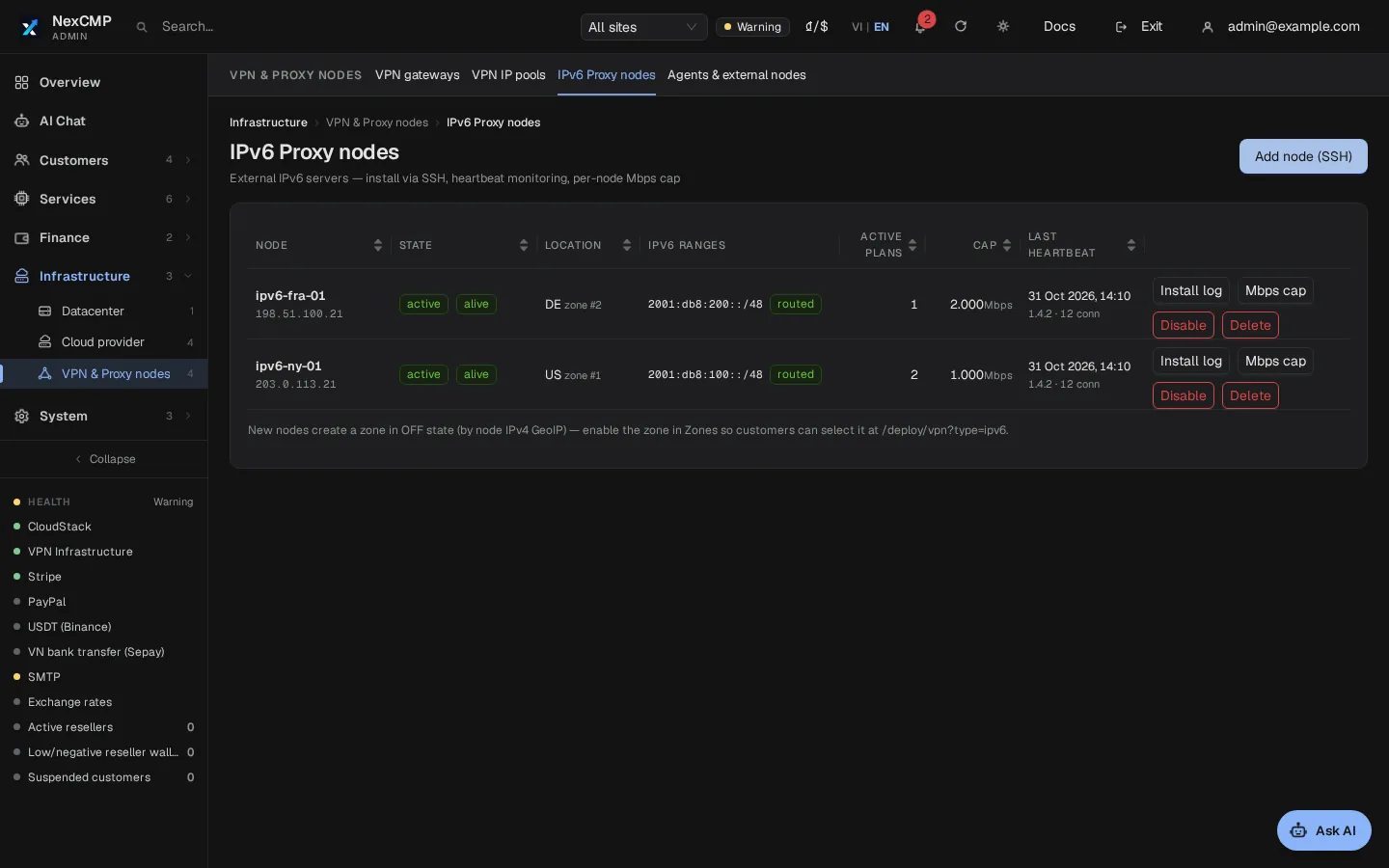
A node is new, installing, active, in error or disabled. You can read the install log, change the Mbps cap, disable it and delete it once no plan holds addresses on it. Deleting does not uninstall the software.
Panel URL and audit
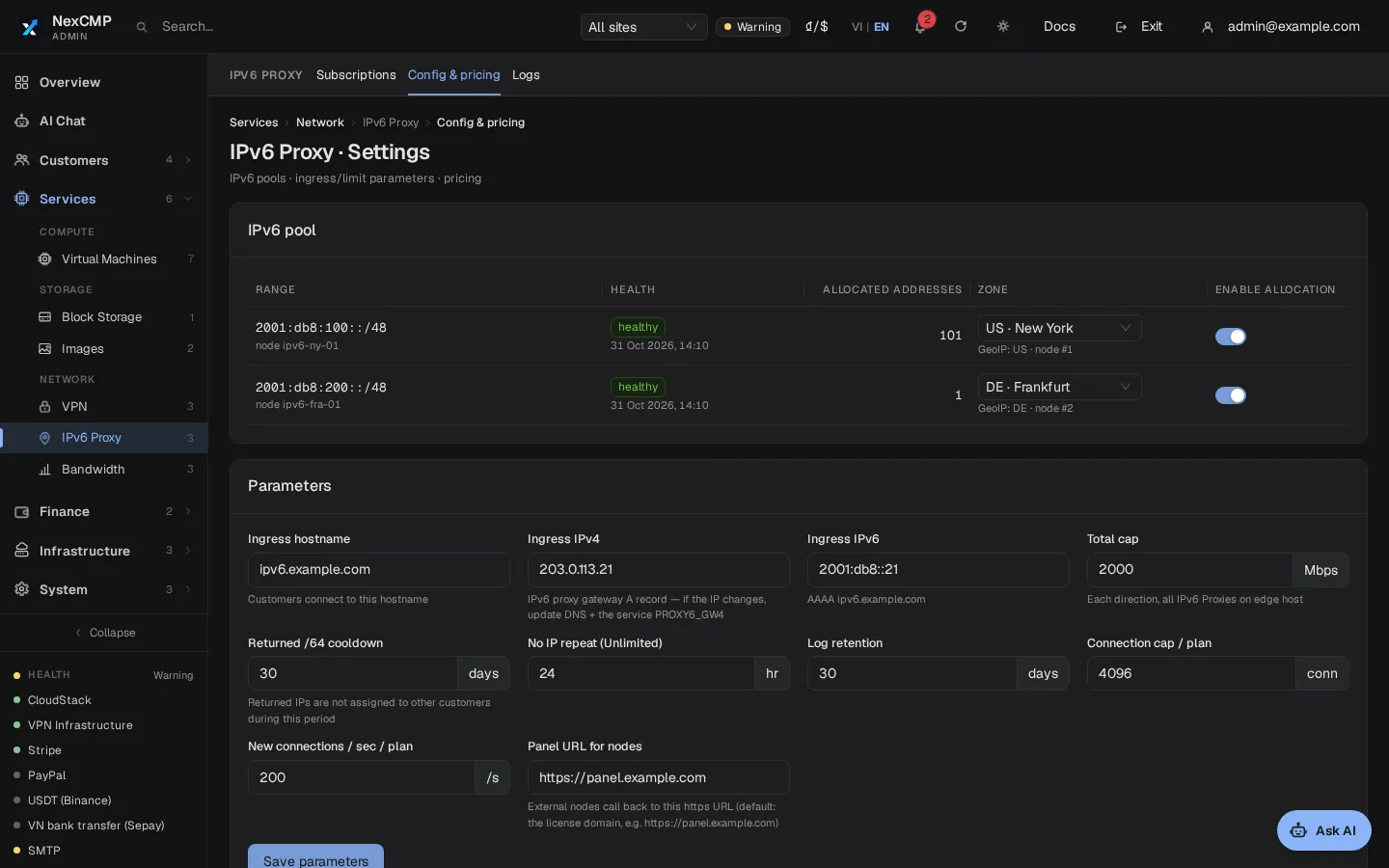
Nodes call your panel over HTTPS at an address you can set under IPv6 Proxy > Settings. Adding, capping, disabling and deleting a node ask for a reason and are written to the audit log.
Plans and pricing
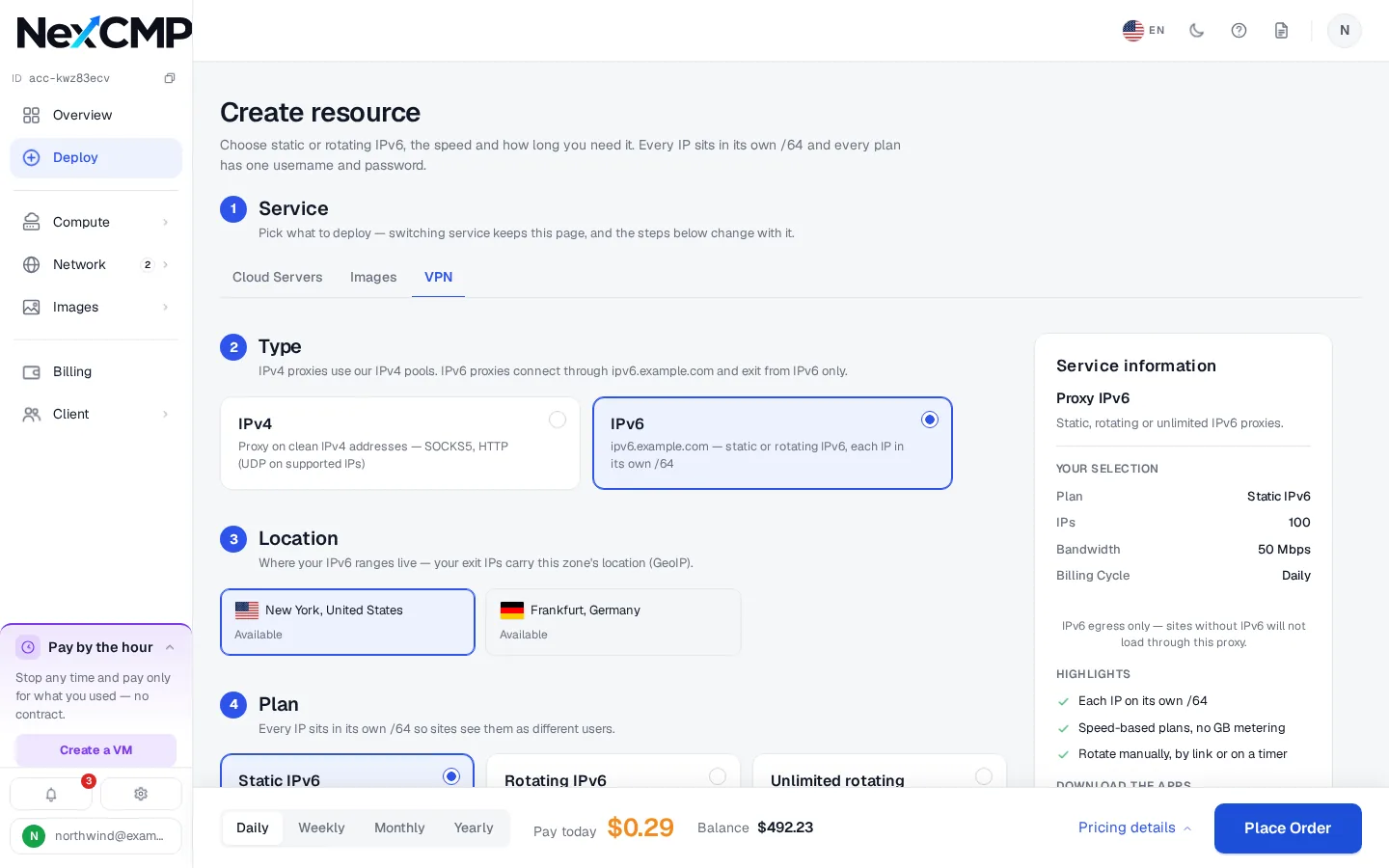
Three plan types and four billing cycles. You set every price. New prices apply to new orders; sold plans keep their price.
Static
A fixed set of addresses sold by count, each with its own port from 60001. Static plans do not rotate. The largest plan you can sell is 20,000 addresses.
Rotate
Sold by rotations per period. The first is used at purchase and a renewal adds more. When all are used the address is withdrawn and connections stop until the plan is renewed.
No data cap
No data allowance and no limit on rotations, but speed-limited in Mbps. A rotated-away address is not reused for 24 hours by default.
Cycles and renewal
Daily, weekly, monthly and yearly, priced separately for each plan. Auto-renew is on by default and renews when 24 hours or less remain. Cancelling is immediate and not refunded. Plans are paid from the prepaid wallet.
Add-ons
+50 Mbps, up to 20 units on a plan, and +1 device for no-data-cap plans, up to 20 units. You price both.
Bandwidth and limits
IPv6 Proxy is limited by speed in Mbps. There is no gigabyte allowance.
Mbps per plan, both ways
Each plan has a speed limit, applied to upload and download separately. It is the plan's speed plus 50 Mbps per add-on unit.
Node-wide cap
Each node has a total cap per direction, set when you add it and changeable later with a reason. Every plan on the node shares it.
Connection limits
A plan has a maximum number of open connections and of new connections per second. Repeated wrong passwords are slowed down.
Traffic and logs
Nodes report bytes every minute, shown as a chart on the Bandwidth tab. Customers can also search a per-minute connection log with 30 days of history.
Quotas
The proxy6.ips quota caps how many IPv6 proxy addresses one account can hold. It is checked before the wallet is charged, and an order over the limit is refused.
Quotas follow the account's top-up level and the switch is off by default. You edit the defaults per level and override one customer with a reason that goes to the audit log. Resellers can see quotas but not change them.
IP rotation
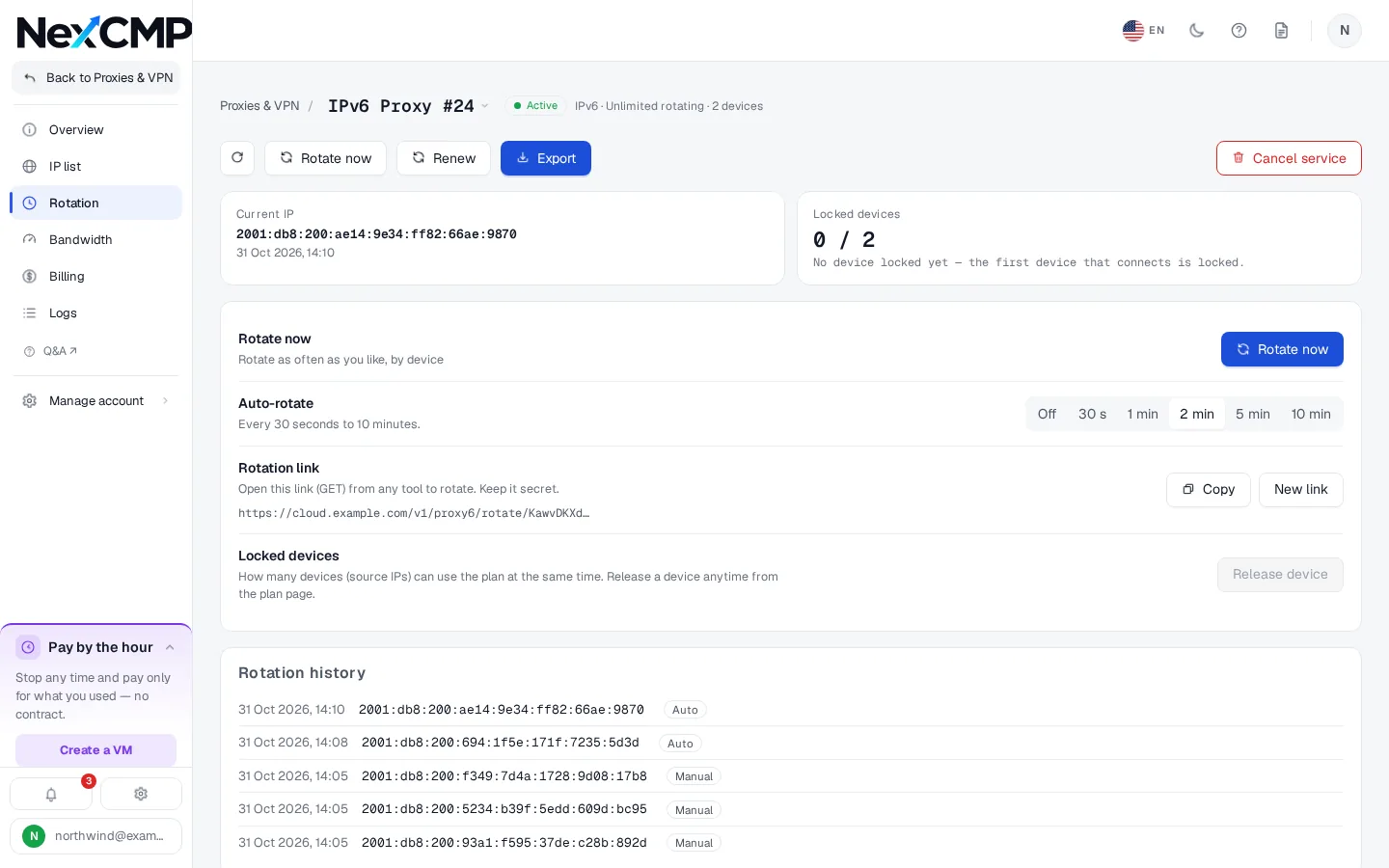
Rotation exists for IPv6 only. A rotated address is a new address in a different /64. Static plans do not rotate. Rotate and no-data-cap plans rotate three ways.
- By hand: the Rotate now button or one call to the rotate endpoint of the API, at most once every 3 seconds per plan. On a Rotate plan it uses one rotation.
- By public link: a secret link that rotates the address with no login, for scripts that cannot hold an API key. The customer can replace it at any time. It accepts one call every 3 seconds, and anyone holding it can use up rotations.
- By schedule: an interval from 30 to 600 seconds, or off. The panel runs the schedule.
- Nodes pick up the new address within about 5 seconds. The Rotation tab keeps the history.
Authentication: user name, password and device lock
IPv6 Proxy uses a user name and password. It has no IP allow-list.
User name and password
Each plan gets generated credentials. The customer shows, hides and resets the password in the portal.
Choosing an address
On a static plan the customer picks an address by its port from 60001, or by adding its number to the user name.
Device lock
Rotate plans allow one device, no-data-cap plans one plus add-ons, static plans no lock. A device is the client's source address and the first to connect holds the lock. The customer or you can release it.
Protocols
SOCKS5 with user name and password, and HTTP proxy. TCP only: no UDP and no HTTPS-proxy (TLS to the proxy).
Export and API
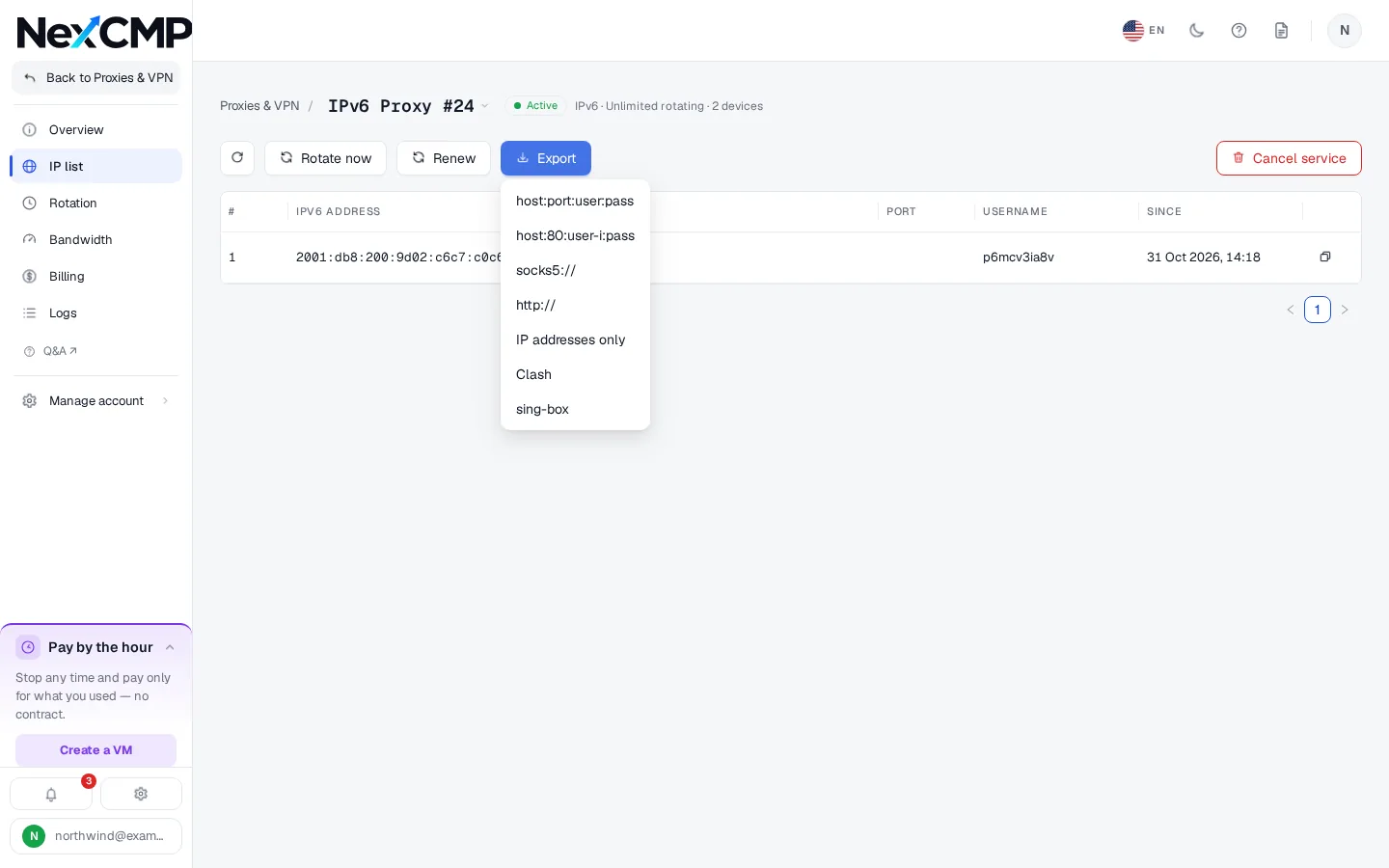
Customers export the address list in seven formats: host:port:user:pass lines, user-and-password lines, SOCKS5 URLs, HTTP URLs, the plain list of exit IPv6 addresses, Clash and sing-box. Exports are refused when someone signs in as the customer on their behalf, because they contain the password.
Customer API keys have scopes for reading, details, changes and ordering. Ordering needs an idempotency key, so a retry cannot charge twice. The rotation link is not shown to API keys. The OpenAPI document and the cmp command-line tool cover buying, renewing, rotating, releasing a device, resetting a password, exporting and reading logs.
GET /v1/proxy6/subscriptions/{id}/export?format=socks5
formats: hostport, userpass, socks5, http, ips, clash, singbox
What the admin console and the portal look like
Screenshots from a test installation with sample data.
What your customers can do
In the portal or through the API.
Order and pay
Choose plan, location, add-ons and cycle, and pay from the wallet. Only zones that are on and have a running node are offered.
Connect and rotate
Copy the connection details, reset the password, rotate now, set a schedule or call the public link.
Export and watch
Download the list in seven formats, read the traffic chart and the connection log.
Manage the plan
Renew, switch auto-renew, release a locked device, cancel or remove the plan from the list.
What you can do as the operator
In the NexCMP admin console.
Run nodes and prices
Install nodes, set Mbps caps, switch pools and zones, and price every plan in every cycle.
Oversee plans
List plans by type and status, compare Mbps sold with the cap, read the connection log, release a device or revoke a plan with a reason.
Quotas and resellers
Set quota defaults and overrides. Each reseller has a Sell IPv6 Proxy switch, effective only while the module is on.
Module switch
Turn the module on or off under License & updates.
Infrastructure requirements
You provide the servers and the address space. The install steps are in the docs at https://nexcmp.com/docs/infrastructure/vpn-proxy-nodes/.
- A node on Linux x86_64 with systemd and the systemctl, nft, ip, ss, sysctl and useradd commands.
- Ports 80, 443 and every port above 60000 free. The installer does not stop other services.
- A public IPv4 address for SSH and for customers to connect to, and HTTPS from the node to your panel.
- An IPv6 prefix routed to the node, or on-link with NDP proxying, such as a range like 2001:db8::/32 in the documentation.
- Enough address space. In a routed prefix each address you sell gets its own /64, so you need as many /64s as addresses sold at once: a /51 holds 8,192, enough for a 5,000-address static plan. On a single on-link /64 shared with your router, each address sold is one /128 inside that /64, so one /64 serves many addresses.
- Mail ports 25, 465, 587 and 2525 are blocked. Customers reach only websites with an IPv6 address (AAAA record).
Fit check
IPv6 Proxy fits a network operator or hosting company with its own IPv6 allocation that can route it to a server and wants to sell static or rotating proxies with billing, quotas and an API in place.
It does not fit anyone without IPv6 space of their own, or who needs IPv4 destinations, UDP, HTTPS-proxy or IP whitelisting on this product.
You are responsible for where your addresses come from, for obeying the law that applies to you and your customers, and for the acceptable-use policy you give them. NexCMP does not supply IP addresses or bandwidth, and this page is not legal advice.
Free and Source
The IPv6 Proxy module is included in NexCMP Free and Source, with no fee per node, plan or address. NexCMP Free is $0 for the first year, then $99 per year, for operators with their own ASN and subnet; applications are reviewed by hand. NexCMP Source is $499 one time. The slides above show the customer portal.
IPv6 proxy panel: frequently asked
What do I need to run IPv6 proxies with NexCMP?
How much IPv6 space does my prefix need?
What is the difference between static, rotating and no-data-cap plans?
How does rotation work?
How are speeds limited?
Do customers log in with a password or an allowed IP?
Which formats can customers export?
Can I sell IPv4 rotation too?
Where does my IPv6 prefix come from?
Sources
NexCMP documentation for proxy and VPN nodes.
Get NexCMP free
Free, with the IPv6 Proxy module and every other module included. Install it on your server today, or look at the customer portal screens first.

Last updated: